Best Mechanical Keyboards for Long-Session JRPG Gamers Under $200
| # | Product | Best for | Rating | Price |
|---|---|---|---|---|
| 1 | Keychron V6 Full Size Wired Mechanical Keyboard | Menu-heavy JRPGs and Macros | ★ 4.7 | $89 |
| 2 | Keychron K2 V2 Wireless Mechanical Keyboard | Multi-Device Gacha Grinding | ★ 4.5 | $99 |
| 3 | Epomaker TH80 Pro 75% Hot Swap Mechanical Keyboard | Ergonomic Comfort and Typing Feel | ★ 4.4 | $95 |
| 4 | Razer BlackWidow V4 75% Mechanical Gaming Keyboard | Premium Mainstream Features | ★ 4.5 | $189 |
| 5 | Akko 3068B Plus World Tour Tokyo R2 | Small Desks and Aesthetics | ★ 4.6 | $85 |
Best for Menu-heavy JRPGs and Macros
Keychron V6 Full Size Wired Mechanical Keyboard
The Keychron V6 is the definitive choice for players who need a full numpad for secondary keybinds. Its use of screw-in PCB stabilizers and a steel plate provides a level of structural rigidity rarely found in the sub-$100 price tier.
Pros
- Full 108-key layout provides a dedicated numpad for complex menu shortcuts
- QMK/VIA support allows for deep macro customization without proprietary bloatware
- Double-shot PBT keycaps in OSA profile offer superior durability during long farming sessions
Cons
- Wired-only connectivity limits portability for handheld or mobile gacha setups
- Tray-mount construction results in a stiffer typing feel compared to gasket-mount alternatives
Best for Multi-Device Gacha Grinding
Keychron K2 V2 Wireless Mechanical Keyboard
With its 4000mAh battery and multi-device pairing, the K2 V2 is optimized for players who rotate between PC and mobile gacha titles. It remains a benchmark for wireless stability in the $80-100 price band.
Pros
- Large 4000mAh battery supports up to 240 hours of typing with backlighting off
- Bluetooth 5.1 allows seamless switching between PC, Mac, and mobile devices
- Compact 75% layout saves significant desk space for mouse movement or controllers
Cons
- High front-height profile (30mm) necessitates a separate wrist rest to avoid strain
- North-facing LEDs can cause physical interference with high-end Cherry profile keycaps
Affiliate link · Price subject to change · We may earn a commission
Best for Ergonomic Comfort and Typing Feel
Epomaker TH80 Pro 75% Hot Swap Mechanical Keyboard
The TH80 Pro's gasket-mount internal structure is specifically designed to dampen impact, making it the most comfortable option for 6+ hour grinding sessions. At under $100, its inclusion of a programmable metal knob for volume control adds significant quality-of-life value.
Pros
- Gasket-mount design provides a cushioned, 'bouncy' feel that reduces finger fatigue
- Triple-mode connectivity (2.4GHz, Bluetooth 5.0, USB-C) offers maximum flexibility
- South-facing RGB LEDs ensure compatibility with all aftermarket Cherry-profile keycap sets
Cons
- Proprietary driver software is less intuitive than industry-standard QMK/VIA
- Factory lubrication on stabilizers can be inconsistent, leading to occasional 'rattle' on the spacebar
Best for Premium Mainstream Features
Razer BlackWidow V4 75% Mechanical Gaming Keyboard
The BlackWidow V4 75% bridges the gap between mainstream gaming brands and enthusiast features like gasket mounting and hotswap support. While expensive at $189, its 2-year warranty and local retail availability provide a safety net that budget brands lack.
Pros
- Native 8000Hz polling rate provides the lowest possible input latency for frame-perfect inputs
- Hot-swappable PCB allows for easy switch replacement without soldering
- Included plush leatherette wrist rest mitigates the ergonomic risk of the high-profile chassis
Cons
- Requires Razer Synapse software running in the background for full RGB and macro functionality
- Significantly higher price point than enthusiast-grade boards with similar build materials
Best for Small Desks and Aesthetics
Akko 3068B Plus World Tour Tokyo R2
The Akko 3068B Plus is the best 65% option for players who prioritize aesthetics and desk space. Its Jelly Pink switches are factory-lubed, offering a smooth linear action that is ideal for rapid menu navigation in JRPGs.
Pros
- 65% layout is extremely space-efficient for players using large mousepads or small desks
- High-quality dye-sublimated PBT keycaps resist shine and wear over years of use
- Beken Multi-mode chip provides stable 2.4GHz wireless performance with minimal lag
Cons
- Small 1800mAh battery requires more frequent charging than the Keychron K2
- Fixed typing angle may not be ideal for all users as it lacks multi-stage adjustable feet
Finding the right balance between tactile feedback and ergonomic comfort is essential when you’re spending hours managing businesses in Hesperia or hunting Anomalies. Whether you are optimizing your City Tycoon revenue or fine-tuning your character’s Anomagram settings, the hardware beneath your fingertips dictates how long you can play before fatigue sets in.
The Keychron V6 is our top pick for its full-size layout and QMK support, while the Epomaker TH80 Pro offers the best gasket-mounted comfort for under $100.
This guide is designed for PC and mobile gamers performing 4+ hour JRPG or gacha farming sessions who require ergonomic comfort and high customizability under a $200 budget. If you find yourself spending your evenings rotating through S-Rank Arcs or navigating complex menu systems in Neverness to Everness, these keyboards provide the durability and features needed to sustain long-term play.
Keychron V6 Full Size Wired Mechanical Keyboard
Related: Best Mechanical Keyboards for MMO Players Under $150 for Long Farming · Best desk lighting solutions for late night gacha and MMO players · Best Desk Lighting Kits for Late Night Gacha Grinders
The Keychron V6 stands out as a productivity powerhouse that translates perfectly into the world of menu-heavy JRPGs. For gamers who need a dedicated numpad to handle secondary keybinds or Anomagram shortcuts, this 100% layout ensures every command is within reach.
- Price: $89
- Rating: 4.7/5
- Best For: Menu-heavy JRPGs and Macros
Pros:
- Full 108-key layout provides a dedicated numpad for complex menu shortcuts.
- QMK/VIA support allows for deep macro customization without proprietary bloatware.
- Double-shot PBT keycaps in OSA profile offer superior durability during long farming sessions.
Cons:
- Wired-only connectivity limits portability for handheld or mobile gacha setups.
- Tray-mount construction results in a stiffer typing feel compared to gasket-mount alternatives.
The Keychron V6 is the definitive choice for players who need a full numpad for secondary keybinds. Its use of screw-in PCB stabilizers and a steel plate provides a level of structural rigidity rarely found in the sub-$100 price tier. This makes it particularly useful for the City Tycoon management systems in Neverness to Everness, where rapid numerical entry and menu cycling are frequent.
Keychron K2 V2 Wireless Mechanical Keyboard
For players who frequently switch between their desktop and a tablet for mobile gacha sessions, the Keychron K2 V2 offers a versatile wireless solution. Its compact 75% footprint leaves more room for a mouse or a secondary controller on your desk.
- Price: $99
- Rating: 4.5/5
- Best For: Multi-Device Gacha Grinding
Pros:
- Large 4000mAh battery supports up to 240 hours of typing with backlighting off.
- Bluetooth 5.1 allows seamless switching between PC, Mac, and mobile devices.
- Compact 75% layout saves significant desk space for mouse movement or controllers.
Cons:
- High front-height profile (30mm) necessitates a separate wrist rest to avoid strain.
- North-facing LEDs can cause physical interference with high-end Cherry profile keycaps.
With its 4000mAh battery and multi-device pairing, the K2 V2 is optimized for players who rotate between PC and mobile gacha titles. It remains a benchmark for wireless stability in the $80-100 price band. When grinding for Arcs across different platforms, the ability to toggle between three saved Bluetooth profiles with a simple keystroke is a massive time-saver.
Epomaker TH80 Pro 75% Hot Swap Mechanical Keyboard
The Epomaker TH80 Pro is widely regarded for its “thocky” sound and cushioned typing feel. It utilizes a gasket-mount internal structure, which is a premium feature that helps absorb the impact of every keypress.
- Price: $95
- Rating: 4.4/5
- Best For: Ergonomic Comfort and Typing Feel
Pros:
- Gasket-mount design provides a cushioned, “bouncy” feel that reduces finger fatigue.
- Triple-mode connectivity (2.4GHz, Bluetooth 5.0, USB-C) offers maximum flexibility.
- South-facing RGB LEDs ensure compatibility with all aftermarket Cherry-profile keycap sets.
Cons:
- Proprietary driver software is less intuitive than industry-standard QMK/VIA.
- Factory lubrication on stabilizers can be inconsistent, leading to occasional “rattle” on the spacebar.
The TH80 Pro’s gasket-mount internal structure is specifically designed to dampen impact, making it the most comfortable option for 6+ hour grinding sessions. At under $100, its inclusion of a programmable metal knob for volume control adds significant quality-of-life value. This is especially helpful when you need to quickly adjust the atmospheric soundtrack of Hesperia while focusing on combat.
Razer BlackWidow V4 75% Mechanical Gaming Keyboard
If you prefer a keyboard backed by a major gaming brand with a robust warranty, the Razer BlackWidow V4 75% is a premium contender. It combines mainstream features like 8000Hz polling with enthusiast-grade internal foam and gasket mounting.
- Price: $189
- Rating: 4.5/5
- Best For: Premium Mainstream Features
Pros:
- Native 8000Hz polling rate provides the lowest possible input latency for frame-perfect inputs.
- Hot-swappable PCB allows for easy switch replacement without soldering.
- Included plush leatherette wrist rest mitigates the ergonomic risk of the high-profile chassis.
Cons:
- Requires Razer Synapse software running in the background for full RGB and macro functionality.
- Significantly higher price point than enthusiast-grade boards with similar build materials.
The BlackWidow V4 75% bridges the gap between mainstream gaming brands and enthusiast features like gasket mounting and hotswap support. While expensive at $189, its 2-year warranty and local retail availability provide a safety net that budget brands lack. For players who demand the lowest possible latency when timing dodges against Anomalies, the 8000Hz polling rate offers a slight technical edge.
Akko 3068B Plus World Tour Tokyo R2
The Akko 3068B Plus is a 65% keyboard that prioritizes desk space and aesthetic flair. It features high-quality PBT keycaps with vibrant artwork, making it a favorite for gamers who want their setup to reflect the urban-anime style of Neverness to Everness.
- Price: $85
- Rating: 4.6/5
- Best For: Small Desks and Aesthetics
Pros:
- 65% layout is extremely space-efficient for players using large mousepads or small desks.
- High-quality dye-sublimated PBT keycaps resist shine and wear over years of use.
- Beken Multi-mode chip provides stable 2.4GHz wireless performance with minimal lag.
Cons:
- Small 1800mAh battery requires more frequent charging than the Keychron K2.
- Fixed typing angle may not be ideal for all users as it lacks multi-stage adjustable feet.
The Akko 3068B Plus is the best 65% option for players who prioritize aesthetics and desk space. Its Jelly Pink switches are factory-lubed, offering a smooth linear action that is ideal for rapid menu navigation in JRPGs. Despite its smaller size, it retains dedicated arrow keys, which are vital for navigating the City Tycoon interface without relying entirely on a mouse.
How we picked these mechanical keyboards

Selecting the right hardware for a genre as demanding as the modern urban RPG requires looking beyond simple RGB lighting. Our criteria focused on the physical toll of long-term play and the specific software needs of JRPG fans.
- Hotswap PCBs: We prioritized hotswap PCBs to allow players to switch to silent switches for late-night grinding sessions. This flexibility ensures that if a single switch fails during an intense boss fight, it can be replaced in seconds without a soldering iron.
- PBT Keycaps: Selection was limited to boards with PBT keycaps or high-quality coatings to prevent “key shine” from skin oils during long sessions. Unlike cheaper ABS plastic, PBT maintains its texture and prevents the keys from becoming slippery after hours of use.
- Verified Performance: We cross-referenced community reviews on Reddit and technical benchmarks from RTINGS to verify latency and build quality consistency. This ensures that the wireless models listed provide a stable connection during Anomaly encounters.
- Ergonomics: Every pick was vetted for ergonomic support, either through adjustable feet or included wrist rests. Sustaining a 4-hour session requires a typing angle that doesn’t strain the wrists.
What ‘long-session JRPG gamers’ actually need
JRPG gaming, particularly in an open-world title like Neverness to Everness, involves a mix of high-intensity combat and low-intensity management. Your keyboard needs to excel at both.
Low Actuation Force
Long sessions can lead to Repetitive Strain Injury (RSI). Switches with 45g or lower actuation force, such as Gateron Reds or Akko Jelly Pinks, are preferred. These require less effort to press, which significantly reduces finger fatigue when you are performing hundreds of repetitive actions while farming for S-Rank Arcs.
Macro Support
JRPGs often involve repetitive menu navigation or specific skill rotations. QMK/VIA support, found in the Keychron V-series, allows you to program these sequences directly into the keyboard’s hardware. This can automate tedious tasks in the City Tycoon system, such as collecting resources or cycling through business menus.
Gasket Mounting
This internal mounting style uses rubber gaskets to “float” the plate inside the case. The result is a softer bottom-out feel. Instead of your fingers hitting a hard steel plate, the gasket absorbs the shock. This is a critical feature for anyone who “bottoms out” their keys heavily during intense combat sequences in Hesperia.
Comparison summary
| Keyboard | Layout | Mounting Style | Connectivity | Best Feature |
|---|---|---|---|---|
| Keychron V6 | 100% | Tray Mount | Wired | QMK/VIA Customization |
| Keychron K2 V2 | 75% | Tray Mount | Wireless/Wired | 4000mAh Battery Life |
| Epomaker TH80 Pro | 75% | Gasket Mount | Triple Mode | Cushioned Typing Feel |
| Razer V4 75% | 75% | Gasket Mount | Wired | 8000Hz Polling Rate |
| Akko 3068B Plus | 65% | Tray Mount | Triple Mode | Dye-Sub PBT Aesthetics |
- The Keychron V6 leads for utility, offering the most keys and best software customization for under $90.
- The Epomaker TH80 Pro wins on pure comfort due to its gasket-mount design and pre-lubed switches.
- The Razer BlackWidow V4 75% is the best choice for those who want a “buy-it-and-forget-it” premium experience with a local warranty.
- The Akko 3068B Plus and Keychron K2 V2 are the top contenders for wireless and multi-device setups.
When to skip the upgrade
A new mechanical keyboard is a significant investment, and it isn’t always the right solution for every player.
If you primarily play JRPGs with a controller, a high-end mechanical keyboard will offer minimal gameplay benefits. While the keyboard is useful for navigating menus like the Anomagram, the actual combat experience in Neverness to Everness is often more fluid on a gamepad for many users.
Don’t upgrade if your current board is hotswappable. You can often achieve a “new” feel just by replacing the switches and keycaps for $40. If your current chassis is solid, simply buying a set of silent mechanical switches can transform your experience without the $100+ price tag.
Avoid “optical” gaming keyboards for JRPGs. The ultra-light actuation of optical switches is often too sensitive for relaxed menu-based gameplay and can lead to accidental inputs. In a game where one wrong click in the City Tycoon menu can waste resources, the stability of a traditional mechanical switch is usually safer.
What we didn’t include and why
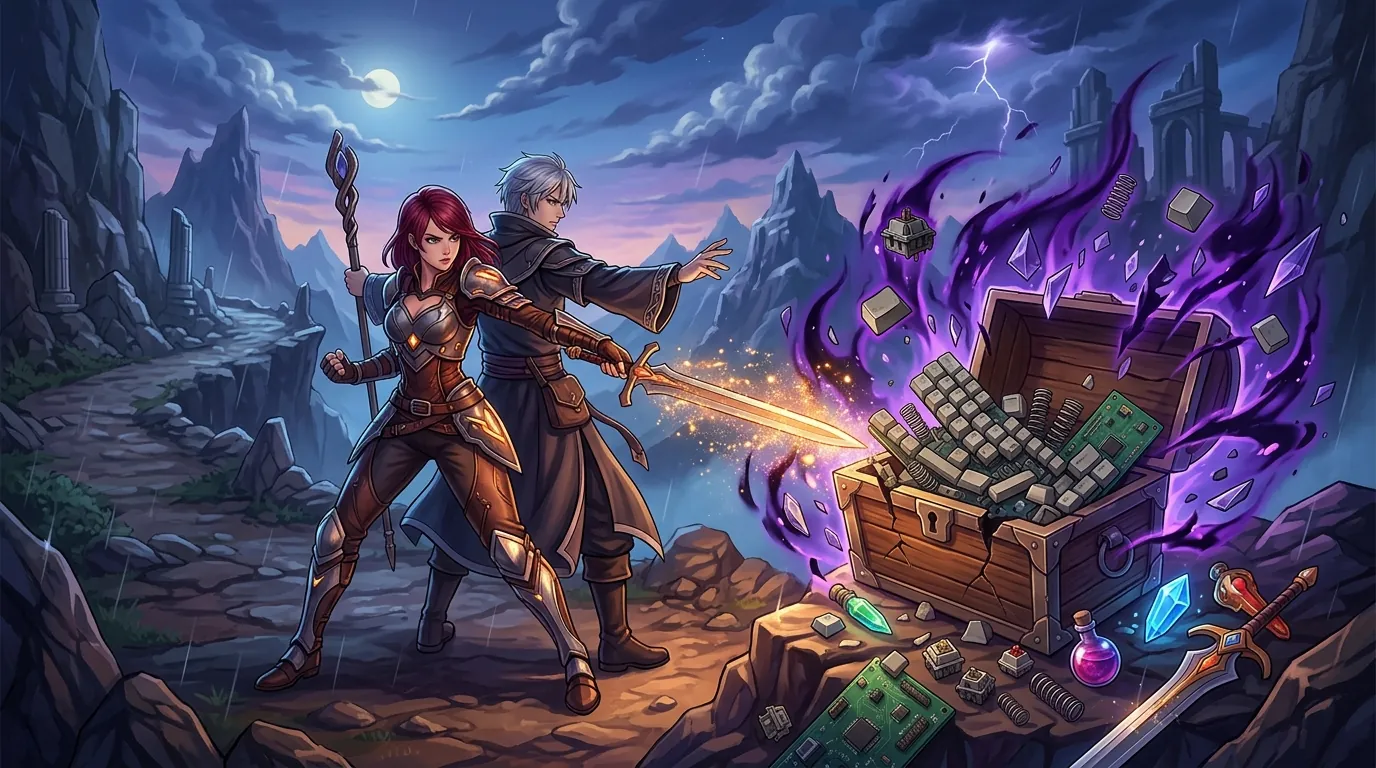
Several popular keyboards were excluded from this list despite their high rankings in other categories.
- Logitech G915 TKL: While popular, it uses proprietary low-profile switches that are difficult to replace and still relies on Micro-USB for older stock, which is unacceptable at its $200+ price point.
- Corsair K100 RGB: This board is frequently over $200 and its massive footprint takes up too much space for players who prefer a relaxed, ergonomic desk setup.
- Wooting 60HE: Although it is the king of Hall Effect keyboards, the 60% layout lacks dedicated arrow keys and function rows. These are essential for navigating JRPG menus and PC ports where the mouse isn’t always the primary navigation tool.
Frequently Asked Questions
What is the best switch type for long JRPG sessions?
Linear switches, such as Gateron Reds or Yellows, are generally best for long sessions because they provide a smooth, consistent keystroke without a tactile “bump.” This reduces the force required for each press, helping to prevent finger fatigue during repetitive grinding. If you play in a shared space, silent linear switches are also a popular choice to keep the noise down during late-night sessions.
Why do I need a 75% or full-size keyboard for Neverness to Everness?
Neverness to Everness features complex systems like the Anomagram and City Tycoon management, which often utilize the Function (F1-F12) row and arrow keys for navigation. Smaller layouts, like 60%, require you to hold down a Function key to access these, which can make menu navigation feel clunky and slow during intense gameplay.
Is wireless latency an issue in Neverness to Everness?
For most JRPG players, the latency of a modern 2.4GHz wireless connection is indistinguishable from a wired one. However, if you are participating in high-level Anomaly hunts that require frame-perfect dodges, a wired connection or a high-polling rate keyboard like the Razer BlackWidow V4 75% provides the most reliable input.
Sources
- IGN
- GameSpot — https://www.gamespot.com/articles/neverness-to-everness-revealed-as-new-urban-open-world-rpg-from-tower-of-fantasy-dev/1100-6524991/
- Pocket Gamer — https://www.pocketgamer.com/neverness-to-everness/everything-we-know/
- Gematsu
- Keychron — https://www.keychron.com/products/keychron-v6-qmk-custom-mechanical-keyboard
- Epomaker
- Akko
- Razer — https://www.razer.com/gaming-keyboards/razer-blackwidow-v4-75
- RTINGS — https://www.rtings.com/keyboard/tests/typing-noise
Related Guides

Best Adjustable Standing Desks for WFH Gacha Grinders

Arlecchino vs Hu Tao: Who is the Best Pyro DPS in Genshin Impact?

Aurelia Nova vs Lacrimosa NTE: Best Gaming Gear for Neverness to Everness Players

Ayaka vs Ganyu: Who is the Best Cryo DPS in Genshin Impact?

Best 4-Star Weapons for NTE DPS: Top A-Rank Arcs Ranked

Best 4K OLED Gaming Monitors for Competitive Gacha Grinders and Daily Farmers

Best 4K OLED Gaming Monitors for Immersive RPG Worlds and Long MMO Sessions

Loading comments…