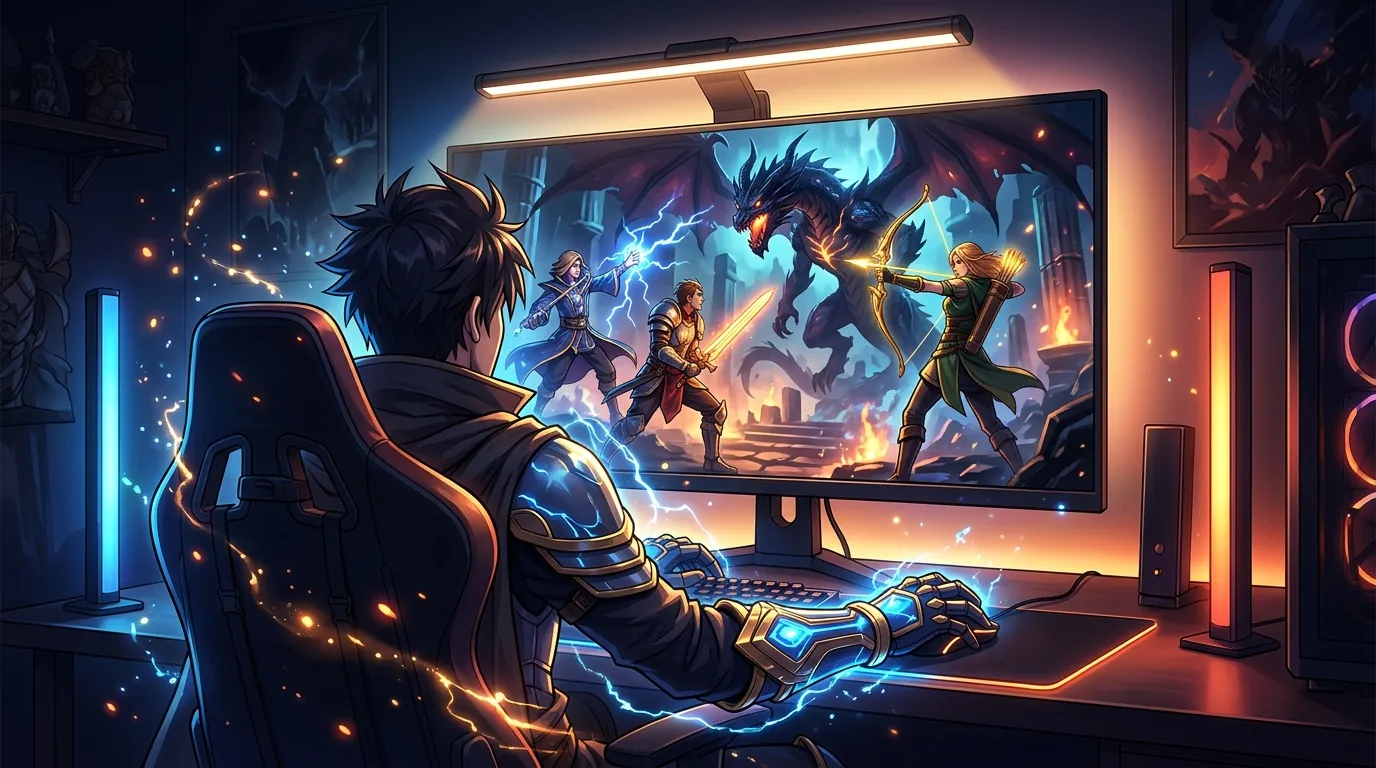
Best desk lighting solutions for late night gacha and MMO players
| # | Product | Best for | Rating | Price |
|---|---|---|---|---|
| 1 | BenQ ScreenBar Halo Monitor Light Bar | Premium Eye Strain Prevention | ★ 4.6 | $179 |
| 2 | Quntis Computer Monitor Lamp Screen Linear | Budget-Conscious Grinders | ★ 4.5 | $39 |
| 3 | Govee RGBIC Gaming Light Bars | Immersive Bias Lighting | ★ 4.5 | $69 |
| 4 | Philips Hue Play White & Color Ambiance Smart Light Bar | High-End Ecosystem Integration | ★ 4.7 | $159 |
| 5 | Logitech Litra Glow Premium LED Streaming Light | Late-Night Streamers and VTubers | ★ 4.5 | $59 |
Best for Premium Eye Strain Prevention
BenQ ScreenBar Halo Monitor Light Bar
The ScreenBar Halo is the top choice for late-night sessions due to its 500 lux brightness and unique 3-mode lighting that includes a rear-facing bias light. Its asymmetric optical design is verified by RTINGS to eliminate screen reflection, making it superior to standard desk lamps for long-term eye health.
Pros
- Integrated backlighting reduces contrast between screen and wall
- Wireless controller allows for clutter-free desk adjustments
- High Color Rendering Index (CRI >95) ensures game colors remain vivid
Cons
- Wireless controller requires 3 AAA batteries rather than being rechargeable
- The heavy counterweight mount can struggle with ultra-thin or extremely curved monitors
Affiliate link · Price subject to change · We may earn a commission
Best for Budget-Conscious Grinders
Quntis Computer Monitor Lamp Screen Linear
At roughly one-fourth the price of premium competitors, the Quntis Screen Linear provides the essential asymmetric light path needed to prevent glare. While it lacks the wireless remote of the BenQ, its 40cm length and USB-powered design make it a reliable utility pick for a secondary gacha-farming monitor.
Pros
- Auto-dimming feature adjusts to ambient room light automatically
- Physical touch controls are responsive and easy to reach
- Includes two different thickness adjustment pads for various bezels
Cons
- The physical buttons are located on top of the bar, which can cause the monitor to wobble when pressed
- Lacks a dedicated backlighting/bias light component found in premium models
Affiliate link · Price subject to change · We may earn a commission
Best for Immersive Bias Lighting
Govee RGBIC Gaming Light Bars
The Govee Light Bars are the best solution for players who find total darkness too taxing but don't want a top-down light. By projecting light against the wall, they reduce the 'stark screen' effect during late-night JRPG sessions, though they require the Govee Home app for the best customization.
Pros
- RGBIC technology allows for multiple colors to display on one bar simultaneously
- Smart app integration allows for scheduling and voice control via Alexa/Google
- Included stands allow for both vertical and horizontal placement
Cons
- The plastic housing feels lightweight and less durable than aluminum alternatives
- The adhesive pads for mounting to the back of a monitor are prone to failing in high-heat environments
Affiliate link · Price subject to change · We may earn a commission
Best for High-End Ecosystem Integration
Philips Hue Play White & Color Ambiance Smart Light Bar
For players already in the Hue ecosystem, these bars offer the most sophisticated bias lighting available. The Zigbee protocol ensures zero-latency color shifts during intense MMO raids, a significant upgrade over Bluetooth-based budget strips.
Pros
- Industry-leading color accuracy and smooth dimming transitions
- Syncs with on-screen action via the Hue Sync desktop app
- Versatile mounting options including adhesive and screw-in stands
Cons
- Requires a Philips Hue Bridge (sold separately) for full smart functionality and syncing
- The power adapter is proprietary and bulky, often blocking adjacent outlets on a power strip
Affiliate link · Price subject to change · We may earn a commission
Best for Late-Night Streamers and VTubers
Logitech Litra Glow Premium LED Streaming Light
If your late-night sessions involve streaming or video calls, the Litra Glow is the best way to stay visible without blinding yourself. It lacks the desk-clearing benefits of a monitor bar but excels at providing flicker-free, soft-box quality light that won't wash out your webcam feed.
Pros
- TrueSoft technology provides a diffused glow that prevents harsh shadows on the face
- Integrates directly with Logitech G-Hub for software-based brightness control
- Monitor mount is highly adjustable for height, tilt, and rotation
Cons
- The light is designed to face the user, making it poor for illuminating the desk surface or keyboard
- The USB-C cable included is relatively short (1.5m), which may limit routing options for standing desks
Affiliate link · Price subject to change · We may earn a commission
Navigating the neon-soaked streets of Hethereau requires sharp eyes, but hours of hunting Anomalies can quickly lead to ocular fatigue without a proper lighting setup.
The BenQ ScreenBar Halo is the gold standard for reducing eye strain during long sessions, while the Quntis Screen Linear offers the best budget-friendly glare-free illumination. Gacha and MMO players performing 6+ hour night sessions in low-light environments need specialized tools to reduce eye fatigue and screen glare. Whether you are grinding materials for your latest character or exploring the urban sprawl of Neverness to Everness (NTE), the right light bar or bias lighting kit can mean the difference between a productive session and a splitting headache.
How we picked these desk lighting solutions
Related: Best Desk Lighting Kits for Late Night Gacha Grinders · Best Closed Back Headphones for Immersive JRPG Soundtracks and Long Ga · Best closed-back gaming headsets for noisy environments for long-sessi
Selecting the right illumination for a high-intensity gaming environment involves more than just picking the brightest bulb. We prioritized asymmetric optical design to ensure light hits the desk but never the screen, preventing the “veiling glare” that causes squinting and long-term eye strain. This specific geometry directs light at a precise angle, illuminating your keyboard and mousepad while keeping the monitor surface dark to preserve the high-contrast visuals of games like NTE.
We cross-referenced community feedback from hardware enthusiasts and ergonomic experts to identify which lights actually reduce eye strain during 4+ hour sessions. Selection criteria included Color Rendering Index (CRI) scores; we favored lights with CRI >90 to ensure game art remains color-accurate. A low CRI can make the vibrant colors of Hethereau look washed out or sickly, which is unacceptable for players who value the aesthetic fidelity of modern urban RPGs.
Furthermore, we analyzed long-term reliability data from consumer review aggregates to filter out lights with flickering issues or failing power supplies. Many cheap LED strips use low-frequency Pulse Width Modulation (PWM) for dimming, which can cause invisible flickering. This flickering is a primary culprit for computer vision syndrome, leading to dry eyes and blurred vision after a long night of farming limited-time banners.
What a late-night gamer actually needs

Late-night gaming presents a unique challenge for the human eye. Staring at a bright monitor in a pitch-black room causes the iris to fluctuate constantly as it tries to adjust to the stark difference between the screen and the surrounding darkness. This leads to “computer vision syndrome,” characterized by eye fatigue and headaches. Bias lighting—light placed behind the monitor—is essential to stabilize the ambient light level and reduce this contrast.
Glare elimination is the second pillar of a healthy setup. Traditional desk lamps or overhead lights reflect off the glass of the monitor, creating hotspots that obscure details. A dedicated monitor light bar uses a specific angle to illuminate the keyboard and mouse area without hitting the screen. This is particularly important when managing complex UI elements in MMOs or checking the stats of your Esper abilities in NTE.
Finally, adjustable color temperature is a vital feature for those who play into the early morning hours. Late-night players should shift toward warmer tones, approximately 3000K, to reduce blue light exposure. Excessive blue light at night can interfere with circadian rhythms, making it difficult to fall asleep even after you have finished your daily missions. High-end lighting solutions allow you to transition from a cool 6500K during the day to a warm, amber glow at night.
BenQ ScreenBar Halo Monitor Light Bar
- Price: $179
- Rating: 4.6/5
- Best for: Premium Eye Strain Prevention
The ScreenBar Halo is the top choice for late-night sessions due to its 500 lux brightness and unique 3-mode lighting that includes a rear-facing bias light. Its asymmetric optical design is verified to eliminate screen reflection, making it superior to standard desk lamps for long-term eye health. The integrated backlighting reduces the contrast between the screen and the wall, which is the most effective way to prevent the “stark screen” effect during dark JRPG segments.
Pros:
- Integrated backlighting reduces contrast between screen and wall.
- Wireless controller allows for clutter-free desk adjustments.
- High Color Rendering Index (CRI >95) ensures game colors remain vivid.
Cons:
- Wireless controller requires 3 AAA batteries rather than being rechargeable.
- The heavy counterweight mount can struggle with ultra-thin or extremely curved monitors.
Verdict: The BenQ ScreenBar Halo is a premium investment for players who spend significant time in front of a screen. The inclusion of the rear light means you do not need to buy a separate bias lighting kit, and the wireless puck makes it easy to adjust brightness or color temperature mid-raid without reaching over your monitor.
Quntis Computer Monitor Lamp Screen Linear
- Price: $39
- Rating: 4.5/5
- Best for: Budget-Conscious Grinders
At roughly one-fourth the price of premium competitors, the Quntis Screen Linear provides the essential asymmetric light path needed to prevent glare. While it lacks the wireless remote of the BenQ, its 40cm length and USB-powered design make it a reliable utility pick for a secondary gacha-farming monitor. It features an auto-dimming sensor that adjusts the brightness based on the light levels in your room, a rare feature at this price point.
Pros:
- Auto-dimming feature adjusts to ambient room light automatically.
- Physical touch controls are responsive and easy to reach.
- Includes two different thickness adjustment pads for various bezels.
Cons:
- The physical buttons are located on top of the bar, which can cause the monitor to wobble when pressed.
- Lacks a dedicated backlighting/bias light component found in premium models.
Verdict: The Quntis Screen Linear is the best value option for those who want to protect their eyes without a massive financial commitment. It delivers on the promise of glare-free illumination and is perfect for secondary monitors where you might be running an NTE auto-battle script or checking a wiki.
Govee RGBIC Gaming Light Bars
- Price: $69
- Rating: 4.5/5
- Best for: Immersive Bias Lighting
The Govee Light Bars are the best solution for players who find total darkness too taxing but do not want a top-down light. By projecting light against the wall, they reduce the eye fatigue associated with high-contrast screens. These bars use RGBIC technology, which allows for multiple colors to display on one bar simultaneously, creating a sophisticated gradient that matches the urban neon aesthetic of Hethereau.
Pros:
- RGBIC technology allows for multiple colors to display on one bar simultaneously.
- Smart app integration allows for scheduling and voice control via Alexa/Google.
- Included stands allow for both vertical and horizontal placement.
Cons:
- The plastic housing feels lightweight and less durable than aluminum alternatives.
- The adhesive pads for mounting to the back of a monitor are prone to failing in high-heat environments.
Verdict: If your priority is atmosphere and immersion, Govee is the way to go. The Govee Home app offers extensive customization, allowing you to set a “warm study” mode for late-night grinding or a vibrant “gaming” mode for boss fights.
Philips Hue Play White & Color Ambiance Smart Light Bar
- Price: $159
- Rating: 4.7/5
- Best for: High-End Ecosystem Integration
For players already in the Hue ecosystem, these bars offer the most sophisticated bias lighting available. The Zigbee protocol ensures zero-latency color shifts during intense raids. When paired with the Hue Sync desktop app, the lights mirror the colors on your screen, extending the game world onto your walls and significantly reducing eye strain by expanding the field of light.
Pros:
- Industry-leading color accuracy and smooth dimming transitions.
- Syncs with on-screen action via the Hue Sync desktop app.
- Versatile mounting options including adhesive and screw-in stands.
Cons:
- Requires a Philips Hue Bridge (sold separately) for full smart functionality and syncing.
- The power adapter is proprietary and bulky, often blocking adjacent outlets on a power strip.
Verdict: The Philips Hue Play bars provide an unmatched level of polish. The Hue Sync feature is particularly effective in NTE, as the lights will react to the flashing neon signs and supernatural effects of the city, creating a cohesive visual experience that is easier on the eyes than a static light.
Logitech Litra Glow Premium LED Streaming Light
- Price: $59
- Rating: 4.5/5
- Best for: Late-Night Streamers and VTubers
If your late-night sessions involve streaming or video calls, the Litra Glow is the best way to stay visible without blinding yourself. It uses TrueSoft technology to provide a diffused glow that prevents harsh shadows on the face. It integrates directly with Logitech G-Hub for software-based brightness control, which is incredibly convenient when you need to adjust your lighting mid-stream.
Pros:
- TrueSoft technology provides a diffused glow that prevents harsh shadows on the face.
- Integrates directly with Logitech G-Hub for software-based brightness control.
- Monitor mount is highly adjustable for height, tilt, and rotation.
Cons:
- The light is designed to face the user, making it poor for illuminating the desk surface or keyboard.
- The USB-C cable included is relatively short (1.5m), which may limit routing options for standing desks.
Verdict: The Litra Glow is a specialized tool. While it does not clear your desk or prevent screen glare as effectively as a monitor bar, it is the best solution for flicker-free, soft-box quality light that won’t wash out your webcam feed during a late-night pull on “The Ichi-daime” banner.
Comparison summary

The following table summarizes the key technical specifications of our top picks to help you decide which solution fits your specific desk setup and budget.
| Product | Lighting Type | CRI | Power Source | Control Method |
|---|---|---|---|---|
| BenQ ScreenBar Halo | Front + Back Bar | >95 | USB (5V/1.5A) | Wireless Puck |
| Quntis Screen Linear | Front Bar | >95 | USB | Physical Touch |
| Govee Gaming Bars | Bias Lighting | N/A | DC Adapter | App / Voice |
| Philips Hue Play | Bias Lighting | >90 | DC Adapter | App / Sync |
| Logitech Litra Glow | Key Light | >93 | USB | G-Hub / Buttons |
The BenQ ScreenBar Halo is the most complete package, offering both desk illumination and bias lighting in one unit. For those on a budget, the Quntis provides the same glare-reduction benefits as the BenQ but sacrifices the wireless control and backlighting. Govee and Philips Hue are better suited for environmental immersion, creating a “glow” that makes the screen feel larger and less taxing on the eyes. Logitech’s solution is specialized for those who need to be seen on camera during their sessions without the bulk of a traditional ring light.
When to skip the upgrade
While specialized lighting is a massive benefit for many, there are situations where a monitor light bar might not be the right choice. If you primarily play in a well-lit room during the day, the benefits of a monitor light bar are significantly diminished. The sun provides ample ambient light to keep your iris stable, and the added brightness of a bar may even cause over-exposure if your room is already bright.
If your monitor has a high-gloss finish, such as some high-end OLED panels, even the best “glare-free” bars may still produce a small amount of visible reflection. Asymmetric optics are designed to minimize this, but they cannot eliminate it entirely on a mirror-like surface. In these cases, bias lighting (light behind the monitor) is a much safer bet than a top-mounted bar.
Finally, do not buy a light bar if you use a top-mounted webcam that doesn’t have a tripod mount or a clip that can fit over the bar. Most light bars sit exactly where a webcam usually goes. While some, like the BenQ, offer accessory mounts for webcams, many budget options will simply block your camera’s view or mounting point, forcing you to choose between a clear face and a clear desk.
What we didn’t include and why
In our search for the best solutions, we intentionally excluded several popular but suboptimal lighting types. Generic $15 RGB LED strips from unverified brands were omitted because they often use low-frequency Pulse Width Modulation (PWM) for dimming. This causes invisible flickering that leads to severe headaches and eye strain during long sessions, defeating the purpose of an ergonomic upgrade.
Traditional gooseneck desk lamps were also excluded. These lamps create localized “hotspots” on the monitor surface, causing massive glare that obscures your view of the game. Furthermore, they take up valuable desk real estate that is better used for large mousepads or secondary mobile devices used for gacha farming. A monitor light bar’s greatest strength is its ability to provide light without a footprint.
Lastly, we did not include ultra-luxury options like the Dyson Solarcycle Morph. While technically impressive, its $600+ price point offers no tangible benefit for gaming compared to specialized $150 monitor bars. For an MMO or gacha player, the extra $450 is much better spent on hardware upgrades or in-game resources rather than a lamp that doesn’t offer the specific asymmetric optics required for glare-free gaming.
Frequently Asked Questions
Do monitor light bars cause screen glare?
High-quality monitor light bars use an asymmetric optical design that directs light downward at a specific angle. This ensures the light hits your desk and keyboard but does not reflect off the monitor glass. However, if you have a highly glossy screen, you may still see a slight reflection of the light source itself if the bar is not positioned perfectly.
Can I use a monitor light bar on a curved monitor?
Yes, but you must choose a model with a compatible mount. The BenQ ScreenBar Halo includes a specialized accessory for curved monitors, while budget bars like the Quntis may require some adjustment. The main challenge is the thickness of the curve, which can sometimes interfere with the counterweight balance of the light bar.
Does blue light really affect my gaming performance?
While blue light doesn’t directly lower your “skill,” it causes eye fatigue much faster than warmer tones. This fatigue can lead to slower reaction times and reduced focus during long sessions in Hethereau. Switching your light bar to a warmer 3000K setting at night can help keep your eyes fresh and make it easier to sleep after you log off.
Is bias lighting better than a desk lamp?
For gaming, bias lighting is significantly better than a traditional desk lamp. Bias lighting raises the ambient light level of the room by reflecting light off the wall behind your monitor, which reduces the contrast that causes eye strain. A desk lamp usually creates uneven lighting and reflections on the screen, which can be distracting and painful over time.
Sources
- BenQ ScreenBar Halo Product Page — https://www.benq.com/en-us/lighting/monitor-light/screenbar-halo.html
- RTINGS BenQ ScreenBar Halo Review
- Quntis Screen Linear Details
- Govee RGBIC Gaming Light Bars — https://www.govee.com/products/govee-rgbic-gaming-light-bars
- Philips Hue Play Light Bar
- Philips Hue Sync Technology — https://www.philips-hue.com/en-us/explore-hue/propositions/entertainment/sync-with-pc
- Logitech Litra Glow Specifications
- IGN Neverness to Everness Overview
- Pocket Tactics NTE Characters — https://www.pockettactics.com/neverness-to-everness/characters
- American Optometric Association Computer Vision Syndrome — https://www.aoa.org/healthy-eyes/eye-and-vision-conditions/computer-vision-syndrome
Related Guides

Best Adjustable Standing Desks for WFH Gacha Grinders

Arlecchino vs Hu Tao: Who is the Best Pyro DPS in Genshin Impact?

Aurelia Nova vs Lacrimosa NTE: Best Gaming Gear for Neverness to Everness Players

Ayaka vs Ganyu: Who is the Best Cryo DPS in Genshin Impact?

Best 4-Star Weapons for NTE DPS: Top A-Rank Arcs Ranked

Best 4K OLED Gaming Monitors for Competitive Gacha Grinders and Daily Farmers

Best 4K OLED Gaming Monitors for Immersive RPG Worlds and Long MMO Sessions

Loading comments…