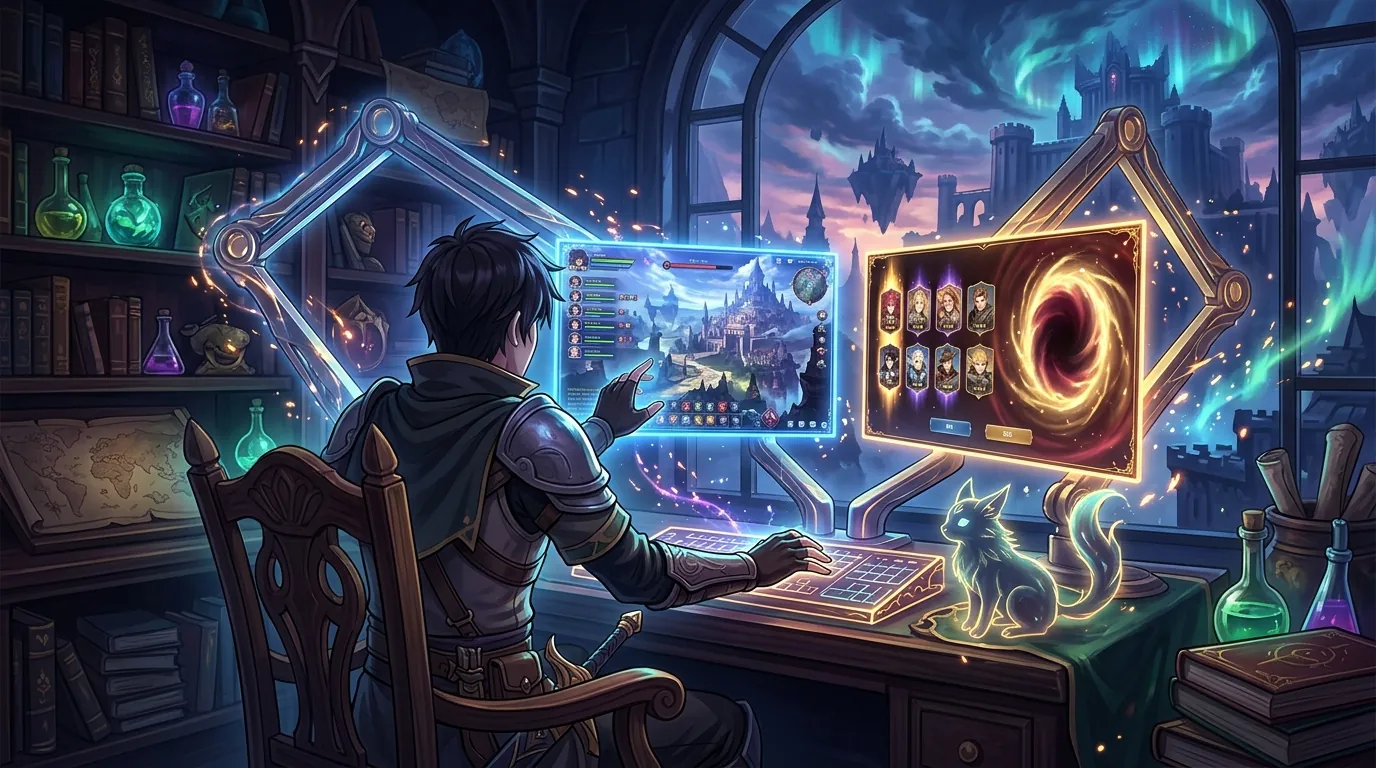
Best adjustable monitor arm for dual screen setups under $200 for long MMO and gacha sessions
| # | Product | Best for | Rating | Price |
|---|---|---|---|---|
| 1 | Amazon Basics Premium Dual Monitor Stand - Lift Engine Arm Mount, Aluminum | Overall Quality & Durability | ★ 4.6 | $190 |
| 2 | HUANUO Dual Monitor Mount, Full Motion Gas Spring Monitor Arm | Budget Gas-Spring Flexibility | ★ 4.5 | $90 |
| 3 | VIVO Dual Monitor Desk Mount Heavy Duty Stacked, Vertical 2 Screens | Static Vertical Stacking | ★ 4.6 | $40 |
| 4 | AVLT Dual Monitor Arm - Heavy Duty Gas Spring Desk Mount | Dual 32-inch Setups | ★ 4.5 | $160 |
| 5 | WALI Dual Monitor Gas Spring Desk Mount, Detachable VESA Plate | Easy Solo Installation | ★ 4.4 | $70 |
Best for Overall Quality & Durability
Amazon Basics Premium Dual Monitor Stand - Lift Engine Arm Mount, Aluminum
This is essentially a rebranded Ergotron LX, offering the same 10-year-grade durability and 20lb per arm weight capacity for nearly $150 less than the original. It is the only arm under $200 that uses a high-grade gas-spring 'lift engine' that won't lose tension after thousands of adjustments.
Pros
- Manufactured by Ergotron (OEM for the LX series)
- Exceptional 25.6-inch reach per arm
- Polished aluminum construction resists sagging over years of use
Cons
- Assembly is significantly more complex than budget competitors due to the modular arm segments
- The desk clamp requires a specific desk thickness between 0.4 and 2.4 inches, which may not fit chunky custom wood desks
Affiliate link · Price subject to change · We may earn a commission
Best for Budget Gas-Spring Flexibility
HUANUO Dual Monitor Mount, Full Motion Gas Spring Monitor Arm
The HNDS6 model provides a 13-inch height adjustment range and 21-inch extension, making it ideal for players who frequently switch between an upright 'raid' posture and a reclined 'farming' position. While the materials are more plastic-heavy than the Amazon Basics model, the dual USB 3.0 pass-throughs add genuine utility for gacha players charging mobile devices.
Pros
- Built-in USB ports in the base for peripheral charging
- Supports 360-degree rotation for vertical guide reading
- Tool-less tension adjustment via top-side hex bolts
Cons
- The plastic cable management clips are brittle and known to snap if packed with thick DisplayPort cables
- Tilt tension is notoriously difficult to calibrate for monitors weighing less than 5 lbs, causing them to tilt upward unintentionally
Affiliate link · Price subject to change · We may earn a commission
Best for Static Vertical Stacking
VIVO Dual Monitor Desk Mount Heavy Duty Stacked, Vertical 2 Screens
For players who have a set ergonomic height and rarely move their monitors, this 17-inch pole-mounted system offers unmatched stability for the price. It is the best choice for a 'main game on bottom, stream on top' vertical configuration, though it lacks the fluid motion needed for frequent repositioning.
Pros
- Heavy-duty steel construction with a 22lb capacity per arm
- Center pole design allows for vertical stacking of two 27-inch monitors
- Smallest desk footprint of any dual-mount system
Cons
- Height adjustment is not 'on-the-fly' and requires loosening a bolt on the main pole with an Allen wrench
- The fixed-arm geometry limits how far forward you can pull the screens, which may be an issue for deep 30-inch desks
Affiliate link · Price subject to change · We may earn a commission
Best for Dual 32-inch Setups
AVLT Dual Monitor Arm - Heavy Duty Gas Spring Desk Mount
If you are using two 32-inch displays like the LG 32GP850-B, most sub-$100 arms will sag or fail to provide enough clearance to tilt the screens. The AVLT uses a reinforced gas spring rated for 17.6 lbs per arm, ensuring your larger displays stay exactly where you place them during 10-hour sessions.
Pros
- Supports larger 32-inch monitors that overwhelm cheaper arms
- Extended 23-inch height range is ideal for tall users
- Premium matte finish is more resistant to fingerprints than glossy alternatives
Cons
- The base footprint is significantly larger than the Amazon Basics model, requiring more flat surface area on the desk
- The silver/grey color scheme may clash with all-black 'stealth' gaming setups
Affiliate link · Price subject to change · We may earn a commission
Best for Easy Solo Installation
WALI Dual Monitor Gas Spring Desk Mount, Detachable VESA Plate
The WALI GSDM002 is the best choice for players who frequently swap out secondary monitors or work alone, as the detachable VESA plates prevent the 'balancing act' required by other mounts. It offers a solid 23.6-inch max extension, which is competitive with arms twice its price.
Pros
- Detachable VESA plates allow you to mount the monitor to the plate first, then slide it onto the arm
- Two-stage locking system on the base for extra security
- Wide tilt range of +35 to -35 degrees
Cons
- The gas spring tension adjustment is counter-intuitive, often requiring 15+ full rotations before any change in resistance is felt
- The included grommet mount hardware is noticeably lower quality than the C-clamp, with some users reporting stripping threads
Affiliate link · Price subject to change · We may earn a commission
Balancing the supernatural chaos of Hethereau while managing a vertical Discord feed requires more than just a standard desk stand. Since the Neverness to Everness (NTE) release on April 29, 2026, players have found that a static setup simply doesn’t cut it for 10-hour grinds involving car tuning and anomaly hunting.
Quick Answer: The Amazon Basics Premium Dual Monitor Stand is the top pick for its Ergotron-built durability. For those on a tighter budget, the HUANUO HNDS6 offers excellent gas-spring flexibility for under $100.
Target Audience: This guide is designed for players running dual-monitor setups for 6+ hour sessions who need to adjust screen height and tilt to prevent neck strain during long grinds. Whether you are tracking Nanally through the urban sprawl or optimizing your Resonance team builds, these arms provide the ergonomic relief necessary for high-level play.
Amazon Basics Premium Dual Monitor Stand - Lift Engine Arm Mount, Aluminum
Related: Best adjustable monitor arm for desk ergonomics for 12-hour MMO marath · Best Adjustable Monitor Arms for Multi-Screen Gacha Setups and Long Fa · Best Ergonomic Gaming Gear for Players Preparing for the 3.4 Update Se
- ASIN: B00MIBN16O
- Price: $189.99
- Rating: 4.6/5
- Best For: Overall Quality & Durability
The Amazon Basics Premium Dual Monitor Stand is a standout in the sub-$200 category because it is effectively a rebranded Ergotron LX, a legendary piece of hardware in the ergonomics world. For NTE players who spend hours navigating the streets of Hethereau, the ability to effortlessly reposition two screens is a game-changer. This mount uses a high-grade gas-spring “lift engine” that allows for fluid movement, meaning you can pull your primary screen closer during intense Anomaly boss fights and push it back when browsing the gacha menu.
Pros:
- Manufactured by Ergotron (OEM for the LX series), providing industrial-grade quality at a consumer price.
- Exceptional 25.6-inch reach per arm, allowing for massive flexibility on deep gaming desks.
- Polished aluminum construction resists sagging over years of use, supporting up to 20 lbs per arm.
Cons:
- Assembly is significantly more complex than budget competitors due to the modular arm segments and tension calibration.
- The desk clamp requires a specific desk thickness between 0.4 and 2.4 inches, which may not fit chunky custom wood desks or certain glass setups without reinforcement.
Verdict: This is the only arm under $200 that uses a high-grade gas-spring “lift engine” that won’t lose tension after thousands of adjustments. It is the gold standard for players who want a “buy it once” solution for their dual-monitor setup.
HUANUO Dual Monitor Mount, Full Motion Gas Spring Monitor Arm
- ASIN: B07XBC7W7L
- Price: $89.99
- Rating: 4.5/5
- Best For: Budget Gas-Spring Flexibility
For players who spent their budget pulling on The Ichi-daime banner, the HUANUO HNDS6 offers a surprisingly robust feature set for under $100. It provides a 13-inch height adjustment range and 21-inch extension, which is more than enough for most standard gaming desks. The inclusion of USB 3.0 ports in the base is a massive utility for gacha players who need to keep their mobile devices charged while they run the PC client of NTE.
Pros:
- Built-in USB ports in the base for peripheral charging or connecting controllers for city driving.
- Supports 360-degree rotation, which is perfect for keeping a portrait-oriented monitor for Discord or Mint’s character guides.
- Tool-less tension adjustment via top-side hex bolts makes initial setup relatively painless.
Cons:
- The plastic cable management clips are brittle and known to snap if packed with thick DisplayPort cables.
- Tilt tension is notoriously difficult to calibrate for monitors weighing less than 5 lbs, which may cause lighter panels to tilt upward unintentionally.
Verdict: The HNDS6 model is ideal for players who frequently switch between an upright “raid” posture and a reclined “farming” position. While the materials are more plastic-heavy than the Amazon Basics model, the dual USB 3.0 pass-throughs add genuine utility for modern multi-device gamers.
VIVO Dual Monitor Desk Mount Heavy Duty Stacked, Vertical 2 Screens
- ASIN: B009S750LA
- Price: $39.99
- Rating: 4.6/5
- Best For: Static Vertical Stacking
If your desk space is limited by a large mousepad or car-sim peripherals, the VIVO Vertical Stacked Mount is the most efficient solution. Instead of side-by-side arms, this mount uses a 17-inch center pole to stack two 27-inch monitors vertically. This is a popular configuration for NTE players who want the main game on the bottom screen and a stream or map on the top screen, minimizing horizontal neck movement.
Pros:
- Heavy-duty steel construction with a 22lb capacity per arm ensures your displays stay secure.
- Center pole design allows for vertical stacking, which is the smallest desk footprint of any dual-mount system.
- Extremely affordable, leaving more room in the budget for in-game Resonance upgrades.
Cons:
- Height adjustment is not “on-the-fly” and requires loosening a bolt on the main pole with an Allen wrench.
- The fixed-arm geometry limits how far forward you can pull the screens, which may be an issue for players with deep 30-inch desks.
Verdict: For players who have a set ergonomic height and rarely move their monitors, this system offers unmatched stability for the price. It is the best choice for a “main game on bottom, stream on top” vertical configuration, though it lacks the fluid motion of gas-spring models.
AVLT Dual Monitor Arm - Heavy Duty Gas Spring Desk Mount
- ASIN: B0819Q8583
- Price: $159.99
- Rating: 4.5/5
- Best For: Dual 32-inch Setups
Many NTE players prefer the immersion of larger 32-inch displays to appreciate the Hotta Studio urban design. However, most budget arms sag under the weight of larger panels. The AVLT Heavy Duty Arm is specifically engineered for these heavier setups, featuring a reinforced gas spring rated for 17.6 lbs per arm.
Pros:
- Supports larger 32-inch monitors that often overwhelm cheaper arms.
- Extended 23-inch height range is ideal for tall users or those using standing desks.
- Premium matte finish is more resistant to fingerprints than glossy alternatives, maintaining a clean aesthetic.
Cons:
- The base footprint is significantly larger than the Amazon Basics model, requiring more flat surface area on the desk.
- The silver/grey color scheme may clash with all-black “stealth” gaming setups.
Verdict: If you are using two 32-inch displays, the AVLT is the necessary choice. It provides the clearance needed to tilt and rotate large screens without them hitting the desk surface, ensuring your displays stay exactly where you place them during 10-hour sessions.
WALI Dual Monitor Gas Spring Desk Mount, Detachable VESA Plate
- ASIN: B0779JSRH5
- Price: $69.99
- Rating: 4.4/5
- Best For: Easy Solo Installation
Mounting dual monitors can be a frustrating “balancing act,” especially if you are setting up your desk alone. The WALI GSDM002 solves this with detachable VESA plates. You simply screw the plate onto the back of your monitor, then slide the monitor onto the arm. This makes it easy to swap out screens or adjust your setup as new hardware becomes available.
Pros:
- Detachable VESA plates allow for a much safer and easier solo installation process.
- Two-stage locking system on the base provides extra security against the arm sliding or tilting.
- Wide tilt range of +35 to -35 degrees, accommodating various sitting and standing heights.
Cons:
- The gas spring tension adjustment is counter-intuitive, often requiring 15+ full rotations before any change in resistance is felt.
- The included grommet mount hardware is lower quality than the C-clamp, with some reports of stripping threads during high-torque installation.
Verdict: The WALI GSDM002 is the best choice for players who frequently swap out secondary monitors or work alone. It offers a solid 23.6-inch max extension, which is competitive with arms twice its price, making it a high-value option for the mid-range market.
How we picked these dual monitor arms

Selecting the right hardware for a high-intensity game like Neverness to Everness requires looking beyond simple aesthetic appeal. We prioritized the following criteria:
- Mechanism Type: We prioritized gas-spring mechanisms over mechanical springs. Gas springs allow for “one-finger” height adjustment, which is essential when you need to shift your posture during a long Sakiri mission.
- Weight Capacity: Every arm on this list was cross-referenced with the weight of popular gaming monitors (such as 1440p/144Hz panels) to ensure no sagging occurs over time.
- Long-Term Reliability: We analyzed long-term reliability reports from community hubs like r/ergonomics and r/Monitors to filter out arms that lose tension within six months.
- Height Range: Selection was limited to arms under $200 that offer at least 15 inches of height adjustment, accommodating both sitting and standing desk configurations.
What a long-session player actually needs
Playing an urban open-world RPG like NTE is different from a quick match of a shooter. The gameplay loop often involves deep menu management, long drives through the city, and intense combat. This variety requires specific ergonomic features:
- Dynamic Height Adjustment: Long MMO sessions often involve shifting from an upright “focus” posture during boss fights to a reclined “grind” posture while farming materials. A good arm must move with you to keep the screen at eye level.
- Independent Articulation: Gacha players often need one monitor in portrait mode for Discord or checking Mint’s latest build guides while the main screen remains in landscape for the game.
- Vibration Dampening: Heavy typing during chat-heavy JRPGs or MMOs can cause cheap, thin-gauge arms to wobble. We looked for arms made of thick-gauge steel and aluminum to ensure a stable viewing experience even during frantic typing.
Comparison summary

| Product | Best For | Price (USD) | Max Monitor Size |
|---|---|---|---|
| Amazon Basics Premium | Durability & Quality | $189.99 | 32” (up to 20 lbs) |
| HUANUO HNDS6 | Features & Budget | $89.99 | 27” (up to 14.3 lbs) |
| VIVO Vertical | Small Footprint | $39.99 | 27” (up to 22 lbs) |
| AVLT Heavy Duty | 32-inch Screens | $159.99 | 32” (up to 17.6 lbs) |
| WALI GSDM002 | Easy Installation | $69.99 | 27” (up to 14.3 lbs) |
The Amazon Basics Premium is the clear winner for build quality, effectively offering professional-grade hardware at a consumer price point. HUANUO and WALI dominate the sub-$100 category, with HUANUO winning on features like USB ports and WALI winning on ease of setup with its detachable VESA plates. VIVO remains the king of the ultra-budget tier for players who don’t need frequent height changes, and AVLT is the specialized choice for those running dual 32-inch panels.
When to skip the upgrade
While a dual monitor arm can significantly improve your gaming experience in Neverness to Everness, there are situations where you should avoid these specific models:
- If you have a glass desk: Most C-clamps under $200 exert enough concentrated pressure to shatter tempered glass. Unless you use a reinforcement plate, you risk a catastrophic desk failure.
- If your monitors lack VESA holes: Many budget or ultra-slim monitors require expensive third-party adapters. These adapters often shift the center of gravity, which can compromise the stability of the gas-spring arm.
- If you use a desk with a back-panel: If your desk has a “modesty panel” or a built-in cable tray that prevents a clamp from reaching at least 2 inches inward, these standard C-clamps will not fit.
What we didn’t include and why
To keep this guide focused on the best value for NTE players, we excluded several popular options:
- Ergotron LX Dual: While it is the gold standard for build quality, its retail price typically exceeds $330, putting it well outside the $200 budget for this guide.
- Fully Jarvis Dual Monitor Arm: Since the acquisition by MillerKnoll, pricing and availability for this arm have become inconsistent, often exceeding $200 without offering more utility than the Amazon Basics OEM version.
- Generic $25 “No-Name” Gas Spring Arms: These often use lower-grade nitrogen cylinders that leak over time. This leads to monitors that “sink” to the desk surface after just a few months of use, which is unacceptable for long-term MMO players.
Frequently Asked Questions
Can these arms hold a curved monitor?
Yes, most dual monitor arms can hold curved monitors as long as they are VESA compatible. However, the curve changes the center of gravity, so you may need an arm with a higher weight rating, such as the AVLT or Amazon Basics Premium, to prevent the screen from tilting downward.
Do I need a special desk for a dual monitor mount?
You need a desk with a sturdy, flat surface and an edge that allows for a C-clamp or a hole for a grommet mount. Avoid thin particle board or glass desks without reinforcement, as the weight of two monitors concentrated on one point can cause the desk to warp or break.
Is vertical stacking better than side-by-side?
Vertical stacking is better for reducing horizontal neck strain and saving desk space, making it ideal for monitoring Discord or guides while playing NTE. Side-by-side is better for immersive gaming or tasks that require you to look at both screens equally.
How do I stop my monitor arm from wobbling?
Wobble is usually caused by either a loose desk clamp or a desk that is too light. Ensure the clamp is tightened fully and that your desk is positioned against a wall for extra stability. Higher-quality arms like the Amazon Basics model also use thicker materials that naturally dampen vibrations.
Sources
- Amazon Basics Product Page — https://www.amazon.com/AmazonBasics-Premium-Dual-Monitor-Stand/dp/B00MIBN16O
- RTINGS Best Monitor Arms
- IGN Neverness to Everness Announcement
- GameSpot NTE Features — https://www.gamespot.com/articles/neverness-to-everness-is-a-new-open-world-rpg-from-hotta-studio/1100-6525042/
- Pocket Gamer NTE Characters — https://www.pocketgamer.com/neverness-to-everness/characters/
- Game Rant NTE Details
- Official Neverness to Everness Site — https://nte.world/en/
Related Guides

Best Adjustable Standing Desks for WFH Gacha Grinders

Arlecchino vs Hu Tao: Who is the Best Pyro DPS in Genshin Impact?

Aurelia Nova vs Lacrimosa NTE: Best Gaming Gear for Neverness to Everness Players

Ayaka vs Ganyu: Who is the Best Cryo DPS in Genshin Impact?

Best 4-Star Weapons for NTE DPS: Top A-Rank Arcs Ranked

Best 4K OLED Gaming Monitors for Competitive Gacha Grinders and Daily Farmers

Best 4K OLED Gaming Monitors for Immersive RPG Worlds and Long MMO Sessions

Loading comments…