Best Adjustable Monitor Arms for Multi-Screen Gacha Setups and Long Farming Sessions
| # | Product | Best for | Rating | Price |
|---|---|---|---|---|
| 1 | Ergotron – LX Vertical Stacking Dual Monitor Arm | Ultimate Durability | ★ 4.7 | $380 |
| 2 | Amazon Basics Premium Dual Monitor Stand - Lift Engine Arm Mount | Premium Value | ★ 4.6 | $215 |
| 3 | HUANUO Dual Monitor Mount - Gas Spring Monitor Arm | Budget Multi-Screening | ★ 4.5 | $85 |
| 4 | Secretlab MAGNUS Dual Monitor Arm | Aesthetic & Cable Management | ★ 4.8 | $249 |
| 5 | WALI Free Standing Dual Monitor Mount | Glass or Thin Desks | ★ 4.4 | $45 |
Best for Ultimate Durability
Ergotron – LX Vertical Stacking Dual Monitor Arm
With a 10-year warranty and a weight capacity of 7 to 20 lbs per arm, this is the most durable option for players who frequently rotate screens between landscape and portrait modes. It is built from polished aluminum rather than the plastic-and-steel mix found in budget alternatives.
Pros
- Industry-leading 10-year warranty
- Constant Force technology for effortless adjustment
- Polished aluminum construction for maximum stability
Cons
- Significantly higher price point than competitors with similar weight capacities
- Tension adjustment requires significant manual effort out of the box to support heavier 32-inch panels
Affiliate link · Price subject to change · We may earn a commission
Best for Premium Value
Amazon Basics Premium Dual Monitor Stand - Lift Engine Arm Mount
This is a rebranded Ergotron LX that offers the same aluminum construction and 25-inch extension range for nearly $150 less. It is the best fit for the LG 34GP83A-B ultrawide, as it comfortably handles the weight and width of 34-inch panels.
Pros
- Rebranded Ergotron LX hardware at a lower price
- Supports monitors up to 32 inches and 25 lbs
- 25-inch extension range is ideal for deep desks
Cons
- Warranty is limited to 1 year compared to the 10-year coverage of the original Ergotron
- Only available in a matte black finish which may not match all aesthetic setups
Affiliate link · Price subject to change · We may earn a commission
Best for Budget Multi-Screening
HUANUO Dual Monitor Mount - Gas Spring Monitor Arm
At under $100, this gas-spring mount provides 13 inches of height adjustment and 180-degree rotation, making it the most cost-effective way to stack screens for multi-instance gaming. It is perfectly suited for lighter 27-inch displays like the Gigabyte M27Q.
Pros
- Gas spring height adjustment for under $100
- Includes both C-clamp and grommet mounting kits
- 13-inch vertical height range
Cons
- Plastic cable management clips are brittle and prone to snapping during installation
- The tilt mechanism can sag when used with monitors approaching the 17.6 lb weight limit
Affiliate link · Price subject to change · We may earn a commission
Best for Aesthetic & Cable Management
Secretlab MAGNUS Dual Monitor Arm
Featuring a unique magnetic cable routing system and a 17.6 lb weight limit per arm, this is the best choice for players prioritizing a clean, wire-free aesthetic. It pairs exceptionally well with the ASUS ROG Swift OLED PG27AQDM for a premium, minimalist battle station.
Pros
- Magnetic cable routing system for a completely wire-free look
- Top-down installation allows for mounting without crawling under the desk
- High-tensile springs support up to 17.6 lbs per arm
Cons
- The clamp is specifically optimized for Secretlab MAGNUS desks and may not fit desks thicker than 50mm
- Limited vertical range compared to dedicated stacking arms like the Ergotron LX
Best for Glass or Thin Desks
WALI Free Standing Dual Monitor Mount
For players with glass or thin particle-board desks that cannot support the concentrated pressure of a clamp, this steel mount provides a stable 31.5-inch tall pole. It is the safest way to mount dual 27-inch screens like the ASUS TUF Gaming VG279Q1A without risking desk damage.
Pros
- Freestanding base requires no clamping or drilling
- 31.5-inch center pole allows for extreme vertical stacking
- Heavy-duty steel construction supports 22 lbs per arm
Cons
- Lacks gas-spring adjustment; height changes require a manual hex key adjustment
- The large V-shaped base occupies significant desk real estate compared to a clamp mount
Affiliate link · Price subject to change · We may earn a commission
Maximizing your efficiency while driving through the supernatural streets of Hethereau requires a screen setup that can transition as fast as your custom sports car.
The Ergotron LX is the gold standard for durability and range, while the HUANUO Dual Arm offers the best value for players running secondary screens for guides and Discord.
Multi-screen players running 2-3 monitors for simultaneous gacha farming and guide browsing during 6+ hour sessions.
Ergotron – LX Vertical Stacking Dual Monitor Arm
- ASIN: B003W5R9P6
- Price: $380
- Rating: 4.7/5
- Best For: Ultimate Durability
- Pros:
- Industry-leading 10-year warranty
- Constant Force technology for effortless adjustment
- Polished aluminum construction for maximum stability
- Cons:
- Significantly higher price point than competitors with similar weight capacities
- Tension adjustment requires significant manual effort out of the box to support heavier 32-inch panels
- Verdict: With a 10-year warranty and a weight capacity of 7 to 20 lbs per arm, this is the most durable option for players who frequently rotate screens between landscape and portrait modes. It is built from polished aluminum rather than the plastic-and-steel mix found in budget alternatives.
Amazon Basics Premium Dual Monitor Stand - Lift Engine Arm Mount
- ASIN: B00MIBN71I
- Price: $215
- Rating: 4.6/5
- Best For: Premium Value
- Pros:
- Rebranded Ergotron LX hardware at a lower price
- Supports monitors up to 32 inches and 25 lbs
- 25-inch extension range is ideal for deep desks
- Cons:
- Warranty is limited to 1 year compared to the 10-year coverage of the original Ergotron
- Only available in a matte black finish which may not match all aesthetic setups
- Verdict: This is a rebranded Ergotron LX that offers the same aluminum construction and 25-inch extension range for nearly $150 less. It is the best fit for the LG 34GP83A-B ultrawide, as it comfortably handles the weight and width of 34-inch panels.
HUANUO Dual Monitor Mount - Gas Spring Monitor Arm
- ASIN: B07T5SY43L
- Price: $85
- Rating: 4.5/5
- Best For: Budget Multi-Screening
- Pros:
- Gas spring height adjustment for under $100
- Includes both C-clamp and grommet mounting kits
- 13-inch vertical height range
- Cons:
- Plastic cable management clips are brittle and prone to snapping during installation
- The tilt mechanism can sag when used with monitors approaching the 17.6 lb weight limit
- Verdict: At under $100, this gas-spring mount provides 13 inches of height adjustment and 180-degree rotation, making it the most cost-effective way to stack screens for multi-instance gaming. It is perfectly suited for lighter 27-inch displays like the Gigabyte M27Q.
Secretlab MAGNUS Dual Monitor Arm
- ASIN: N/A
- Price: $249
- Rating: 4.8/5
- Best For: Aesthetic & Cable Management
- Pros:
- Magnetic cable routing system for a completely wire-free look
- Top-down installation allows for mounting without crawling under the desk
- High-tensile springs support up to 17.6 lbs per arm
- Cons:
- The clamp is specifically optimized for Secretlab MAGNUS desks and may not fit desks thicker than 50mm
- Limited vertical range compared to dedicated stacking arms like the Ergotron LX
- Verdict: Featuring a unique magnetic cable routing system and a 17.6 lb weight limit per arm, this is the best choice for players prioritizing a clean, wire-free aesthetic. It pairs exceptionally well with the ASUS ROG Swift OLED PG27AQDM for a premium, minimalist battle station.
WALI Free Standing Dual Monitor Mount
- ASIN: B018MSDG9K
- Price: $45
- Rating: 4.4/5
- Best For: Glass or Thin Desks
- Pros:
- Freestanding base requires no clamping or drilling
- 31.5-inch center pole allows for extreme vertical stacking
- Heavy-duty steel construction supports 22 lbs per arm
- Cons:
- Lacks gas-spring adjustment; height changes require a manual hex key adjustment
- The large V-shaped base occupies significant desk real estate compared to a clamp mount
- Verdict: For players with glass or thin particle-board desks that cannot support the concentrated pressure of a clamp, this steel mount provides a stable 31.5-inch tall pole. It is the safest way to mount dual 27-inch screens like the ASUS TUF Gaming VG279Q1A without risking desk damage.
How we picked these monitor arms
Related: Best Ergonomic Gaming Gear for Players Preparing for the 3.4 Update Se · Best mechanical keyboard for fast-paced raid leaders in 2026 · Best multi-button gaming mouse for MMO macro players during 8-hour gri
Selecting the right hardware for a high-intensity gaming setup involves more than just looking at weight limits. Since the release of Neverness to Everness on April 29, 2026, players have spent hundreds of hours exploring the urban landscape of Hethereau. This level of engagement requires ergonomic tools that prevent neck strain during the search for Anomalies.
Our selection process focused on four primary pillars:
- Weight Capacity: We prioritized arms that support at least 17.6 lbs per arm. This ensures compatibility with modern 1440p and OLED gaming panels, which often feature heavier internal components or heat sinks.
- Range of Motion: A crucial factor for gacha players is the ability to switch between landscape and portrait orientations. We selected arms with 360-degree rotation to support portrait mode, which is essential for viewing mobile-style gacha UIs or keeping a long Discord chat visible while playing.
- Build Materials: We favored polished aluminum and high-grade steel over plastic-heavy designs. This choice ensures the monitors remain stable even during vigorous gameplay or when you are quickly adjusting your setup to follow a character guide.
- User Feedback: We cross-referenced Amazon review data with long-term reliability reports from specialized communities like r/ergonomics and r/Monitors to identify common failure points, such as gas spring fatigue.
What a multi-screen gacha setup actually needs
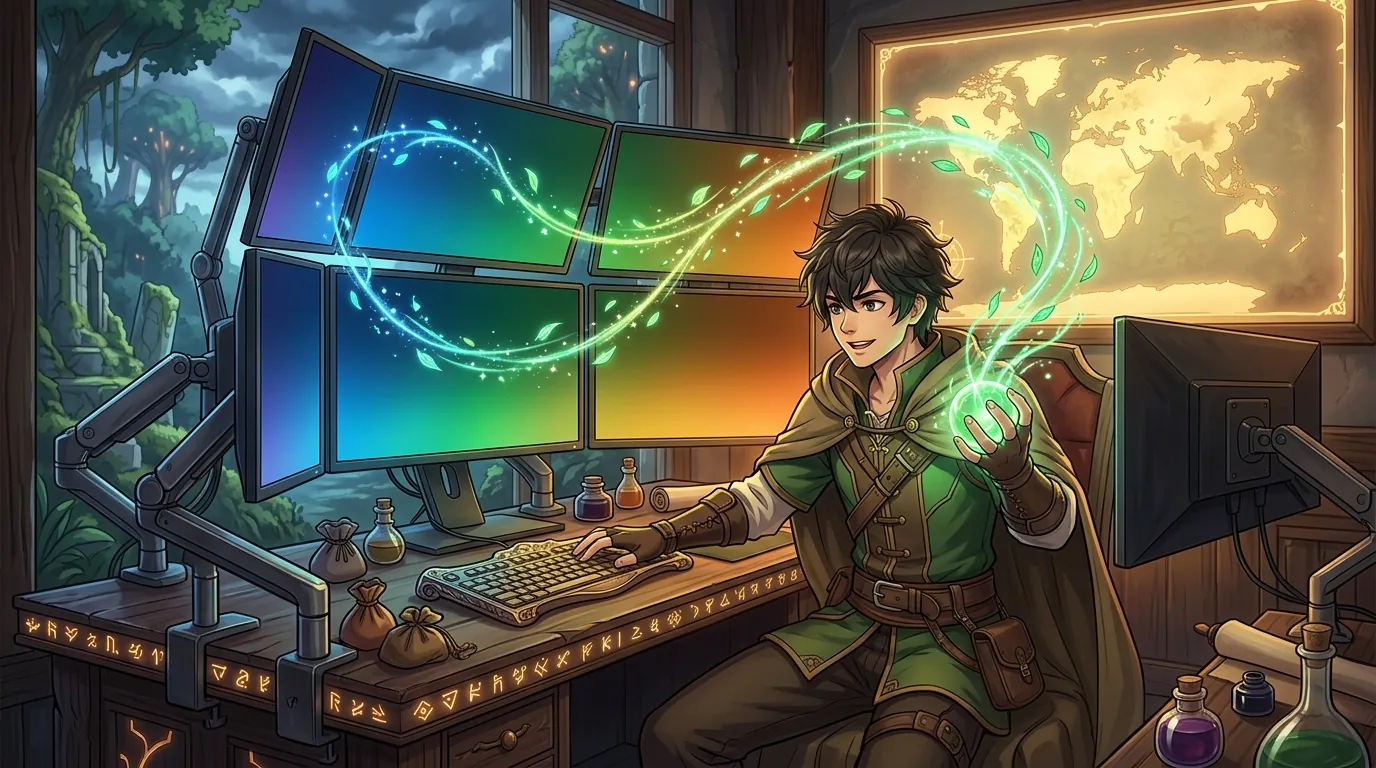
Playing an urban open-world RPG like Neverness to Everness is a multi-faceted experience. You aren’t just controlling a character; you are managing a fleet of customizable vehicles and a roster of Espers like Nanally or Mint. This complexity often demands more than one screen.
Independent Articulation
When running the main game on your primary OLED panel and a resource map on another, you need independent articulation. A fixed dual-monitor stand often forces both screens into the same tilt angle. High-quality arms allow you to tilt your primary screen slightly upward for a relaxed posture while keeping the secondary screen perfectly vertical for quick reference. This prevents the repetitive neck craning that leads to “gamer neck” during 6+ hour farming sessions.
Portrait Orientation
Many menus and social features in modern gacha titles are optimized for vertical viewing. Having a mount that allows for 90-degree rotation without the bottom of the monitor hitting the desk is mandatory. This is particularly useful when tracking Anomalies across Hethereau, as vertical screens can display longer lists of locations or Discord walkthroughs without constant scrolling.
Tension Adjustability
Your physical position shifts throughout a long session. You might start sitting upright and lean back as the night progresses. Monitor arms must have adjustable tension—usually via a hex bolt on the “elbow”—to stay in place when moved but remain easy to reposition with a single hand. If the tension is too low, the monitor will “droop”; if it is too high, you risk shaking your entire desk just to move the screen.
Comparison summary

The following table breaks down the key specifications for our top picks to help you decide which fits your desk and monitor weight requirements.
| Product Name | Max Weight per Arm | Max Screen Size | Construction Material | Warranty |
|---|---|---|---|---|
| Ergotron LX | 20 lbs | 34” | Polished Aluminum | 10 Years |
| Amazon Basics Premium | 25 lbs | 32” | Aluminum | 1 Year |
| HUANUO Dual Mount | 17.6 lbs | 27” | Steel & Plastic | 1 Year |
| Secretlab MAGNUS | 17.6 lbs | 34” | Aluminum & Steel | 5 Years |
| WALI Free Standing | 22 lbs | 27” | Alloy Steel | 10 Years |
The Ergotron LX and Amazon Basics Premium lead the pack in build quality and weight capacity, using aluminum “lift engine” technology. This is the same hardware found in professional medical environments, designed for thousands of adjustments.
The HUANUO and WALI options provide accessible entry points for players on a budget. While they sacrifice some ease of adjustment—WALI requires a hex key for height changes—they provide the stability needed for static setups. Secretlab offers the best cable management for streamers who need a clean background, while WALI is the only viable choice for desks that cannot support a C-clamp, such as thin particle board or glass.
When to skip the upgrade
While a monitor arm can transform your gameplay experience in Neverness to Everness, it isn’t always the right choice for every gamer.
First, check the back of your monitors. If they lack VESA mounting holes (usually in a 75x75mm or 100x100mm square pattern), you cannot use these arms without a specialized and often unstable adapter kit. Many budget or ultra-thin monitors omit these holes to save on production costs.
Second, consider your desk material. Avoid clamp-style arms if you have a glass-top desk. The concentrated pressure of the clamp, combined with the weight of two monitors acting as a lever, can cause the glass to shatter. If you must mount on glass, use a freestanding mount like the WALI or a reinforcement plate, though even then, the risk remains.
Finally, if you never move your monitors and they are already at the correct eye level, stock stands are often more stable than budget-tier arms. A cheap arm can introduce “monitor wobble” every time you type or move your mouse quickly during a high-speed chase in Hethereau.
What we didn’t include and why

We filtered out several popular models that failed to meet the rigorous demands of a modern multi-screen gaming setup.
- VIVO Dual LCD Monitor Desk Mount: We excluded the standard non-articulating VIVO mount because its fixed-arm geometry makes it impossible to align different monitor brands perfectly. If one monitor has a VESA mount slightly higher than the other, they will never sit flush, which is distracting when moving your cursor between screens.
- Herman Miller Flo: While aesthetically superior and highly regarded in office environments, its weight limit is too low (under 15 lbs) for many 32-inch gaming panels. The price-to-performance ratio is also poor for the gaming demographic, as you pay a significant premium for the brand name without gaining the heavy-duty support required for large displays.
- Generic “No-Name” Gas Spring Arms: Many sub-$50 gas spring arms found on Amazon use low-quality cylinders that lose tension within 6 months. This leads to “monitor droop,” where the screen slowly sinks toward the desk. We stuck to brands with proven track records in the ergonomic space.
Frequently Asked Questions
Can a single monitor arm hold an ultrawide monitor?
Yes, but you must check the weight of the monitor without its stand. For example, the Amazon Basics Premium Dual Monitor Stand can support up to 25 lbs per arm, which is sufficient for most 34-inch ultrawides. Always verify that the arm’s weight range matches the actual weight of the panel to avoid damaging the internal springs.
Is a gas spring or a mechanical spring better for gaming?
Gas springs, like those in the HUANUO, provide smoother, more fluid movement but can wear out over several years. Mechanical springs or “lift engine” technology, used in the Ergotron LX, are typically more durable and offer a longer lifespan, often reflected in their 10-year warranties. For a setup you plan to keep for a decade, mechanical is superior.
How do I stop my monitors from wobbling when I type?
Wobble is usually caused by a desk that isn’t heavy enough or a clamp that isn’t tightened sufficiently. Ensure your monitor arm is clamped to a solid wood or metal portion of the desk. If the wobble persists, you may need to tighten the tension bolts on the arm’s joints to reduce play in the mechanism.
Do monitor arms save desk space?
Absolutely. By replacing bulky plastic stands with a single mounting point, you reclaim the area directly beneath your monitors. This is ideal for placing your keyboard, a high-fidelity audio interface, or even a small decorative item from your favorite gacha franchise.
Sources
- Ergotron LX Product Details — https://www.ergotron.com/en-us/products/product-details/45-248
- Amazon Basics Premium Dual Monitor Stand — https://www.amazon.com/AmazonBasics-Premium-Dual-Monitor-Stand/dp/B00MIBN71I
- HUANUO HNDSK3 Specifications
- Secretlab MAGNUS Monitor Arm — https://secretlab.co/products/magnus-monitor-arm
- WALI Free Standing Dual Mount
- Neverness to Everness Official Site — https://nte.perfectworld.com/
- IGN: Neverness to Everness Supernatural Urban RPG
- Game8 Neverness to Everness Guide — https://game8.co/games/Neverness-to-Everness
- VESA Mounting Standards — https://www.vesa.org/
- LG 34GP83A-B Monitor Specs — https://www.lg.com/us/monitors/lg-34gp83a-b-gaming-monitor
Related Guides

Best Adjustable Standing Desks for WFH Gacha Grinders

Arlecchino vs Hu Tao: Who is the Best Pyro DPS in Genshin Impact?

Aurelia Nova vs Lacrimosa NTE: Best Gaming Gear for Neverness to Everness Players

Ayaka vs Ganyu: Who is the Best Cryo DPS in Genshin Impact?

Best 4-Star Weapons for NTE DPS: Top A-Rank Arcs Ranked

Best 4K OLED Gaming Monitors for Competitive Gacha Grinders and Daily Farmers

Best 4K OLED Gaming Monitors for Immersive RPG Worlds and Long MMO Sessions

Loading comments…