
Best Mechanical Keyboards for Rapid Gacha Grinding Sessions
| # | Product | Best for | Rating | Price |
|---|---|---|---|---|
| 1 | Wooting 60HE+ Analog Wired Mechanical Keyboard | Rapid Input Speed | ★ 4.9 | $175 |
| 2 | Keychron Q1 Pro Wireless Mechanical Keyboard | Long-Session Comfort | ★ 4.5 | $199 |
| 3 | Razer Huntsman V3 Pro TKL | Competitive Grinding Features | ★ 4.4 | $219 |
| 4 | SteelSeries Apex Pro TKL (2023 Edition) | Multi-Device Grinders | ★ 4.6 | $189 |
| 5 | Keychron K2 V2 Wireless Mechanical Keyboard | Budget/Mobile Gacha Players | ★ 4.5 | $79 |
Best for Rapid Input Speed
Wooting 60HE+ Analog Wired Mechanical Keyboard
The Wooting 60HE+ is the benchmark for speed, utilizing Lekker Hall Effect switches that RTINGS measured with a 1.2ms latency. Its ability to reset a key the moment your finger moves upward makes it the most efficient tool for high-APM grinding sessions.
Pros
- Industry-leading Rapid Trigger technology allows for near-instant key resets
- Adjustable actuation from 0.1mm to 4.0mm per individual key
- Tachyon mode provides sub-1ms input latency for frame-perfect inputs
Cons
- 60% layout lacks dedicated arrow keys and F-row, requiring complex layers for MMO shortcuts
- Plastic case construction feels significantly less premium than aluminum competitors in the $170+ range
Best for Long-Session Comfort
Keychron Q1 Pro Wireless Mechanical Keyboard
The Q1 Pro is the best choice for ergonomic endurance, featuring a gasket-mounted PCB that absorbs the shock of bottoming out keys. Its 75% layout retains the essential F-row used in most JRPG and MMO UI shortcuts while saving desk space for mouse movement.
Pros
- Double-gasket mount design provides a flexible, cushioned typing feel to reduce finger fatigue
- Full CNC aluminum body weighing over 4 lbs ensures zero desk-sliding during intense play
- KSA profile PBT keycaps offer a deep dish shape that centers fingertips naturally
Cons
- High front-height profile (approx. 32mm) necessitates a separate wrist rest to avoid carpal strain
- Bluetooth 5.1 polling rate is limited to 90Hz, requiring a wired connection for competitive 1000Hz response
Affiliate link · Price subject to change · We may earn a commission
Best for Competitive Grinding Features
Razer Huntsman V3 Pro TKL
The Huntsman V3 Pro TKL bridges the gap between the Wooting's speed and mainstream availability. Its optical switches eliminate debounce delay, and the TKL form factor is the ideal middle ground for players who need dedicated navigation keys without the bulk of a full Numpad.
Pros
- Gen-2 Analog Optical Switches support dual-step actuation for complex macro-like inputs
- Dedicated onboard adjustment bar for real-time actuation and Rapid Trigger sensitivity
- Textured doubleshot PBT keycaps resist the 'shine' caused by skin oils during long sessions
Cons
- Razer Synapse software must remain running in the background to utilize advanced lighting and profile syncing
- The included magnetic wrist rest has a firm leatherette finish that lacks the plushness of third-party foam options
Affiliate link · Price subject to change · We may earn a commission
Best for Multi-Device Grinders
SteelSeries Apex Pro TKL (2023 Edition)
The Apex Pro TKL is a feature-rich alternative to the Wooting, offering a similar 0.1mm actuation floor. While its build quality is more 'gamer-centric' with a plastic chassis, its software ecosystem and OLED utility make it a strong choice for players who multitask while farming.
Pros
- OmniPoint 2.0 switches offer a 0.1mm actuation point for ultra-fast repetitive tapping
- OLED Smart Display can show system temps or Discord notifications without alt-tabbing
- USB pass-through port allows for easy connection of a mouse or wireless dongle
Cons
- The OLED screen and scroll wheel add significant cost without improving actual typing performance
- The hollow plastic bottom case can produce a 'pinging' sound that is distracting in quiet environments
Affiliate link · Price subject to change · We may earn a commission
Best for Budget/Mobile Gacha Players
Keychron K2 V2 Wireless Mechanical Keyboard
For under $100, the K2 V2 is the most reliable entry point for gacha players. It lacks the Hall Effect speed of the Wooting but provides a tactile, durable mechanical experience that far exceeds standard laptop or membrane keyboards.
Pros
- Compact 75% layout is highly portable for players grinding on iPads or laptops
- Massive 4000mAh battery lasts up to 240 hours (backlight off) for multi-day sessions
- Hot-swappable PCB allows for easy switch replacement if a high-use key fails
Cons
- Stock ABS keycaps are thin and will develop a greasy texture within weeks of heavy use
- The steep typing angle can be uncomfortable for users who do not use a floating-hand typing style
Affiliate link · Price subject to change · We may earn a commission
High-speed combat and intensive resource farming in the supernatural city of Hethereau require hardware that can keep up with rapid-fire inputs and hours of continuous use.
The Wooting 60HE+ is the top pick for rapid grinding due to its 0.1mm Rapid Trigger tech. For long-session comfort, the Keychron Q1 Pro offers a superior gasket-mount feel and premium aluminum build.
Gacha and MMO players performing high-repetition tasks during 4+ hour sessions who require low-latency inputs and ergonomic fatigue reduction.
Wooting 60HE+ Analog Wired Mechanical Keyboard
Related: Best Gaming Gear for Players Grinding High-Level Gacha Breakpoints · Best Gaming Gear for Players Grinding ZZZ 3.0 Resonance and Vortex Ano · Best Ergonomic Mesh Gaming Chairs for Long Session Grinders
The Wooting 60HE+ has fundamentally changed the expectations for performance in urban open-world RPGs like Neverness to Everness. While traditional mechanical switches rely on physical metal leaves making contact, the Wooting utilizes Lekker Hall Effect switches that measure the position of a magnet. This allows for a feature known as Rapid Trigger, where the key resets the moment you begin to lift your finger, rather than having to pass a fixed reset point. In the high-intensity combat of Hethereau, where characters like Nanally require precise timing for skill chains, this technology provides a distinct advantage.
Testing from RTINGS confirmed a remarkably low latency of 1.2ms when using Tachyon Mode. This mode optimizes the keyboard’s internal processing to prioritize speed over RGB lighting effects, ensuring that every input is registered with frame-perfect accuracy. For players grinding daily missions or navigating complex Anomalies, the ability to customize the actuation point from 0.1mm to 4.0mm means the keyboard can be tuned to be as sensitive or as deliberate as the user prefers.
- Price: $175
- Rating: 4.9/5
- Best For: Rapid Input Speed
Pros:
- Industry-leading Rapid Trigger technology allows for near-instant key resets.
- Adjustable actuation from 0.1mm to 4.0mm per individual key.
- Tachyon mode provides sub-1ms internal processing for minimal latency.
Cons:
- 60% layout lacks dedicated arrow keys and F-row, requiring complex layers for UI shortcuts.
- Plastic case construction feels significantly less premium than aluminum competitors in this price bracket.
Verdict: The Wooting 60HE+ is the benchmark for speed. Its ability to reset a key the moment your finger moves upward makes it the most efficient tool for high-APM grinding sessions, specifically in games that reward rapid, repetitive inputs.
Keychron Q1 Pro Wireless Mechanical Keyboard
For players who prioritize the physical sensation of typing and long-term joint health, the Keychron Q1 Pro is a standout choice. This keyboard features a double-gasket mount design, which suspends the internal plate and PCB between silicone gaskets. This creates a flexible, cushioned typing experience that absorbs the force of “bottoming out” keys. During an extended 6-hour session of car customization or city exploration in Neverness to Everness, this dampening effect significantly reduces the impact on finger joints compared to rigid, tray-mounted keyboards.
The Q1 Pro is built with a full CNC aluminum body that weighs over 4 lbs, providing a level of stability that prevents the board from sliding during intense gameplay. The 75% layout is particularly useful for gacha players, as it retains the dedicated F-row often used for quick-swapping characters or opening specific menus like the inventory or map. While its wireless Bluetooth 5.1 polling rate is limited to 90Hz, connecting via the USB-C cable provides a standard 1000Hz polling rate suitable for competitive play.
- Price: $199
- Rating: 4.5/5
- Best For: Long-Session Comfort
Pros:
- Double-gasket mount design provides a flexible, cushioned typing feel to reduce fatigue.
- Full CNC aluminum body ensures the keyboard stays firmly in place.
- KSA profile PBT keycaps offer a deep dish shape that centers fingertips naturally.
Cons:
- High front-height profile (approx. 32mm) necessitates a separate wrist rest.
- Wireless polling rate is insufficient for high-level competitive play compared to wired mode.
Verdict: The Q1 Pro is the best choice for ergonomic endurance. Its premium build and acoustic profile make it a joy to use for both grinding and general productivity, provided you use a wrist rest to manage its height.
Razer Huntsman V3 Pro TKL
The Razer Huntsman V3 Pro TKL is designed for players who want the performance of magnetic switches but prefer the ecosystem and availability of a major brand. It utilizes Razer’s Gen-2 Analog Optical Switches, which, like the Wooting, support Rapid Trigger and adjustable actuation. A unique feature of this board is the dedicated onboard adjustment bar, allowing users to change their actuation sensitivity on the fly without opening software. This is incredibly helpful when switching between the high-speed combat of Hethereau and more relaxed tasks like managing shop assets.
The TKL (Tenkeyless) form factor is often considered the “sweet spot” for gaming. It removes the number pad to provide more room for mouse movement—critical for tracking fast-moving enemies—while keeping the arrow keys and navigation cluster. The textured doubleshot PBT keycaps are designed to withstand the “shine” that usually develops on cheaper ABS plastic after months of heavy use, ensuring the keyboard looks and feels new even after hundreds of hours of farming materials.
- Price: $219
- Rating: 4.4/5
- Best For: Competitive Grinding Features
Pros:
- Gen-2 Analog Optical Switches support dual-step actuation for complex shortcuts.
- Dedicated onboard adjustment bar for real-time sensitivity tuning.
- TKL layout provides a perfect balance of desk space and utility.
Cons:
- Razer Synapse software must remain active to utilize advanced lighting and profile syncing.
- The included magnetic wrist rest is somewhat firm compared to plush foam alternatives.
Verdict: The Huntsman V3 Pro TKL bridges the gap between enthusiast speed and mainstream accessibility. It is an excellent choice for players who need high-performance hardware that is easy to configure and widely available.
SteelSeries Apex Pro TKL (2023 Edition)
The SteelSeries Apex Pro TKL is a feature-rich powerhouse that caters to players who multitask while they grind. Its OmniPoint 2.0 switches offer an adjustable actuation range starting at just 0.1mm, matching the fastest boards on the market. What sets it apart is the OLED Smart Display in the upper right corner. This small screen can be programmed to show system temperatures, Discord notifications, or even game-specific data, allowing you to stay informed without ever having to alt-tab away from your gacha session.
The inclusion of a USB pass-through port is a significant quality-of-life feature, allowing you to plug a mouse dongle or a charging cable directly into the keyboard. While the build quality utilizes a plastic bottom case that can produce a slight “pinging” sound, the top plate is made of aircraft-grade aluminum, providing a sturdy foundation for the switches. For players who frequently switch between different gaming setups or consoles, the Apex Pro’s ability to store up to five custom profiles onboard is a major advantage.
- Price: $189
- Rating: 4.6/5
- Best For: Multi-Device Grinders
Pros:
- OmniPoint 2.0 switches offer a 0.1mm actuation floor for ultra-fast tapping.
- OLED Smart Display provides system info and notifications at a glance.
- USB pass-through port simplifies cable management for mice or headsets.
Pros:
- The hollow plastic bottom case can produce a distracting sound in quiet rooms.
- OLED screen and scroll wheel add cost that doesn’t directly impact gameplay performance.
Verdict: The Apex Pro TKL is a versatile alternative to specialized enthusiast boards. Its software ecosystem and secondary utility features make it ideal for players who want a keyboard that does more than just register keypresses.
Keychron K2 V2 Wireless Mechanical Keyboard
Grinding in Neverness to Everness isn’t always done at a massive desktop rig. For those who play on laptops or tablets while traveling, the Keychron K2 V2 is the most reliable budget-friendly option. It features a compact 75% layout that fits easily into a backpack while still offering a full set of function keys. The 4000mAh battery is one of the largest in its class, providing up to 240 hours of use with the backlight turned off—perfect for multi-day farming sessions without a charger.
The K2 V2 also features a hot-swappable PCB, meaning if a heavily used key (like the one used for dodging or basic attacks) begins to fail, you can simply pull the switch out and replace it with a new one without any soldering. While it lacks the Hall Effect technology found in more expensive boards, the standard mechanical switches provide a tactile and responsive experience that is a massive upgrade over any laptop keyboard or membrane board.
- Price: $79
- Rating: 4.5/5
- Best For: Budget/Mobile Gacha Players
Pros:
- Compact 75% layout is highly portable for mobile or laptop gaming.
- Massive 4000mAh battery supports long-duration wireless sessions.
- Hot-swappable PCB allows for easy maintenance and switch customization.
Cons:
- Stock ABS keycaps are thin and will develop a greasy texture over time.
- The steep typing angle can be fatiguing without a wrist rest.
Verdict: For under $100, the K2 V2 is the most practical entry point for gacha players. It focuses on durability and battery life, providing a consistent experience for those who need a portable grinding tool.
How we picked these mechanical keyboards
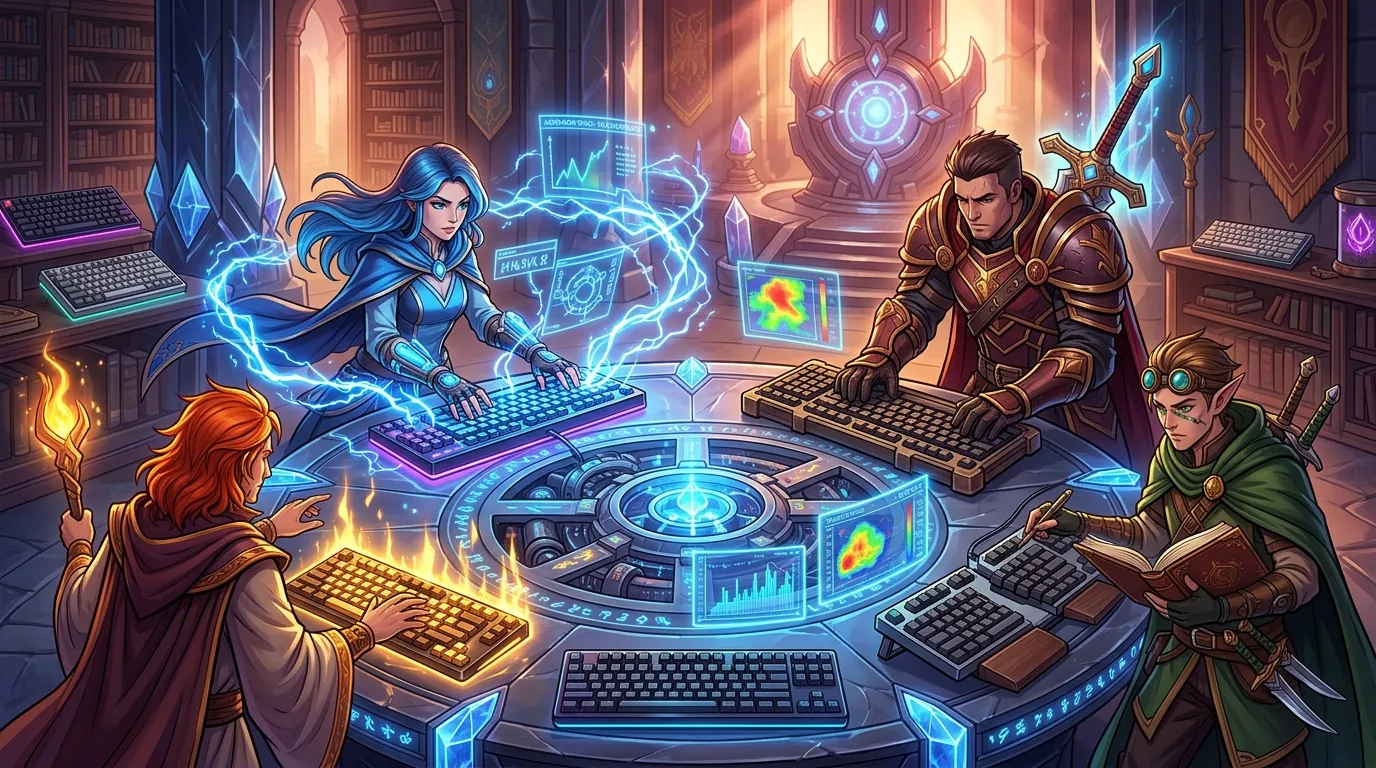
Selecting the best hardware for a high-repetition game like Neverness to Everness involves more than just looking at RGB lighting. We focused on several key technical factors:
- Switch Technology: We prioritized Hall Effect (magnetic) and Optical switches. These designs eliminate physical contact points, which are the primary cause of “double-clicking” or “chatter” in standard mechanical keyboards. This is vital for grinding, where a single key might be pressed thousands of times per day.
- Latency Verification: We analyzed “Rapid Trigger” performance data from RTINGS and community testing to ensure the boards could handle sub-1ms reset times.
- Ergonomics and Build: We selected boards with Gasket Mount designs or significant internal dampening. High-APM gaming can lead to Repetitive Strain Injury (RSI) if the keyboard is too rigid.
- Durability: We cross-referenced review aggregates to identify how well the keycaps and stabilizers hold up under heavy use. Boards with PBT keycaps were given higher priority due to their resistance to skin oils.
What a ‘Gacha Grinder’ actually needs

Farming materials in Hethereau requires a specific set of keyboard features to remain efficient and comfortable over long periods.
| Feature | Importance | Why it matters |
|---|---|---|
| Rapid Trigger | Critical | Allows for faster repetitive tapping by resetting the key instantly on up-travel. |
| Low Actuation Force | High | Switches requiring 45g or less force reduce finger fatigue during 4+ hour sessions. |
| PBT Keycaps | High | Prevents the keys from becoming slippery or “shiny” from skin oils during intense play. |
| NKRO | Essential | Ensures every keypress is registered simultaneously during complex skill rotations. |
| Adjustable Actuation | Medium | Allows you to make keys more sensitive for combat and less sensitive for typing. |
Low actuation force is particularly important. A switch that requires 60g of force might feel fine for an hour, but after several thousand presses, the cumulative strain on the tendons can lead to significant discomfort. Most of the boards on this list use switches in the 35g to 45g range, which is the sweet spot for rapid gaming.
Comparison summary

The current market offers a clear divide between “speed-first” boards and “comfort-first” boards. The Wooting 60HE+ and Razer Huntsman V3 Pro lead the industry in raw input speed, making them the superior choice for players who want every possible competitive advantage in combat. Their magnetic and optical technologies provide a level of responsiveness that traditional mechanical switches simply cannot match.
In contrast, the Keychron Q1 Pro represents the peak of build quality and comfort. While it may not have the 0.1mm reset time of the Wooting, its gasket-mount construction makes it much more comfortable for the “marathon” sessions common in gacha games. For those on a budget, the Keychron K2 V2 offers the essential mechanical experience and portability without the $150+ price tag of Hall Effect technology.
When to skip the upgrade
Not every player needs a $200 magnetic keyboard. If your current mechanical keyboard features a hot-swappable PCB, you can achieve a significant performance boost simply by upgrading your switches. Installing Kailh Silver or other “Speed” variants can reduce your actuation distance without requiring an entirely new board.
Furthermore, if your grinding in Neverness to Everness is primarily menu-based or involves low-APM tasks, the benefits of Rapid Trigger will be negligible. The technology is designed for high-speed action where every millisecond of reset time counts. If you find your current membrane keyboard comfortable and don’t experience missed inputs, the transition to a high-profile mechanical board may actually increase wrist strain initially unless you are prepared to adjust your typing posture or add a wrist rest.
What we didn’t include and why

Several popular gaming keyboards were excluded from this list for specific technical reasons:
- Logitech G915 TKL: While it is a very popular low-profile board, its proprietary switches use fragile plastic clips for the keycaps. These clips are known to break under heavy use, and because the stems are non-standard, finding third-party replacement caps is nearly impossible.
- Corsair K100 RGB: This keyboard has a massive footprint that takes up valuable desk space. Additionally, its “OPX” optical switches are extremely sensitive (1.0mm actuation) but lack the adjustable reset point of the Wooting or Razer, which can lead to frequent accidental inputs during relaxed play.
- Ducky One 3: Ducky makes excellent enthusiast-grade keyboards, but the One 3 lacks the modern “Rapid Trigger” and Hall Effect features that have become the standard for high-performance gaming in 2024 and 2026. For the price, there are now more feature-rich options available for gamers.
Frequently Asked Questions
Does Rapid Trigger actually help in Neverness to Everness?
Yes, especially during high-speed combat where you need to dodge or chain skills rapidly. Rapid Trigger allows the key to reset the instant you begin lifting your finger, meaning you can press it again much sooner than on a standard keyboard. This reduces the “dead time” between inputs, making your character feel more responsive.
Are Hall Effect switches more durable than standard ones?
Generally, yes. Because Hall Effect switches use magnets instead of physical metal contact leaves, there is no friction or wear-and-tear on the internal electrical components. This eliminates the risk of “key chatter,” where a single press registers as two or more, which is a common failure point for traditional mechanical keyboards.
Do I need a wrist rest for these keyboards?
For the Keychron Q1 Pro and the SteelSeries Apex Pro, a wrist rest is highly recommended. These keyboards have a high front profile (the “lip” of the keyboard), which can force your wrists into an upward angle. Over a long grinding session, this can lead to strain. The Wooting 60HE+ has a slightly lower profile but still benefits from a rest for maximum comfort.
Can I use these keyboards on a mobile device or tablet?
The Keychron K2 V2 and Keychron Q1 Pro are excellent for mobile use as they feature Bluetooth connectivity. However, to get the lowest latency and features like Rapid Trigger on the Wooting or Razer, you generally need a wired USB connection. Most modern tablets like the iPad Pro support these keyboards via a USB-C cable.
Sources
- Wooting Official Site — https://wooting.io/wooting-60he
- RTINGS Wooting 60HE Review — https://www.rtings.com/keyboard/reviews/wooting/60he
- Keychron Q1 Pro Product Page — https://www.keychron.com/products/keychron-q1-pro-qmk-via-wireless-custom-mechanical-keyboard
- Razer Huntsman V3 Pro TKL Page
- SteelSeries Apex Pro TKL Page — https://steelseries.com/gaming-keyboards/apex-pro-tkl-2023
- Keychron K2 V2 Product Page — https://www.keychron.com/products/keychron-k2-wireless-mechanical-keyboard
- IGN: Neverness to Everness Reveal
- GameSpot: Neverness to Everness Overview — https://www.gamespot.com/articles/neverness-to-everness-is-a-supernatural-urban-open-world-rpg-from-hotta-studio/1100-6525010/
- Kailh Speed Switches
Related Guides

Best Adjustable Standing Desks for WFH Gacha Grinders

Arlecchino vs Hu Tao: Who is the Best Pyro DPS in Genshin Impact?

Aurelia Nova vs Lacrimosa NTE: Best Gaming Gear for Neverness to Everness Players

Ayaka vs Ganyu: Who is the Best Cryo DPS in Genshin Impact?

Best 4-Star Weapons for NTE DPS: Top A-Rank Arcs Ranked

Best 4K OLED Gaming Monitors for Competitive Gacha Grinders and Daily Farmers

Best 4K OLED Gaming Monitors for Immersive RPG Worlds and Long MMO Sessions

Loading comments…