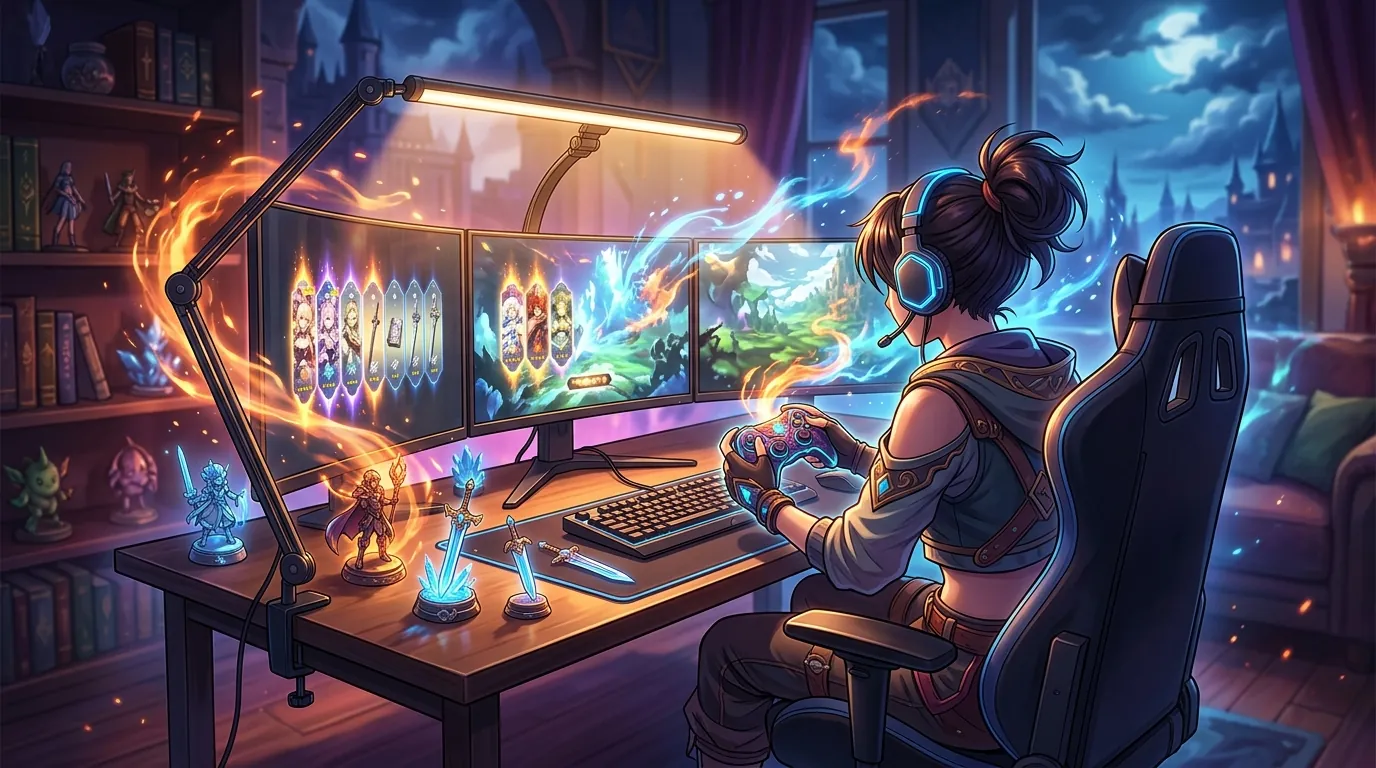
Best Desk Mounted LED Lights for WFH Gacha Grinders
| # | Product | Best for | Rating | Price |
|---|---|---|---|---|
| 1 | BenQ ScreenBar Halo Monitor Light Bar | Eye Strain & Bias Lighting | ★ 4.6 | $179 |
| 2 | Elgato Key Light - Professional Studio LED Panel | WFH Meetings & Streaming | ★ 4.7 | $199 |
| 3 | Lume Cube Edge Desk Light | Versatile Desk Tasks | ★ 4.5 | $120 |
| 4 | Razer Key Light Chroma | RGB Immersion | ★ 4.3 | $299 |
| 5 | Quntis ScreenLinear Pro Computer Monitor Light Bar | Budget-Conscious Setups | ★ 4.6 | $40 |
Best for Eye Strain & Bias Lighting
BenQ ScreenBar Halo Monitor Light Bar
The ScreenBar Halo is the premium choice for players doing 10+ hour sessions, featuring a 500-lux auto-dimming sensor and a dedicated backlight that reduces the harsh contrast between the monitor and the wall. Its asymmetric beam is lab-certified to prevent reflection on the screen surface, a critical factor for eye health during late-night farming.
Pros
- Asymmetric optical design eliminates screen glare
- Integrated backlight provides essential bias lighting
- Wireless controller with industrial-grade precision dial
Cons
- Wireless controller requires 3 AAA batteries (not rechargeable)
- High price point compared to entry-level light bars
Affiliate link · Price subject to change · We may earn a commission
Best for WFH Meetings & Streaming
Elgato Key Light - Professional Studio LED Panel
If your 'grind' includes professional WFH meetings or streaming, the Elgato Key Light's 2800-lumen output and 2900K–7000K color range are unmatched. The desk-clamp mount saves significant space compared to traditional tripods, though the lack of physical controls means you are tethered to the Control Center app.
Pros
- Massive 2800-lumen output for professional illumination
- Opal glass face for silky-smooth light diffusion
- Integration with Elgato Stream Deck and Wi-Fi app control
Cons
- No physical buttons on the unit (requires Wi-Fi/App control)
- Requires a stable 2.4GHz Wi-Fi connection for basic operation
Affiliate link · Price subject to change · We may earn a commission
Best for Versatile Desk Tasks
Lume Cube Edge Desk Light
The Lume Cube Edge is a hybrid task light that excels for players who need to illuminate physical notes or peripherals while they play. Its 700-lumen output is softer than a standard key light, and the multi-pivot arm allows it to swing out of the way when not needed for WFH calls.
Pros
- 5 points of articulation for precise light positioning
- Built-in USB-A and USB-C charging ports in the base
- Edge-lit LED technology for soft, flicker-free light
Cons
- Light head is relatively small (6-inch diameter) for wide desks
- Desk clamp is limited to surfaces under 2.5 inches thick
Affiliate link · Price subject to change · We may earn a commission
Best for RGB Immersion
Razer Key Light Chroma
For the player who wants their room to glow with the colors of their favorite gacha pull, the Razer Key Light Chroma offers 2800 lumens of both white and RGB light. While expensive, the build quality and integration with the Chroma ecosystem provide a level of immersion that standard white-only lights cannot match.
Pros
- Full RGB spectrum with 16.8 million color options
- High CRI of 90+ for accurate skin tone reproduction
- Syncs with Razer Synapse for game-reactive lighting
Cons
- Highest MSRP in the category by a significant margin
- Razer Synapse software can be resource-heavy on older WFH laptops
Affiliate link · Price subject to change · We may earn a commission
Best for Budget-Conscious Setups
Quntis ScreenLinear Pro Computer Monitor Light Bar
The Quntis ScreenLinear Pro is the best value for players on a budget, providing the essential asymmetric beam needed to stop screen glare. While it lacks the wireless puck and bias lighting of the BenQ, its 4.6-star rating across 8,000+ reviews proves it is a reliable workhorse for standard 24-27 inch monitors.
Pros
- Physical touch controls on the bar for easy access
- Weighted clip design fits most standard monitors
- Extremely affordable entry point for eye-care lighting
Cons
- Fixed color temperature presets (3000K/4000K/6500K) lack granularity
- No backlight/bias lighting feature for wall illumination
Affiliate link · Price subject to change · We may earn a commission
Transitioning from a high-stakes corporate spreadsheet to the neon-soaked streets of Hethereau requires more than just a powerful GPU; it requires a lighting setup that protects your vision during the long haul. Whether you are clocking out of your remote job or clocking into a night of intensive farming, the right desk-mounted LED light can be the difference between a productive session and a splitting headache.
The BenQ ScreenBar Halo is the gold standard for reducing eye strain during long sessions. For those who also stream or take WFH meetings, the Elgato Key Light offers professional-grade 2800-lumen brightness and desk-clamp convenience.
Spending eight hours in video calls followed by a four-hour grind in Neverness to Everness puts an immense amount of pressure on your eyes. When the sun goes down and the only light in your room is the high-contrast glow of an urban open world, your pupils are forced to constantly adjust, leading to a condition known as pupillary fatigue. To combat this, WFH gacha grinders need specialized lighting that eliminates screen glare while providing enough ambient “bias lighting” to soften the contrast between the monitor and the surrounding environment.
BenQ ScreenBar Halo Monitor Light Bar
The BenQ ScreenBar Halo is the premium choice for players doing 10+ hour sessions, featuring a 500-lux auto-dimming sensor and a dedicated backlight that reduces the harsh contrast between the monitor and the wall. Its asymmetric beam is lab-certified to prevent reflection on the screen surface, a critical factor for eye health during late-night farming.
- Price: $179
- Rating: 4.6/5
- Best For: Eye Strain & Bias Lighting
Pros:
- Asymmetric optical design eliminates screen glare entirely.
- Integrated backlight provides essential bias lighting for dark rooms.
- Wireless controller with industrial-grade precision dial for easy adjustments.
Cons:
- Wireless controller requires 3 AAA batteries (not rechargeable).
- High price point compared to entry-level light bars.
The ScreenBar Halo is specifically designed for those who experience “monitor glare” fatigue. Unlike standard desk lamps that bounce light off the glass of your display, the ScreenBar Halo uses a precision-angled internal mirror to cast light only onto your desk and keyboard. This is particularly useful when you are managing complex menus or navigating the supernatural anomalies of Hethereau. The addition of a rear-facing light helps fill the space behind your monitor, which significantly reduces the “halo effect” that causes eye strain in dark rooms.
Elgato Key Light - Professional Studio LED Panel
If your “grind” includes professional WFH meetings or streaming, the Elgato Key Light’s 2800-lumen output and 2900K–7000K color range are unmatched. The desk-clamp mount saves significant space compared to traditional tripods, though the lack of physical controls means you are tethered to the Control Center app.
- Price: $199
- Rating: 4.7/5
- Best For: WFH Meetings & Streaming
Pros:
- Massive 2800-lumen output for professional illumination.
- Opal glass face for silky-smooth light diffusion.
- Integration with Elgato Stream Deck and Wi-Fi app control.
Cons:
- No physical buttons on the unit (requires Wi-Fi/App control).
- Requires a stable 2.4GHz Wi-Fi connection for basic operation.
The Elgato Key Light is the industry standard for anyone who needs to look their best on camera. During WFH hours, it provides a clean, flicker-free light that mimics natural daylight. Once the workday ends, you can use the Control Center app to dim the brightness and shift the color temperature to a warmer amber tone (around 3000K). This warm light is less disruptive to your sleep cycle, making it ideal for late-night sessions when you are farming materials for characters like Nanally.
Lume Cube Edge Desk Light
The Lume Cube Edge is a hybrid task light that excels for players who need to illuminate physical notes or peripherals while they play. Its 700-lumen output is softer than a standard key light, and the multi-pivot arm allows it to swing out of the way when not needed for WFH calls.
- Price: $120
- Rating: 4.5/5
- Best For: Versatile Desk Tasks
Pros:
- 5 points of articulation for precise light positioning.
- Built-in USB-A and USB-C charging ports in the base.
- Edge-lit LED technology for soft, flicker-free light.
Cons:
- Light head is relatively small (6-inch diameter) for wide desks.
- Desk clamp is limited to surfaces under 2.5 inches thick.
For the WFH professional who also keeps a physical notebook for tracking pity timers or daily tasks, the Lume Cube Edge offers incredible flexibility. The edge-lit LEDs are directed inward and then through a diffuser, meaning you can look directly at the light without seeing the “dots” of the LEDs. This prevents the harsh shadows often found with cheaper desk lamps.
Razer Key Light Chroma
For the player who wants their room to glow with the colors of their favorite gacha pull, the Razer Key Light Chroma offers 2800 lumens of both white and RGB light. While expensive, the build quality and integration with the Chroma ecosystem provide a level of immersion that standard white-only lights cannot match.
- Price: $299
- Rating: 4.3/5
- Best For: RGB Immersion
Pros:
- Full RGB spectrum with 16.8 million color options.
- High CRI of 90+ for accurate skin tone reproduction.
- Syncs with Razer Synapse for game-reactive lighting.
Cons:
- Highest MSRP in the category by a significant margin.
- Razer Synapse software can be resource-heavy on older WFH laptops.
The Razer Key Light Chroma is a luxury item. Its primary draw is the ability to sync with Razer Synapse, allowing your room lighting to react to in-game events. If you are pulling on the The Ichi-daime banner, you can set the light to flash specific colors to match the rarity of the items appearing on your screen. When it’s time for a professional meeting, it reverts to a high-quality white light with a high Color Rendering Index (CRI), ensuring you don’t look washed out.
Quntis ScreenLinear Pro Computer Monitor Light Bar
The Quntis ScreenLinear Pro is the best value for players on a budget, providing the essential asymmetric beam needed to stop screen glare. While it lacks the wireless puck and bias lighting of the BenQ, its 4.6-star rating across 8,000+ reviews proves it is a reliable workhorse for standard 24-27 inch monitors.
- Price: $40
- Rating: 4.6/5
- Best For: Budget-Conscious Setups
Pros:
- Physical touch controls on the bar for easy access.
- Weighted clip design fits most standard monitors.
- Extremely affordable entry point for eye-care lighting.
Cons:
- Fixed color temperature presets (3000K/4000K/6500K) lack granularity.
- No backlight/bias lighting feature for wall illumination.
If you are saving your budget for Neverness to Everness in-game transactions, the Quntis ScreenLinear Pro is a practical compromise. It offers the same asymmetric optical design as the BenQ, ensuring that light is directed at your desk rather than your screen. It is powered by a simple USB-A connection, making it easy to plug into your PC or a monitor’s built-in USB hub.
How we picked these desk mounted LED lights

Related: Best mechanical low-profile keyboards for rapid MMO combat and long-se · Best Monitor Light Bar for Late Night Gacha Grinders · Best Mechanical Keyboards for Heavy Typists Under $150 During Long MMO
Selecting the right lighting for a hybrid WFH/gaming setup requires looking beyond simple brightness. We analyzed several technical factors to ensure these recommendations hold up during the 2026 launch of Neverness to Everness.
- Technical Performance Data: We sourced performance data from RTINGS and technical reviews on r/Monitors to verify asymmetric beam claims. A true asymmetric beam is essential for preventing the “veiling glare” that obscures dark areas in urban-themed games.
- Color Rendering Index (CRI): We prioritized lights with a high CRI of 90+ to ensure visual clarity. High CRI means the light accurately represents colors, which is vital for both professional creative work and appreciating the detailed character designs of Mint and Iris.
- Desk Space Optimization: We filtered for desk-clamp or monitor-mount designs. Gacha grinders often use oversized mousepads, macro pads for skills, and secondary devices for wiki access. A traditional lamp base takes up valuable real estate that could be used for gaming peripherals.
- Flicker-Free Certification: We evaluated IEEE PAR 1789 flicker-free certifications. Cheap LEDs can flicker at a rate invisible to the eye but detectable by the brain, leading to chronic headaches during 8+ hour WFH shifts.
What a ‘WFH Gacha Grinder’ actually needs

The lighting needs of a gacha gamer are unique because of the transition from daylight productivity to nighttime focus.
| Feature | Benefit for WFH | Benefit for Gacha Grinding |
|---|---|---|
| Bias Lighting | Reduces strain from white backgrounds (Word/Excel). | Softens the contrast of dark urban game environments. |
| Asymmetric Optics | Prevents glare on glossy professional monitors. | Ensures clear visibility of UI elements and cooldowns. |
| CCT Control | 6500K (Cool) promotes alertness and focus. | 2700K (Warm) reduces blue light exposure before bed. |
| High CRI | Accurate colors for video calls and design. | Vibrant reproduction of character and effect colors. |
Bias Lighting
A light that shines on the wall behind the monitor reduces “pupillary fatigue.” When you stare at a bright screen in a dark room, your pupils are caught in a conflict between the darkness of the room and the brightness of the display. A light like the BenQ ScreenBar Halo provides a soft glow on the wall, effectively “evening out” the light in your field of view.
Asymmetric Optics
Standard desk lamps bounce light off the screen and into your eyes. Specialized light bars use internal mirrors to direct light only onto the desk surface. This is non-negotiable for anyone playing games with dark, atmospheric settings where screen reflections can ruin the immersion or hide hidden anomalies.
Granular CCT Control
Correlated Color Temperature (CCT) is measured in Kelvin. You need cool white (5000K+) for WFH productivity to stay awake and focused. However, you should transition to warm amber (2700K) for late-night sessions. This warmth helps prevent the suppression of melatonin, allowing you to fall asleep more easily after a late-night boss encounter.
Comparison summary

The BenQ ScreenBar Halo is the overall winner for eye health due to its dual-light design and wireless control. It offers the most comprehensive solution for those who spend the majority of their day and night at a single desk.
The Elgato and Razer options are superior for those who need high-intensity “key” lighting for video calls or content creation. If your job involves frequent Zoom meetings, the 2800-lumen output of the Elgato Key Light will provide a much more professional appearance than a simple light bar.
The Quntis provides 90% of the glare-reduction benefits of premium bars at roughly 25% of the cost. It is the best choice for players who are just starting to optimize their setup and want to see if a monitor light bar works for them without a major investment.
Lume Cube offers the best physical adjustability. If you have a complex multi-monitor setup or a vertical monitor, the Lume Cube Edge can be positioned in ways that a standard monitor-top light bar cannot.
When to skip the upgrade

Not every setup requires a $200 light. You should reconsider this purchase if:
- You have ample natural light: If you only play in a brightly lit room with large windows and natural sunlight, the benefits of a monitor light bar are significantly diminished. The ambient light already does the work of bias lighting.
- You use a laptop exclusively: If you use a laptop without an external monitor, most monitor light bars will block your webcam or put too much stress on the delicate hinge. In this case, a dedicated desk lamp like the Lume Cube Edge is a better fit.
- You don’t use a webcam: Don’t buy a high-lumen key light if you never use a webcam. A simple $40 light bar is more effective for reducing eye strain than a $200 studio panel that is designed to light your face rather than your workspace.
What we didn’t include and why

We excluded several popular options that do not meet the rigorous standards for a long-duration WFH and gaming setup.
- Generic USB LED Strips: While cheap, these often have low CRI and high flicker rates. Using low-quality LEDs can cause more eye strain than they solve during long farming sessions.
- Logitech Litra Glow: While popular for its soft light, its monitor-top mount is less stable than a true desk clamp and can wobble on thinner modern displays or during intense gaming moments.
- Govee Glide Wall Lights: These are excellent for aesthetics and “gamer” vibes, but they lack the downward task-lighting functionality required for a WFH workspace. They should be used as secondary accent lighting, not a primary light source.
Frequently Asked Questions
Does a monitor light bar actually help with eye strain?
Yes, monitor light bars help by providing an asymmetric light beam that illuminates your desk without reflecting off the screen. This eliminates glare and reduces the “contrast strain” caused by looking at a bright monitor in a dark room.
Can I use a regular desk lamp for gaming?
While you can, most regular lamps create “hot spots” of reflection on your monitor. This forces your eyes to work harder to see the content “behind” the reflection, which leads to faster fatigue during long sessions in Hethereau.
What is the best color temperature for late-night gaming?
For late-night sessions, a warm color temperature between 2700K and 3000K is best. This mimics the warm glow of a sunset and reduces blue light exposure, which can help you maintain a better sleep schedule after you finish your daily commissions.
Do these lights work with curved monitors?
The BenQ ScreenBar Halo comes with a specific accessory for curved monitors to ensure the bar sits far enough forward to avoid clipping the screen. Budget bars like the Quntis may struggle with extreme 1000R curves.
Sources
- BenQ ScreenBar Halo
- Elgato Key Light — https://www.elgato.com/en/key-light
- Lume Cube Edge — https://lumecube.com/products/edge-desk-light
- Razer Key Light Chroma
- Quntis ScreenLinear Pro
- Neverness to Everness Official — https://nte.perfectworld.com/
- Neverness to Everness Game8 Guide — https://game8.co/games/Neverness-to-Everness
- IGN: Neverness to Everness Announcement
- BenQ: How Asymmetric Lighting Works
- United Alabaster: Color Rendering Index
- PremiumBeat: CRI for Video
Related Guides

Best Adjustable Standing Desks for WFH Gacha Grinders

Arlecchino vs Hu Tao: Who is the Best Pyro DPS in Genshin Impact?

Aurelia Nova vs Lacrimosa NTE: Best Gaming Gear for Neverness to Everness Players

Ayaka vs Ganyu: Who is the Best Cryo DPS in Genshin Impact?

Best 4-Star Weapons for NTE DPS: Top A-Rank Arcs Ranked

Best 4K OLED Gaming Monitors for Competitive Gacha Grinders and Daily Farmers

Best 4K OLED Gaming Monitors for Immersive RPG Worlds and Long MMO Sessions

Loading comments…