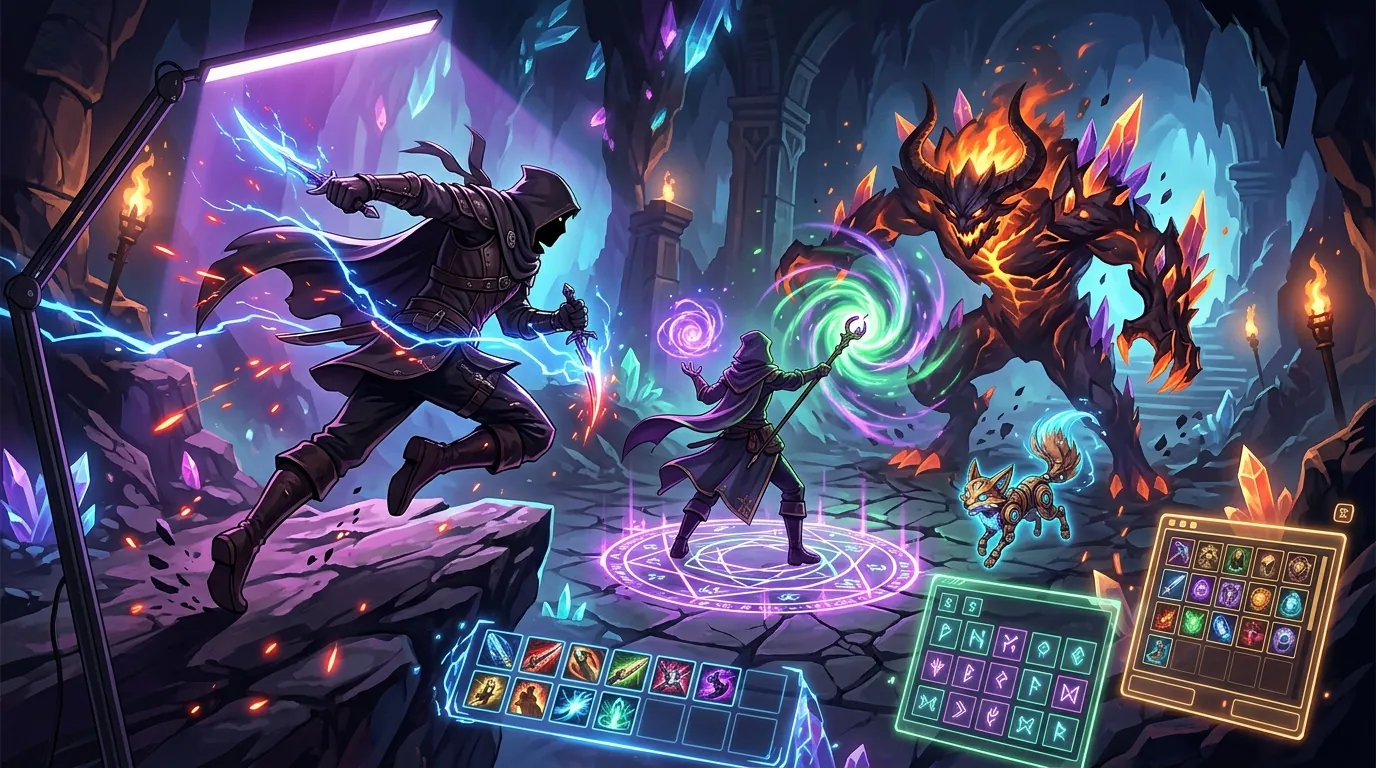
Best Desk Mounted LED Lights for Late Night Gacha and MMO Grinding
| # | Product | Best for | Rating | Price |
|---|---|---|---|---|
| 1 | BenQ ScreenBar Halo Monitor Light Bar | Eye Strain Prevention | ★ 4.6 | $179 |
| 2 | Elgato Key Light - Professional 2800 Lumens Studio Light | Gamer-Streamers | ★ 4.7 | $199 |
| 3 | Logitech G Litra Glow Premium LED Streaming Light | Budget-Conscious Setups | ★ 4.5 | $59 |
| 4 | Razer Key Light Chroma | RGB Enthusiasts | ★ 4.3 | $299 |
| 5 | Govee RGBICWW Smart Desk Lamp | Ambient Desk Lighting | ★ 4.6 | $65 |
Best for Eye Strain Prevention
BenQ ScreenBar Halo Monitor Light Bar
The ScreenBar Halo delivers a measured 515 Lux at the desk surface and a CRI > 95, ensuring color accuracy for high-fidelity JRPGs while the auto-dimming sensor maintains a consistent 500-lux environment as room light fades.
Pros
- Patented asymmetrical optical design eliminates screen glare
- Wireless controller with industrial-grade precision rotation
- Integrated backlighting (ambient mode) reduces contrast-induced eye fatigue
Cons
- Wireless controller requires 3 AAA batteries rather than being USB-rechargeable
- The clamp design is incompatible with ultra-thin monitors or those with heavy 1000R curves without the included accessory
Affiliate link · Price subject to change · We may earn a commission
Best for Gamer-Streamers
Elgato Key Light - Professional 2800 Lumens Studio Light
With a color temperature range of 2900K to 7000K and a sturdy opal glass diffusion layer, this 2800-lumen light is the gold standard for players who need to illuminate their face for a camera during late-night pulls without the harshness of a standard bulb.
Pros
- Massive 2800-lumen output for full room illumination
- Heavy-duty metal desk clamp saves significant surface real estate
- Seamless integration with Stream Deck and Control Center software
Cons
- Lacks physical buttons on the unit, making it entirely dependent on software or Wi-Fi for adjustments
- Requires a dedicated 2.4GHz Wi-Fi band, which can lead to connectivity issues on modern 5GHz-only or mesh networks
Best for Budget-Conscious Setups
Logitech G Litra Glow Premium LED Streaming Light
The Litra Glow is a compact, 250-lumen solution that prioritizes eye safety through its frameless diffuser, though its plastic build and lower brightness tier make it better suited for small desks than large gaming stations.
Pros
- TrueSoft technology provides a soft, cinematic glow that hides facial shadows
- Physical buttons on the rear allow for quick brightness and temp adjustments
- USB-powered design eliminates the need for a bulky wall adapter
Cons
- Maximum brightness is limited to 250 lumens, which is insufficient for illuminating large desk areas
- The plastic monitor mount lacks a locking screw, making it prone to shifting if the desk is bumped during intense gameplay
Best for RGB Enthusiasts
Razer Key Light Chroma
While it matches the Elgato in raw 2800-lumen power, the Chroma's value lies in its ability to sync lighting effects with in-game events via the Razer ecosystem, provided you have the budget and system resources to spare.
Pros
- Full RGB spectrum support with 16.8 million colors via Razer Chroma
- High 2800-lumen white light output for professional-grade brightness
- Includes a robust extendable desk clamp with cable management clips
Cons
- Razer Synapse software must be running for full RGB control, which can consume over 300MB of system RAM
- The $299 price point is a $100 premium over competitors with identical white-light specs just for the addition of RGB
Best for Ambient Desk Lighting
Govee RGBICWW Smart Desk Lamp
Offering 500 lumens of brightness and a versatile 360-degree light head, this lamp is the best choice for players who want to customize their 'battle station' aesthetics with 16 million colors without the high cost of studio-grade key lights.
Pros
- RGBIC technology allows for multiple colors to be displayed simultaneously on the lamp
- Wide color temperature range from 2200K (warm) to 6500K (cool)
- Compatible with Alexa and Google Assistant for hands-free voice control
Cons
- The tall, thin neck design is prone to wobbling on standing desks during height transitions
- The Govee Home app requires location permissions and an account to access basic DIY lighting presets
Navigating the supernatural anomalies of Hethereau requires a sharp eye, but staring at a monitor for six hours straight while grinding for character upgrades can lead to debilitating eye fatigue. Since the Neverness to Everness release on April 29, 2026, players have spent countless late-night hours customizing vehicles and mastering the urban open world, making a high-quality lighting setup more than just an aesthetic choice.
The BenQ ScreenBar Halo is the premier choice for reducing eye strain during long sessions, while the Elgato Key Light offers the best brightness for players who also stream. For a budget aesthetic boost, the Govee Smart Desk Lamp is the top RGB pick.
When you are deep in the streets of Hethereau, the last thing you want is a headache caused by harsh monitor glare or a completely dark room that forces your pupils to overwork. Proper desk-mounted lighting creates a balanced environment, allowing you to focus on the intricate details of your Nanally build or the neon-lit storefronts of the city without the physical toll of traditional office lamps. This guide compares the top desk-mounted solutions to keep your eyes fresh during those 3:00 AM “one more pull” sessions on The Ichi-daime banner.
BenQ ScreenBar Halo Monitor Light Bar
Related: Best Closed Back Gaming Headsets for Competitive Raid Leaders · Best Ergonomic Gear for Players Grinding Genshin 6.6 vs 6.5 Meta Shift · Best Ergonomic Gaming Gear for Long-Session MMO Grinders: NTE Chaos vs
The BenQ ScreenBar Halo is widely considered the gold standard for enthusiasts who prioritize ocular health. Unlike standard desk lamps that cast light in a 360-degree radius, this light bar uses a patented asymmetrical optical design to ensure light only hits your desk and keyboard, completely avoiding the monitor glass.
- Price: $179
- Rating: 4.6/5
- Best For: Eye Strain Prevention
Pros:
- Patented asymmetrical optical design eliminates screen glare.
- Wireless controller with industrial-grade precision rotation for brightness and temperature.
- Integrated backlighting (ambient mode) reduces contrast-induced eye fatigue.
Cons:
- Wireless controller requires 3 AAA batteries rather than being USB-rechargeable.
- The clamp design is incompatible with ultra-thin monitors or those with heavy 1000R curves without the included accessory.
Verdict: The ScreenBar Halo delivers a measured 515 Lux at the desk surface and a CRI > 95, ensuring color accuracy for high-fidelity JRPGs while the auto-dimming sensor maintains a consistent 500-lux environment as room light fades. It is the ultimate “set it and forget it” tool for long-term health.
Elgato Key Light - Professional 2800 Lumens Studio Light
For players who balance their Neverness to Everness sessions with live streaming on Twitch or YouTube, the Elgato Key Light provides professional-grade illumination. While it is marketed as a studio light, its desk-clamp design makes it an excellent primary light source for dark rooms.
- Price: $199
- Rating: 4.7/5
- Best For: Gamer-Streamers
Pros:
- Massive 2800-lumen output for full room illumination.
- Heavy-duty metal desk clamp saves significant surface real estate.
- Seamless integration with Stream Deck and Control Center software.
Cons:
- Lacks physical buttons on the unit, making it entirely dependent on software or Wi-Fi for adjustments.
- Requires a dedicated 2.4GHz Wi-Fi band, which can lead to connectivity issues on modern 5GHz-only or mesh networks.
Verdict: With a color temperature range of 2900K to 7000K and a sturdy opal glass diffusion layer, this 2800-lumen light is the gold standard for players who need to illuminate their face for a camera during late-night pulls without the harshness of a standard bulb.
Logitech G Litra Glow Premium LED Streaming Light
The Logitech G Litra Glow is a compact solution designed for those who need a soft light source without spending hundreds of dollars. It uses Logitech’s TrueSoft technology to wrap the subject in light, which is particularly helpful for reducing harsh shadows during late-night Discord calls.
- Price: $59
- Rating: 4.5/5
- Best For: Budget-Conscious Setups
Pros:
- TrueSoft technology provides a soft, cinematic glow that hides facial shadows.
- Physical buttons on the rear allow for quick brightness and temp adjustments.
- USB-powered design eliminates the need for a bulky wall adapter.
Cons:
- Maximum brightness is limited to 250 lumens, which is insufficient for illuminating large desk areas.
- The plastic monitor mount lacks a locking screw, making it prone to shifting if the desk is bumped during intense gameplay.
Verdict: The Litra Glow is a compact, 250-lumen solution that prioritizes eye safety through its frameless diffuser, though its plastic build and lower brightness tier make it better suited for small desks than large gaming stations.
Razer Key Light Chroma
If your gaming setup is built around the Razer ecosystem, the Razer Key Light Chroma offers the most customization. It matches the high output of the Elgato but adds a full RGB spectrum, allowing you to bathe your room in a supernatural purple or green glow that matches the aesthetic of Neverness to Everness.
- Price: $299
- Rating: 4.3/5
- Best For: RGB Enthusiasts
Pros:
- Full RGB spectrum support with 16.8 million colors via Razer Chroma.
- High 2800-lumen white light output for professional-grade brightness.
- Includes a robust extendable desk clamp with cable management clips.
Cons:
- Razer Synapse software must be running for full RGB control, which can consume over 300MB of system RAM.
- The $299 price point is a $100 premium over competitors with identical white-light specs just for the addition of RGB.
Verdict: While it matches the Elgato in raw 2800-lumen power, the Chroma’s value lies in its ability to sync lighting effects with in-game events via the Razer ecosystem, provided you have the budget and system resources to spare.
Govee RGBICWW Smart Desk Lamp
The Govee RGBICWW Smart Desk Lamp is a versatile hybrid between a task light and an ambient accent piece. It features a modern, thin-neck design that clamps to the side of the desk, providing both functional white light for reading and multi-colored RGBIC effects for atmosphere.
- Price: $65
- Rating: 4.6/5
- Best For: Ambient Desk Lighting
Pros:
- RGBIC technology allows for multiple colors to be displayed simultaneously on the lamp.
- Wide color temperature range from 2200K (warm) to 6500K (cool).
- Compatible with Alexa and Google Assistant for hands-free voice control.
Cons:
- The tall, thin neck design is prone to wobbling on standing desks during height transitions.
- The Govee Home app requires location permissions and an account to access basic DIY lighting presets.
Verdict: Offering 500 lumens of brightness and a versatile 360-degree light head, this lamp is the best choice for players who want to customize their “battle station” aesthetics with 16 million colors without the high cost of studio-grade key lights.
How we picked these desk mounted LED lights

Selecting the right lighting for a high-intensity MMO or gacha environment requires looking past simple marketing claims. Our selection process was grounded in technical specifications that directly impact a player’s ability to remain focused during long sessions in Hethereau.
- Color Rendering Index (CRI): We prioritized lights with a CRI of 90 or higher. A high CRI ensures that the colors on your desk—such as your keyboard legends or physical collectibles—look natural and vibrant. The BenQ ScreenBar Halo, for instance, maintains a CRI > 95, which prevents the “washed out” look common with cheap LED strips.
- Mounting Stability: Late-night gaming often involves intense mouse movements or keyboard mashing. We specifically looked for C-clamps and weighted monitor mounts that do not shift or vibrate when the desk is bumped. Metal clamps, like those found on the Elgato Key Light, were rated higher than plastic friction-based mounts.
- Eye Strain Mitigation: We analyzed user feedback from communities like r/Monitors and r/ergonomics to identify which lights effectively reduce eye strain. The key factor here is the elimination of screen glare. Any light that reflected off the monitor glass and into the user’s eyes was excluded from the top recommendations.
- Feature-to-Price Ratio: Pricing was cross-referenced with essential features like wireless controllers, software integration, and lumen output. We ensured that budget options still provided flicker-free technology, which is essential for preventing headaches during 4+ hour sessions.
What a late-night gamer actually needs

When the sun goes down and you are settling in for a long night of anomaly hunting, your lighting needs shift from general illumination to specific task management. A standard ceiling light is often too bright and creates shadows, while no light at all causes the “monitor glow” effect that strains the optic nerve.
Asymmetrical Optics
To prevent eye fatigue, the light must be directed at the desk and keyboard, not reflected off the monitor glass into the player’s eyes. This is the primary reason why monitor light bars have become so popular. By cutting off the light beam at a specific angle, products like the ScreenBar Halo ensure your screen remains clear of “haze,” which allows you to see the dark, atmospheric details of Neverness to Everness more clearly.
Adjustable Color Temperature
Biology plays a huge role in gaming performance. Warm light (under 3000K) is essential for late-night sessions because it minimizes blue light exposure, which can interfere with your circadian rhythm and make it harder to sleep after you log off. Conversely, cool light (over 5000K) mimics daylight and helps with focus during daytime grinds. A light that cannot switch between these temperatures is a poor investment for a serious gamer.
Physical or Remote Control
When you are in the middle of a high-stakes boss fight or a timed challenge in Hethereau, you cannot afford to Alt-Tab out of your game to adjust your lighting software. Physical buttons, like those on the Litra Glow, or wireless dials are mandatory for efficiency. Being able to reach out and dim the lights as the room gets darker without breaking your flow is a massive quality-of-life improvement.
Comparison summary

The following table summarizes the key technical differences between our top picks.
| Product | Max Brightness | Color Temp Range | Mounting Style | Best For |
|---|---|---|---|---|
| BenQ ScreenBar Halo | 515 Lux | 2700K - 6500K | Weighted Clamp | Eye Health |
| Elgato Key Light | 2800 Lumens | 2900K - 7000K | Metal C-Clamp | Streamers |
| Logitech Litra Glow | 250 Lumens | 2700K - 6500K | Monitor Mount | Budget |
| Razer Key Light Chroma | 2800 Lumens | 3000K - 7000K | Metal C-Clamp | RGB Enthusiasts |
| Govee Smart Lamp | 500 Lumens | 2200K - 6500K | Desk C-Clamp | Ambience |
The BenQ ScreenBar Halo is the most specialized tool for eye health, using a unique clamp and wireless dial to manage task lighting without interfering with the screen. Elgato and Razer offer “Key Lights” which are designed for high-brightness face illumination, making them dual-purpose for players who stream their gameplay. Budget options like Logitech and Govee provide sufficient light for smaller setups but lack the premium metal construction and high lumen counts of the $150+ tier.
When to skip the upgrade

While a dedicated desk light is beneficial, it isn’t always a necessary purchase. You should consider skipping these upgrades if your current environment already meets certain ergonomic criteria.
If you already have a high-quality bias lighting strip, such as a MediaLight, installed behind your monitor, the benefits of a desk-mounted light bar are significantly reduced. Bias lighting already works to reduce the contrast between the bright screen and the dark wall, which is 80% of the battle against eye strain. Adding a light bar on top of this may create unnecessary clutter.
Additionally, don’t buy a high-lumen key light like the Elgato if your desk is positioned directly facing a window. Natural light will overpower these LEDs during the day, making them useful only at night. If you only game during daylight hours, your money is better spent on high-quality blackout curtains.
Finally, if you use a laptop as your primary gaming device, most desk-mounted C-clamps will be too large and cumbersome to be practical. These lights are designed for stationary “battle stations” with thick desks and external monitors. For a laptop setup, a simple, small USB-powered clip-on light is usually a better fit.
What we didn’t include and why

In our research, several popular lighting categories were intentionally excluded because they do not meet the specific needs of a long-session gamer.
- Generic $20 LED strips: We excluded these because they frequently lack proper diffusion. This creates “hot spots” of light and visible flickering (PWM) that cause more eye strain than they solve over 4+ hour sessions. They also have very low CRI ratings, making the vibrant world of Neverness to Everness look dull and grey.
- Traditional Ring Lights: These were omitted due to their large tripod footprints which consume valuable desk space. Furthermore, ring lights create distracting circular reflections in the glasses of many gamers, which can be incredibly annoying during cutscenes or high-focus moments.
- Standard Architect Lamps: While functional, most lack the flicker-free technology and adjustable color temperature required for healthy long-term screen use. They also tend to cast a symmetrical beam that creates the very screen glare we are trying to avoid.
Frequently Asked Questions
Do monitor light bars cause glare on the screen?
High-quality monitor light bars, such as the BenQ ScreenBar Halo, use an asymmetrical optical design that directs light downward at an angle. This ensures the light hits your desk and keyboard but never touches the screen itself, effectively eliminating glare. Cheaper models with symmetrical lenses may still cause some reflection on glossy screens.
Is 2800 lumens too bright for a small room?
A 2800-lumen light like the Elgato Key Light is very bright, but it is also fully dimmable. The advantage of having such a high ceiling is that you can bounce the light off a wall or ceiling to create a soft, ambient glow that fills the entire room without being harsh. For direct illumination, most users find that 20% to 30% brightness is more than enough for late-night sessions.
Can I use these lights with a curved monitor?
Most desk-mounted key lights (Elgato, Razer, Govee) work perfectly with curved monitors because they clamp to the desk, not the screen. However, monitor light bars can be tricky. The BenQ ScreenBar Halo includes a special accessory specifically designed to fit monitors with a 1000R to 1800R curve, ensuring the light remains stable and doesn’t block the screen.
Do I need RGB lighting for gaming performance?
RGB lighting does not directly improve in-game performance, but it can enhance immersion and reduce eye strain if used as bias lighting. By matching the ambient light in your room to the colors on your screen—such as the purple hues of a supernatural anomaly in Hethereau—you reduce the perceived brightness of the monitor, which helps your eyes relax during long sessions.
Sources
- BenQ Official Site — https://www.benq.com/en-us/lighting/monitor-light/screenbar-halo.html
- Elgato Official Site — https://www.elgato.com/us/en/p/key-light
- Logitech G Official Site
- Razer Official Site
- Govee Official Site — https://www.govee.com/products/govee-rgbicww-smart-desk-lamp
- Neverness to Everness Official — https://nte.perfectworld.com/
Related Guides

Best Adjustable Standing Desks for WFH Gacha Grinders

Arlecchino vs Hu Tao: Who is the Best Pyro DPS in Genshin Impact?

Aurelia Nova vs Lacrimosa NTE: Best Gaming Gear for Neverness to Everness Players

Ayaka vs Ganyu: Who is the Best Cryo DPS in Genshin Impact?

Best 4-Star Weapons for NTE DPS: Top A-Rank Arcs Ranked

Best 4K OLED Gaming Monitors for Competitive Gacha Grinders and Daily Farmers

Best 4K OLED Gaming Monitors for Immersive RPG Worlds and Long MMO Sessions

Loading comments…