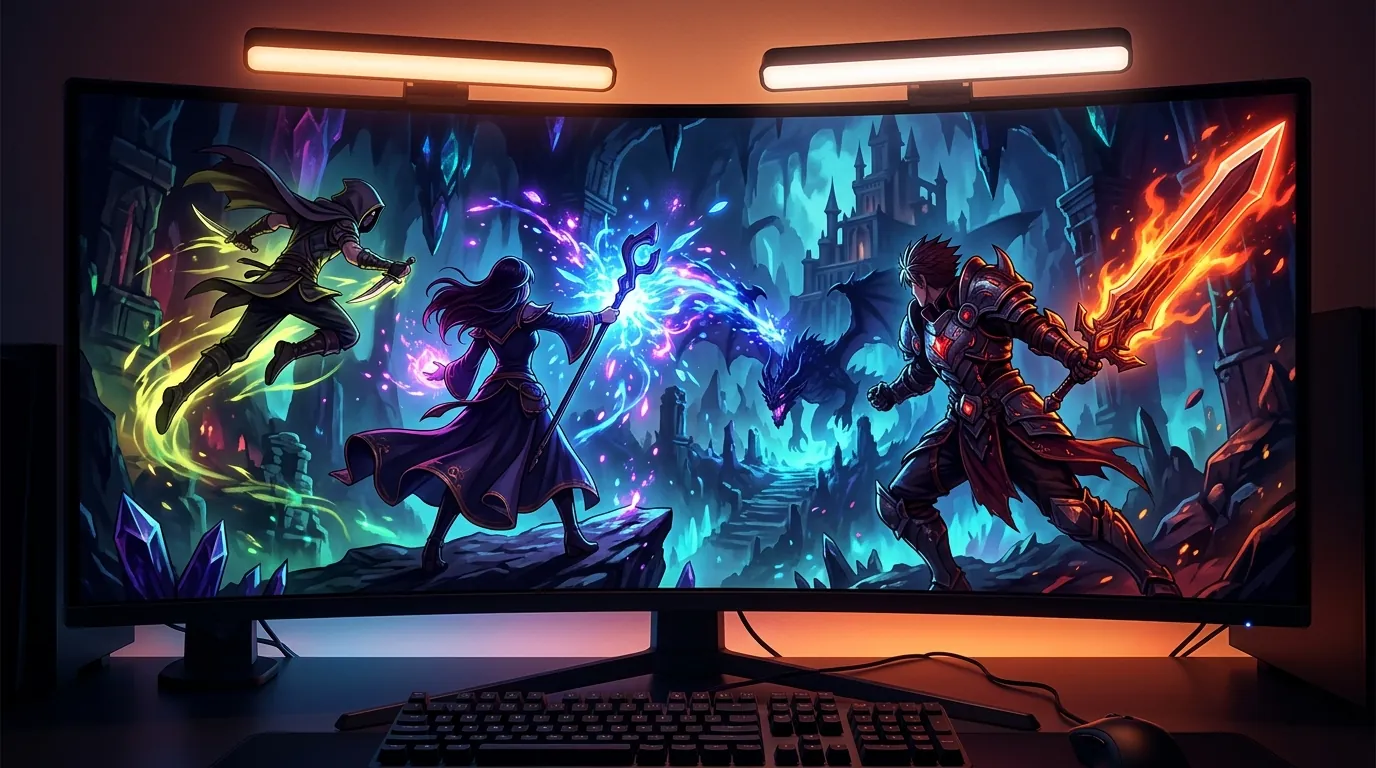
Best desk mounted LED light bars for night gaming during long MMO grinds
| # | Product | Best for | Rating | Price |
|---|---|---|---|---|
| 1 | BenQ ScreenBar Halo Monitor Light Bar | Overall Premium Pick | ★ 4.6 | $179 |
| 2 | Quntis ScreenBar Pro Monitor Light | Best Value for Money | ★ 4.7 | $50 |
| 3 | Yeelight LED Screen Light Bar Pro | RGB Integration | ★ 4.3 | $95 |
| 4 | Xiaomi Mi Computer Monitor Light Bar | Minimalist Aesthetics | ★ 4.6 | $55 |
| 5 | Melifo Curved Monitor Light Bar | Ultrawide/Curved Displays | ★ 4.4 | $65 |
Best for Overall Premium Pick
BenQ ScreenBar Halo Monitor Light Bar
The ScreenBar Halo justifies its $179 price with a high CRI (>95) and a unique backlight that provides bias lighting to the wall behind the monitor. Its asymmetric optical design ensures zero reflective glare on the screen, which is critical for maintaining visibility in dark JRPG dungeons.
Pros
- Integrated back-facing ambient light reduces contrast-induced eye strain
- Wireless industrial-grade controller with high-precision optical sensor
- Patented weighted clip fits curved monitors (1000R-1800R) without screen contact
Cons
- Wireless controller requires 3 AAA batteries rather than being USB-rechargeable
- Highest price point in the category, nearly 4x the cost of entry-level bars
Affiliate link · Price subject to change · We may earn a commission
Best for Best Value for Money
Quntis ScreenBar Pro Monitor Light
At approximately $50, the Quntis ScreenBar Pro delivers the same color accuracy (Ra>95) as premium models. While it lacks a remote dial, its auto-dimming feature effectively manages brightness during transition from evening to late-night gaming sessions.
Pros
- Built-in ambient light sensor for automatic dimming based on room conditions
- High Color Rendering Index (Ra>95) ensures game colors remain vivid
- Includes specialized cover to prevent light from hitting the user's eyes directly
Cons
- Touch controls are located on top of the bar, which can cause monitor wobble when adjusting
- Lacks a dedicated backlight, meaning it does not provide bias lighting for the wall
Best for RGB Integration
Yeelight LED Screen Light Bar Pro
For players who want their desk to react to in-game events via Razer Chroma, this $95 bar is the only serious contender. It balances 'gamer' aesthetics with functional eye-care, though it falls slightly behind BenQ in raw illumination power.
Pros
- Native integration with Razer Chroma and Overwolf for game-synced lighting
- Dual light source design with customizable RGB backlighting
- Magnetic rotation mount allows for 25-degree angle adjustment
Cons
- The Mi Home/Yeelight app setup can be cumbersome for users outside of the Xiaomi ecosystem
- Maximum front-light brightness is 500 lux, which is lower than the BenQ's 800 lux output
Best for Minimalist Aesthetics
Xiaomi Mi Computer Monitor Light Bar
The Xiaomi Mi bar is the best-looking option for a minimalist setup, offering a wireless remote experience similar to the BenQ Halo for just $55. Its Ra95 color rating ensures that high-fidelity JRPG art styles are represented accurately.
Pros
- Includes a sleek 2.4GHz wireless remote dial for clutter-free desks
- Magnetic attachment system makes it easy to remove for cleaning
- Solid metal body construction feels significantly more premium than plastic rivals
Cons
- The wireless dial occasionally exhibits a half-second lag when waking from sleep mode
- The clamp design is incompatible with monitors thicker than 32mm or those with aggressive rear humps
Best for Ultrawide/Curved Displays
Melifo Curved Monitor Light Bar
If you are playing on a 34-inch or 49-inch ultrawide monitor, standard straight bars often clip the corners of the screen; the Melifo's $65 curved design solves this specific geometry problem while maintaining a high CRI.
Pros
- Specifically engineered with a curved chassis to match 1000R to 1800R displays
- Dual-lamp design provides both task lighting and ambient top-lighting
- Stepless dimming allows for very fine adjustments to color temperature
Cons
- The remote control build quality is noticeably plasticky compared to the Xiaomi or BenQ dials
- The USB power cable is relatively short (1.5m), which may require an extension for standing desks
Spending hours grinding for character ascension materials in the neon-soaked streets of Hethereau requires more than just a high-end GPU; it requires a lighting setup that protects your vision during marathon sessions.
The launch of Neverness to Everness on April 29, 2026, has ushered in a new era of urban open-world RPGs, characterized by high-contrast environments and intricate character designs. Whether you are navigating the supernatural anomalies of the city with Nanally or managing your business assets in-game, the visual demand is intense. Standard desk lamps often fall short, casting glare across your screen and washing out the deep blacks of the game’s urban aesthetic. Desk-mounted LED light bars, also known as monitor lamps, have become the essential solution for players who prefer gaming in low-light environments without sacrificing eye health or immersion.
Quick Answer
The BenQ ScreenBar Halo is the gold standard for eye comfort with its wireless controller and bias lighting. For a budget-friendly alternative, the Quntis ScreenBar Pro offers high color accuracy at a third of the price.
Target Audience
This guide is designed for Gacha and MMO players, specifically those diving into the deep systems of Neverness to Everness or similar titles like Zenless Zone Zero. If you perform nightly sessions lasting four hours or more, you need to reduce eye fatigue while maintaining the high-fidelity contrast required to spot environmental cues and “Anomaly” markers in dark game zones.
Top Desk Mounted LED Light Bars for Night Gaming
Related: Best gaming gear for high-APM character grinding in open-world RPGs · Best Gaming Gear for Players Debating Lacrimosa vs Chaos NTE Pull Prio · Best Gaming Gear for High-Intensity Gacha Combat and Long Sessions
BenQ ScreenBar Halo Monitor Light Bar
The BenQ ScreenBar Halo is widely regarded as the premium choice for serious gamers and professionals alike. Its primary draw is the sophisticated asymmetric optical design that ensures light is directed only toward the desk, leaving the monitor surface completely free of reflection.
- Price: $179
- Rating: 4.6/5
- Best For: Overall Premium Pick
Pros:
- Integrated back-facing ambient light reduces contrast-induced eye strain by illuminating the wall behind the monitor.
- Wireless industrial-grade controller with a high-precision optical sensor for seamless brightness and temperature adjustments.
- Patented weighted clip fits curved monitors (1000R-1800R) without screen contact or bezel obstruction.
Cons:
- Wireless controller requires 3 AAA batteries rather than being USB-rechargeable.
- Highest price point in the category, nearly 4x the cost of entry-level bars.
Verdict: The ScreenBar Halo justifies its $179 price with a high Color Rendering Index (CRI >95) and a unique backlight that provides bias lighting. This is critical for maintaining visibility in dark JRPG dungeons or the shadowy alleys of Hethereau. The 800 lux illumination ensures your physical keyboard and mouse area are perfectly lit without interfering with the on-screen action.
Quntis ScreenBar Pro Monitor Light
For players who want professional-level eye protection without the “luxury” price tag, the Quntis ScreenBar Pro is the most logical alternative. It focuses on the essentials: high-quality light and a stable mounting system.
- Price: $50
- Rating: 4.7/5
- Best For: Best Value for Money
Pros:
- Built-in ambient light sensor for automatic dimming based on changing room conditions throughout the night.
- High Color Rendering Index (Ra>95) ensures game colors remain vivid and accurate to the developers’ intent.
- Includes a specialized cover to prevent light from hitting the user’s eyes directly, even when sitting close to the screen.
Cons:
- Touch controls are located on top of the bar, which can cause monitor wobble when making adjustments mid-game.
- Lacks a dedicated backlight, meaning it does not provide the same level of bias lighting as the BenQ model.
Verdict: At approximately $50, the Quntis ScreenBar Pro delivers the same color accuracy as premium models. While it lacks a remote dial, its auto-dimming feature effectively manages brightness as you transition from evening play to late-night Neverness to Everness daily missions.
Yeelight LED Screen Light Bar Pro
The Yeelight LED Screen Light Bar Pro is the only option on this list that leans into the “gamer” aesthetic by offering full RGB integration. It is designed to be part of a larger ecosystem of smart lighting.
- Price: $95
- Rating: 4.3/5
- Best For: RGB Integration
Pros:
- Native integration with Razer Chroma and Overwolf for game-synced lighting that reacts to in-game events.
- Dual light source design with customizable RGB backlighting to match your PC’s color scheme.
- Magnetic rotation mount allows for a 25-degree angle adjustment to suit different sitting heights.
Cons:
- The Mi Home/Yeelight app setup can be cumbersome for users who are not already within the Xiaomi ecosystem.
- Maximum front-light brightness is 500 lux, which is lower than the BenQ’s output.
Verdict: For players who want their desk to react to ultimate abilities or health alerts via Razer Chroma, this $95 bar is a strong contender. It balances aesthetics with functional eye-care, though it falls slightly behind BenQ in raw illumination power.
Xiaomi Mi Computer Monitor Light Bar
The Xiaomi Mi Computer Monitor Light Bar is often cited as the “BenQ killer” because it offers a wireless remote experience at a fraction of the cost.
- Price: $55
- Rating: 4.6/5
- Best For: Minimalist Aesthetics
Pros:
- Includes a sleek 2.4GHz wireless remote dial for clutter-free desks and easy tactile control.
- Magnetic attachment system makes it incredibly easy to remove for cleaning or adjustment.
- Solid metal body construction feels significantly more premium than plastic-heavy rivals.
Cons:
- The wireless dial occasionally exhibits a slight lag when waking from sleep mode.
- The clamp design is incompatible with monitors thicker than 32mm or those with aggressive rear humps.
Verdict: The Xiaomi Mi bar is the best-looking option for a minimalist setup. Its Ra95 color rating ensures that high-fidelity art styles, like those seen in the Esper abilities of NTE, are represented accurately.
Melifo Curved Monitor Light Bar
Curved monitors are increasingly popular for MMO players seeking immersion, but their geometry makes standard light bars difficult to use. The Melifo Curved Monitor Light Bar (and similar curved variants) addresses this specific hardware need.
- Price: $65
- Rating: 4.4/5
- Best For: Ultrawide/Curved Displays
Pros:
- Specifically engineered with a curved chassis to match 1000R to 1800R displays without clipping the screen corners.
- Dual-lamp design provides both task lighting and ambient top-lighting.
- Stepless dimming allows for very fine adjustments to color temperature between 2900K and 6000K.
Cons:
- The remote control build quality is noticeably less refined compared to the Xiaomi or BenQ dials.
- The USB power cable is relatively short, which may require an extension for those using standing desks.
Verdict: If you are playing on a 34-inch or 49-inch ultrawide monitor to get the best view of Hethereau’s skyline, the Melifo’s $65 curved design solves the geometry problem that causes straight bars to create glare on the edges of curved glass.
How we picked these desk mounted LED light bars

Our selection process focused on the specific needs of long-session gamers who require high visual fidelity and minimal eye fatigue. We analyzed the following criteria:
- Asymmetric Optical Design: We prioritized bars that use a refractive lens or a specific internal angle to direct light downward. This prevents light from bouncing off the monitor glass into the player’s eyes—a phenomenon known as “veiling glare” that can obscure dark details in games like Neverness to Everness.
- Color Rendering Index (CRI): We filtered for products with a CRI of Ra90 or higher. A low CRI makes colors look “muddy” or greyish. For a game that relies heavily on neon aesthetics and color-coded combat effects, maintaining a high CRI is essential for both performance and enjoyment.
- Reliability and Community Feedback: We cross-referenced long-term reliability reports from community hubs like r/Monitors and r/Ergonomics. We specifically looked for units that avoided the “PWM flickering” (Pulse Width Modulation) that can cause headaches during 4+ hour sessions.
- Night-Mode Capabilities: We evaluated the color temperature range. A good gaming light bar must offer a warm setting (around 2700K) to reduce blue light exposure before sleep, while still offering a cool setting (6500K) for daytime productivity.
What a night gamer actually needs

While a standard lamp might seem sufficient, gaming in a dark room creates unique physiological challenges.
Asymmetric Light Path
Standard desk lamps cast light in a 360-degree or wide cone pattern. When placed near a monitor, this light hits the screen and reflects directly into your eyes. This not only causes eye strain but also reduces the effective contrast ratio of your monitor. An asymmetric light bar ensures that the “cutoff” line of the light is right at the top of your bezel, illuminating your mouse and keyboard while keeping the screen dark.
Bias Lighting
The human eye struggles when looking at a bright light source (the monitor) surrounded by total darkness. This causes the iris to constantly adjust, leading to “computer vision syndrome.” A light bar with a rear-facing LED, such as the BenQ Halo, provides “bias lighting.” This illuminates the wall behind the monitor, reducing the harsh contrast and making the screen appear more comfortable to the eyes.
Physical Control
In the middle of a high-stakes encounter in Neverness to Everness, you don’t want to fumble with touch sensors on top of a monitor that might wobble or tilt. Wireless dials or physical remotes allow you to adjust lighting conditions without looking away from the screen or physically touching your display setup.
| Feature | BenQ ScreenBar Halo | Quntis ScreenBar Pro | Xiaomi Mi Bar |
|---|---|---|---|
| Price | $179 | $50 | $55 |
| Control Type | Wireless Dial | Touch (On Bar) | Wireless Dial |
| CRI | >95 | >95 | >95 |
| Auto-Dimming | Yes | Yes | No |
| Backlighting | Yes | No | No |
| Power Source | USB-A | USB-A | USB-C |
Comparison summary

The BenQ ScreenBar Halo remains the undisputed leader for professional-grade optics and build quality. Its inclusion of bias lighting and a high-precision wireless dial makes it the most “complete” solution for a high-end gaming setup.
However, the market has matured significantly. The Quntis and Xiaomi models offer approximately 90% of the performance—specifically in terms of color accuracy and glare reduction—for about 30% of the cost. These are the logical choices for most players who would rather spend that extra $120 on in-game pulls for Nanally’s “The Ichi-daime” banner or other limited-time events.
Specialized setups, such as ultrawide curved monitors, require the specific geometry of the Melifo bar. Using a straight bar on a 1000R curve often results in the light hitting the top corners of the screen, defeating the purpose of an asymmetric design.
When to skip the upgrade

Monitor light bars are excellent tools, but they are not universal solutions.
- Laptop Users: If you use a laptop as your primary gaming device, most light bar clips are too heavy. They can put undue pressure on fragile hinges or even crack thin bezels. For laptops, a dedicated small desk lamp or a clip-on “reading” light is safer.
- Glossy OLED Panels: If you are gaming on a glossy OLED (like some LG or Samsung models), even the best asymmetric light bar will still produce some visible reflection due to the mirror-like finish of the glass. In these cases, indirect floor lamps or LED strips behind the desk are more effective.
- Existing Bias Lighting: If you already have a high-quality bias lighting strip (like a Govee or Philips Hue) behind your monitor, a light bar may provide redundant ambient light. You might only need a small task light for your keyboard instead.
What we didn’t include and why

To ensure the highest quality recommendations, several popular items were excluded:
- Baseus i-Wok Series: While very popular on budget sites, we excluded this due to frequent community reports regarding PWM flickering at lower brightness levels. This flickering is often invisible to the naked eye but can cause significant headaches and eye strain during the long grinds typical of Neverness to Everness.
- Generic RGB Desk Strips: These are often marketed to gamers but lack the asymmetric optics required to light a desk without causing screen glare. They are purely aesthetic and do not contribute to eye health.
- Anker Lumos: Though a highly-rated desk lamp, its traditional arm design takes up significant desk real estate and is difficult to position without creating shadows on the monitor or glare on the screen surface.
Frequently Asked Questions
Do monitor light bars cause glare on the screen?
A high-quality light bar with an asymmetric optical design does not cause glare. It uses a specific lens to direct light at an angle that illuminates the desk area but stops exactly at the monitor’s bezel. Cheaper “symmetrical” bars, however, will cast light directly onto the screen, causing significant reflection.
Can I use a light bar on a curved monitor?
Yes, but you must choose carefully. Premium models like the BenQ ScreenBar Halo include an accessory specifically for curved screens. Alternatively, you can purchase a curved light bar like the Melifo, which matches the radius of the monitor to ensure the light path remains clear of the screen surface.
Is a light bar better than a desk lamp for gaming?
For most gamers, yes. A light bar saves desk space by mounting directly to the monitor and provides more uniform lighting across the keyboard and mouse area. More importantly, it eliminates the shadows and glare often created by the fixed-position arms of traditional desk lamps.
Does the light bar affect the colors of my monitor?
A light bar with a high Color Rendering Index (CRI >90) will not distort the colors of your monitor. In fact, by reducing the ambient glare that typically washes out blacks and dark greys, a light bar can make the colors on your screen appear more vibrant and accurate.
Sources
- Neverness to Everness Official Site — https://nte.world/
- BenQ ScreenBar Halo Product Page — https://www.benq.com/en-us/lighting/monitor-light/screenbar-halo.html
- Quntis ScreenBar Pro Product Page
- Yeelight LED Screen Light Bar Pro
- Xiaomi Mi Computer Monitor Light Bar — https://www.mi.com/global/product/mi-computer-monitor-light-bar/
- IGN: Neverness to Everness Everything We Know
- Game8: Neverness to Everness Characters
- Pocket Tactics: NTE Character Guide — https://www.pockettactics.com/neverness-to-everness/characters
- Amazon: Melifo Curved Light Bar — https://www.amazon.com/Melifo-Curved-Monitor-Light-Bar/dp/B09696S8S7
Related Guides

Best Adjustable Standing Desks for WFH Gacha Grinders

Arlecchino vs Hu Tao: Who is the Best Pyro DPS in Genshin Impact?

Aurelia Nova vs Lacrimosa NTE: Best Gaming Gear for Neverness to Everness Players

Ayaka vs Ganyu: Who is the Best Cryo DPS in Genshin Impact?

Best 4-Star Weapons for NTE DPS: Top A-Rank Arcs Ranked

Best 4K OLED Gaming Monitors for Competitive Gacha Grinders and Daily Farmers

Best 4K OLED Gaming Monitors for Immersive RPG Worlds and Long MMO Sessions

Loading comments…