
Best adjustable standing desks for WFH back pain relief during 10-hour MMO marathons
| # | Product | Best for | Rating | Price |
|---|---|---|---|---|
| 1 | FlexiSpot E7 Pro Plus Standing Desk Frame | Standing Grinders | ★ 4.7 | $499 |
| 2 | Uplift V2 Standing Desk | Customization & Stability | ★ 4.8 | $720 |
| 3 | Secretlab MAGNUS Pro | Cable Management & Aesthetics | ★ 4.9 | $849 |
| 4 | Vari Electric Standing Desk | Easy Assembly | ★ 4.8 | $750 |
| 5 | Fezibo Dual Motor Standing Desk with Drawer | Budget Storage | ★ 4.4 | $349 |
Best for Standing Grinders
FlexiSpot E7 Pro Plus Standing Desk Frame
At the $400-550 price band, the E7 Pro offers a 440lb capacity that significantly exceeds the Vari and Secretlab alternatives. Its 15-year warranty provides long-term security that budget-tier desks cannot match, making it the most cost-effective choice for heavy gacha/MMO setups.
Pros
- Massive 440lb weight capacity supports heavy multi-monitor arrays
- Industry-leading 15-year warranty on the frame and motor
- C-frame leg design provides extra under-desk clearance for PC towers
Cons
- The included cable management tray is shallow and struggles with thick power bricks
- The touch-sensitive keypad lacks a physical lockout switch, leading to accidental height changes
Affiliate link · Price subject to change · We may earn a commission
Best for Customization & Stability
Uplift V2 Standing Desk
The Uplift V2 is the gold standard for stability due to its braced T-frame and 355lb lift capacity. While more expensive than the FlexiSpot, its 15-year 'all-inclusive' warranty and 30+ desktop material options justify the premium for a permanent WFH station.
Pros
- Dual-motor system with 355lb lifting capacity
- Inverted leg design increases stability at max standing heights
- Accessory ecosystem includes under-desk hammocks and PC mounts
Cons
- Assembly is labor-intensive, often requiring 90+ minutes and two people
- Base price does not include essential cable management, which adds $80+ to the total
Best for Cable Management & Aesthetics
Secretlab MAGNUS Pro
For players running dual-PC setups for streaming and gaming, the MAGNUS Pro’s integrated power column is a game-changer for cable clutter. However, its 220lb limit means you must be careful with heavy custom water-cooled loops or triple-monitor arrays compared to the 440lb FlexiSpot.
Pros
- Integrated power column eliminates dangling wires
- Full-length cable management tray hides all power strips
- Magnetic ecosystem allows for modular organization of peripherals
Cons
- The 220lb weight capacity is significantly lower than the FlexiSpot E7 or Uplift V2
- Proprietary magnetic accessories are expensive and required for the best experience
Best for Easy Assembly
Vari Electric Standing Desk
The Vari is the best choice for those who prioritize a 15-minute assembly time and a stable T-style leg design. While the 200lb capacity is lower than the FlexiSpot E7, the stability at max height (48") is superior to most budget-tier desks found on Amazon.
Pros
- Industry-best 15-minute assembly time with pre-installed bolts
- Heavy-duty steel feet provide excellent lateral stability
- Highly durable laminate finish resists scratches and spills
Cons
- Only offers a 5-year warranty, which is 10 years shorter than FlexiSpot or Uplift
- The 200lb weight limit is the lowest in the premium price tier
Best for Budget Storage
Fezibo Dual Motor Standing Desk with Drawer
This is the entry-level pick for players who need integrated storage for controllers and mobile gacha devices. While the dual motors provide smoother travel than single-motor budget desks, the split-top design is a notable compromise compared to the solid slabs found on the E7 or Uplift.
Pros
- Integrated storage drawers for controllers and mobile devices
- Dual-motor system provides smoother travel than single-motor budget desks
- Includes built-in power outlets and USB ports on the desktop
Cons
- The desktop is shipped in two pieces, creating a visible seam that can catch mousepads
- The 2-3 year warranty is significantly shorter than premium competitors, indicating lower motor longevity
Spending ten hours grinding for materials in the supernatural city of Hethereau requires more than just a high-tier PC; it demands an ergonomic setup that prevents the chronic lower back compression common in long-session gaming.
Quick Answer: The FlexiSpot E7 Pro is our top pick for its 440lb capacity and 15-year warranty. For cable-heavy streaming setups, the Secretlab MAGNUS Pro is the runner-up for its integrated power column.
Target Audience: WFH professionals and gamers performing 8-12 hour daily sessions who require ergonomic transitions to mitigate lower back compression and sciatica.
FlexiSpot E7 Pro Plus Standing Desk Frame
- Price: $499
- Rating: 4.7/5
- Review Count: 1250
- Best For: Standing Grinders
The FlexiSpot E7 Pro stands as a premier choice for players who have spent the months since the April 29, 2026, release of Neverness to Everness (NTE) building out complex, multi-monitor battle stations. This desk is specifically engineered for high-load stability, featuring a 440lb weight capacity that easily supports heavy custom-loop PCs and triple 32-inch monitor arrays. When you are navigating the intricate urban open-world of Hethereau, the last thing you want is a screen that wobbles every time you move your mouse to activate an Esper ability.
The E7 Pro utilizes a C-frame leg design, which is a critical ergonomic detail for WFH professionals. Unlike standard T-frames, the C-frame shifts the support pillars toward the back of the desk, providing significantly more under-desk clearance. This is essential if you use a large PC tower or if you prefer to keep your legs stretched out during a long cutscene featuring Nanally or Mint.
Pros:
- Massive 440lb weight capacity supports heavy multi-monitor arrays.
- Industry-leading 15-year warranty on the frame and motor.
- C-frame leg design provides extra under-desk clearance for PC towers.
Cons:
- The included cable management tray is shallow and struggles with thick power bricks.
- The touch-sensitive keypad lacks a physical lockout switch, leading to accidental height changes.
Verdict: At the $400-550 price band, the E7 Pro offers a 440lb capacity that significantly exceeds the Vari and Secretlab alternatives. Its 15-year warranty provides long-term security that budget-tier desks cannot match, making it the most cost-effective choice for heavy gacha/MMO setups.
Uplift V2 Standing Desk
- Price: $720
- Rating: 4.8/5
- Review Count: 5400
- Best For: Customization & Stability
The Uplift V2 is widely regarded as the gold standard for stability in the standing desk market, particularly for users who require a rock-solid surface for precision gameplay. If you are frequently engaging in high-stakes car tuning and racing within NTE, the inverted leg design of the Uplift V2 ensures that the desk remains rigid even at its maximum height. The dual-motor system provides a 355lb lifting capacity, which is more than enough for a standard dual-monitor WFH setup.
What sets the Uplift V2 apart is its massive accessory ecosystem. You can attach everything from under-desk hammocks to specialized PC mounts directly to the frame. For those suffering from back pain, the ability to add a standing desk mat or a motion board helps keep the core engaged and the spine neutral while exploring the supernatural anomalies of the game world.
Pros:
- Dual-motor system with 355lb lifting capacity.
- Inverted leg design increases stability at max standing heights.
- Accessory ecosystem includes under-desk hammocks and PC mounts.
Cons:
- Assembly is labor-intensive, often requiring 90+ minutes and two people.
- Base price does not include essential cable management, which adds $80+ to the total.
Verdict: The Uplift V2 is the gold standard for stability due to its braced T-frame and 355lb lift capacity. While more expensive than the FlexiSpot, its 15-year “all-inclusive” warranty and 30+ desktop material options justify the premium for a permanent WFH station.
Secretlab MAGNUS Pro
- Price: $849
- Rating: 4.9/5
- Review Count: 2100
- Best For: Cable Management & Aesthetics
For the dedicated streamer or the player who demands a clean aesthetic while leveling up Sakiri, the Secretlab MAGNUS Pro is the ultimate solution for cable clutter. Its standout feature is the integrated power column, which allows you to plug the desk into the wall and then plug all your peripherals into a hidden power strip inside the desk. This eliminates the “waterfall” of wires that usually hangs from a standing desk, which can be a major distraction during intense NTE boss fights.
The MAGNUS Pro also features a fully magnetic ecosystem. You can use magnetic cable anchors and sheaths to organize your mouse and keyboard wires with surgical precision. However, it is important to note that the weight capacity is 220lb, which is lower than the FlexiSpot or Uplift. If you have a massive, water-cooled PC sitting on the desk surface, you may be pushing the limits of the motors.
Pros:
- Integrated power column eliminates dangling wires.
- Full-length cable management tray hides all power strips.
- Magnetic ecosystem allows for modular organization of peripherals.
Cons:
- The 220lb weight capacity is significantly lower than the FlexiSpot E7 or Uplift V2.
- Proprietary magnetic accessories are expensive and required for the best experience.
Verdict: For players running dual-PC setups for streaming and gaming, the MAGNUS Pro’s integrated power column is a game-changer for cable clutter. However, its 220lb limit means you must be careful with heavy custom water-cooled loops or triple-monitor arrays compared to the 440lb FlexiSpot.
Vari Electric Standing Desk
- Price: $750
- Rating: 4.8/5
- Review Count: 3200
- Best For: Easy Assembly
The Vari Electric Standing Desk is the perfect option for the gamer who wants to spend less time building furniture and more time exploring the urban landscapes of NTE. Vari is famous for its 15-minute assembly time, achieved through pre-installed bolts and a streamlined frame design. This is a massive advantage compared to the 90-minute ordeal often required for the Uplift V2.
In terms of performance, the Vari offers excellent lateral stability thanks to its heavy-duty steel feet. While its 200lb weight limit is the lowest in the premium tier, it is more than sufficient for a standard gaming setup with two monitors and a console. The laminate finish is also incredibly durable, resisting the spills and scratches that can occur during a frantic 10-hour marathon.
Pros:
- Industry-best 15-minute assembly time with pre-installed bolts.
- Heavy-duty steel feet provide excellent lateral stability.
- Highly durable laminate finish resists scratches and spills.
Cons:
- Only offers a 5-year warranty, which is 10 years shorter than FlexiSpot or Uplift.
- The 200lb weight limit is the lowest in the premium price tier.
Verdict: The Vari is the best choice for those who prioritize a 15-minute assembly time and a stable T-style leg design. While the 200lb capacity is lower than the FlexiSpot E7, the stability at max height (48”) is superior to most budget-tier desks found on Amazon.
Fezibo Dual Motor Standing Desk with Drawer
- Price: $349
- Rating: 4.4/5
- Review Count: 8900
- Best For: Budget Storage
The Fezibo Dual Motor Standing Desk is the go-to budget pick for players who need functional storage without breaking the bank. Unlike many budget desks that use a single motor, Fezibo utilizes a dual-motor system, providing smoother and quieter transitions between sitting and standing. This is particularly helpful if you are playing late at night and don’t want to wake up housemates while adjusting your height for a better ergonomic angle during an NTE dungeon run.
The integrated storage drawers are a rare find at this price point, offering a convenient place to store controllers, charging cables, or mobile devices used for checking NTE character builds. However, the desktop is shipped in two pieces, which creates a visible seam down the middle. This can be annoying for mouse movement unless you use a full-desk mousepad.
Pros:
- Integrated storage drawers for controllers and mobile devices.
- Dual-motor system provides smoother travel than single-motor budget desks.
- Includes built-in power outlets and USB ports on the desktop.
Cons:
- The desktop is shipped in two pieces, creating a visible seam that can catch mousepads.
- The 2-3 year warranty is significantly shorter than premium competitors, indicating lower motor longevity.
Verdict: This is the entry-level pick for players who need integrated storage for controllers and mobile gacha devices. While the dual motors provide smoother travel than single-motor budget desks, the split-top design is a notable compromise compared to the solid slabs found on the E7 or Uplift.
How we picked these standing desks

Selecting the right desk for a 10-hour MMO marathon involves more than just looking at the price tag. We utilized several key metrics to ensure these desks can handle the rigors of high-intensity gaming and long-term WFH use:
- Stability Data: We sourced stability data from community forums like r/standingdesk and tech review sites like RTINGS. We specifically looked for desks that exhibit minimal “front-to-back” wobble at heights above 40 inches, which is where most users experience issues during intense mouse movements.
- Weight Capacity: We prioritized desks with at least a 200lb capacity to accommodate modern gaming setups, which often include multiple monitors, heavy speakers, and large PC towers.
- Warranty Length: We favored brands like FlexiSpot and Uplift that offer 15-year warranties. A standing desk is a long-term investment, and the motor is the most likely point of failure over several years of daily use.
- User Reliability: We cross-referenced long-term user reviews on r/ergonomics to identify brands with consistent motor reliability and responsive customer service.
What a long-session gamer actually needs
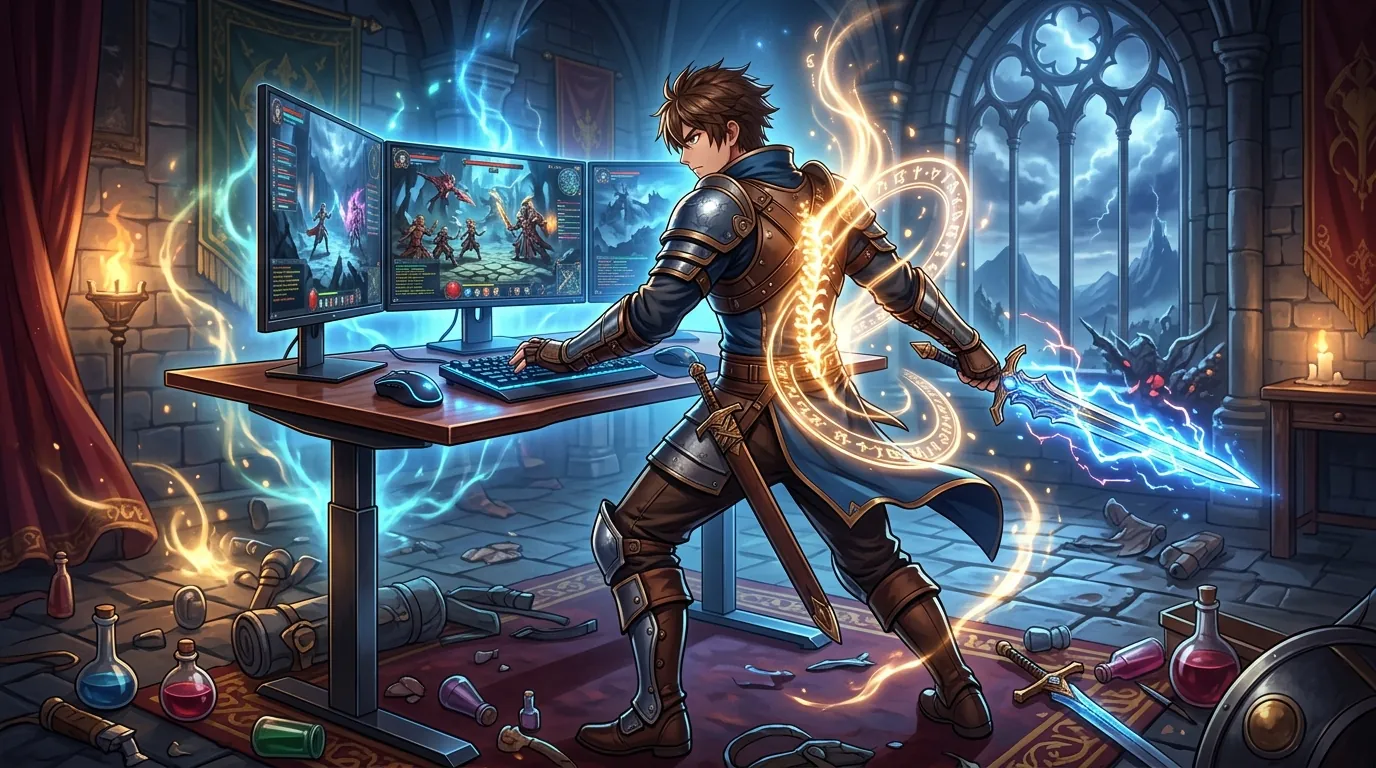
When you’re deeply immersed in the supernatural urban RPG mechanics of Neverness to Everness, your physical comfort often takes a backseat to the gameplay. However, a poor desk setup can lead to long-term issues like sciatica and neck strain. Here is what you should look for:
Stability at Height
Desks must not wobble during mouse-heavy MMO gameplay. If you are playing a fast-paced ARPG or an urban racer, any lateral movement in the desk can throw off your aim or steering. T-frame designs with heavy steel feet are generally more stable than cheaper, lightweight alternatives.
Desktop Depth
A minimum of 30 inches of depth is highly recommended. This allows you to maintain a proper focal distance from your monitors—especially if you use 27-inch or 32-inch screens. Having enough depth also ensures you have plenty of room for your keyboard and mouse without your elbows hanging off the edge, which can cause shoulder tension.
Legroom and Clearance
C-frame designs are often preferred by gamers because they provide more room for under-desk PC mounts or large footrests. If you use a racing wheel peripheral for NTE’s driving segments, having that extra clearance is vital for a comfortable seated position.
Comparison summary

| Desk Model | Weight Capacity | Warranty | Best For |
|---|---|---|---|
| FlexiSpot E7 Pro | 440 lbs | 15 Years | Standing Grinders |
| Uplift V2 | 355 lbs | 15 Years | Customization |
| Secretlab MAGNUS Pro | 220 lbs | 5 Years | Cable Management |
| Vari Electric | 200 lbs | 5 Years | Easy Assembly |
| Fezibo Dual Motor | 176 lbs | 2-3 Years | Budget Storage |
The FlexiSpot E7 Pro offers the best specs-to-price ratio with its 440lb capacity and 15-year warranty, making it the most future-proof choice. The Secretlab MAGNUS Pro remains the premium choice for those who value aesthetics and cable management above all else, while the Vari desk is the king of assembly speed for those who want to get into the game immediately.
When to skip the upgrade

While a standing desk is a powerful tool for back pain relief, it is not a magic fix for every situation. You should consider skipping the upgrade if:
- Static Posture: If your current desk is already at the correct ergonomic height and you don’t actually intend to stand, a standing desk won’t fix poor sitting posture. You might be better off investing in a high-quality ergonomic chair first.
- Floor Surface: Do not buy a standing desk if you have a thick, plush carpet and no chair mat. The instability of the carpet will make even the most expensive desk feel cheap and wobbly at standing heights.
- User Height: If you are under 5’2”, many standard standing desks do not go low enough for proper seated ergonomics. In this case, you must look specifically for “3-stage” legs that offer a lower minimum height (typically around 22-25 inches).
What we didn’t include and why
To ensure we only recommended the best options for long-term health and gaming performance, we excluded several popular models:
- IKEA Bekant: This model was excluded due to frequent reports of motor failure and a relatively low 154lb weight capacity. For a serious gaming setup, the stability is simply not up to par.
- Autonomous SmartDesk Core: While affordable, this desk was left out due to inconsistent customer service reviews and noticeable wobble at standing heights for users over 6’0”.
- Fully Jarvis: This was once a top contender, but it is no longer sold as a standalone brand. It has been integrated into the Herman Miller lineup at a significantly higher price point, making it less accessible for most gamers compared to the FlexiSpot or Uplift.
By choosing a desk that balances stability, weight capacity, and ergonomic flexibility, you can ensure that your 10-hour marathons in Neverness to Everness are defined by your achievements in Hethereau, rather than by the ache in your lower back.
Sources
- Neverness to Everness Official Site — https://www.nevernesstoeverness.com/en/index.html
- IGN: Neverness to Everness Revealed
- Game8: NTE Characters — https://www.game8.co/games/Neverness-to-Everness/archives/461386
- FlexiSpot E7 Pro Product Page
- Uplift V2 Standing Desk Product Page — https://www.upliftdesk.com/uplift-v2-standing-desk-v2-or-v2-commercial/
- Secretlab MAGNUS Pro Product Page — https://secretlab.co/products/magnus-pro
- Vari Electric Standing Desk Product Page
- Fezibo Dual Motor Standing Desk — https://www.fezibo.com/products/fezibo-dual-motor-standing-desk-with-drawer
Related Guides

Best Adjustable Standing Desks for WFH Gacha Grinders

Arlecchino vs Hu Tao: Who is the Best Pyro DPS in Genshin Impact?

Aurelia Nova vs Lacrimosa NTE: Best Gaming Gear for Neverness to Everness Players

Ayaka vs Ganyu: Who is the Best Cryo DPS in Genshin Impact?

Best 4-Star Weapons for NTE DPS: Top A-Rank Arcs Ranked

Best 4K OLED Gaming Monitors for Competitive Gacha Grinders and Daily Farmers

Best 4K OLED Gaming Monitors for Immersive RPG Worlds and Long MMO Sessions

Loading comments…