
Best 4K OLED Monitors for Immersive JRPG Exploration and Long Gacha Sessions
| # | Product | Best for | Rating | Price |
|---|---|---|---|---|
| 1 | ASUS ROG Swift OLED PG32UCDM 32" 4K 240Hz QD-OLED | The Premium Gold Standard | ★ 4.7 | $1299 |
| 2 | Alienware AW3225QF 32" 4K 240Hz Curved QD-OLED | Curved Immersion | ★ 4.5 | $1199 |
| 3 | MSI MPG 321URX QD-OLED 32" 4K 240Hz | Best Value 4K OLED | ★ 4.6 | $949 |
| 4 | LG UltraGear 32GS95UE-B 32" 4K 240Hz / 1080p 480Hz WOLED | Bright Rooms and Dual-Genre Players | ★ 4.4 | $1399 |
| 5 | Samsung Odyssey OLED G8 (G80SD) 32" 4K 240Hz | Smart Features and Upscaling | ★ 4.3 | $1199 |
Best for The Premium Gold Standard
ASUS ROG Swift OLED PG32UCDM 32" 4K 240Hz QD-OLED
The PG32UCDM is the definitive choice for players who prioritize color accuracy and connectivity. Its 240Hz refresh rate and 0.03ms response time are industry-leading, but it is the inclusion of a custom heatsink and Graphene film that ensures longevity during marathon JRPG sessions.
Pros
- Third-generation QD-OLED panel offers superior text clarity for reading dialogue
- Built-in KVM switch allows seamless switching between a gaming PC and a work laptop
- Uniform Brightness setting prevents distracting dimming during long menu-heavy sessions
Cons
- The most expensive 32-inch 4K OLED currently on the market
- Lacks a dedicated hardware calibration tool found in professional-grade displays
Best for Curved Immersion
Alienware AW3225QF 32" 4K 240Hz Curved QD-OLED
The AW3225QF is the only 4K 240Hz OLED with a curved panel, making it a standout for players who want to feel 'wrapped' in their game world. It typically retails for $100 less than the ASUS, offering a better price-to-performance ratio for those who don't need a KVM.
Pros
- 1700R curve enhances peripheral immersion in open-world environments
- Dolby Vision support provides exceptional HDR performance in cinematic titles
- Includes eARC support for high-end soundbar integration
Cons
- The subtle curve can cause slight geometric distortion in flat UI-heavy MMO interfaces
- No 3.5mm audio output jack, forcing reliance on USB or HDMI audio
Best for Best Value 4K OLED
MSI MPG 321URX QD-OLED 32" 4K 240Hz
The MSI 321URX uses the exact same panel as the ASUS PG32UCDM but at a significantly lower price point. While the build quality feels slightly more plastic-heavy, the 3-year warranty and 90W power delivery make it the most practical choice for long-term gacha farming.
Pros
- Competitive sub-$1000 pricing for a top-tier Gen 3 QD-OLED panel
- 90W USB-C Power Delivery can charge a handheld or laptop while playing
- Generous 3-year burn-in warranty provides peace of mind for static HUD elements
Cons
- Firmware updates require a specific USB-B upstream cable connection
- The stand footprint is quite deep, requiring a large desk surface
Best for Bright Rooms and Dual-Genre Players
LG UltraGear 32GS95UE-B 32" 4K 240Hz / 1080p 480Hz WOLED
Unlike the QD-OLED competitors, this LG uses a WOLED panel with a matte finish, making it the best option for players in bright rooms. The ability to toggle between 4K for exploration and 480Hz for high-speed action is a unique versatility play that justifies its high MSRP.
Pros
- Dual-Mode feature allows instant switching to 480Hz for competitive play
- Matte finish significantly reduces glare in rooms with direct sunlight
- Pixel Sound technology uses the panel itself as a speaker for a clean desk setup
Cons
- Matte coating can introduce a slight 'grain' on bright, white JRPG menus
- Active cooling fan is audible in very quiet environments
Best for Smart Features and Upscaling
Samsung Odyssey OLED G8 (G80SD) 32" 4K 240Hz
The G80SD is more than just a monitor; it's a hybrid device. Its AI upscaling is particularly useful for older JRPGs that don't support native 4K, though the inclusion of a full Smart TV OS may be unnecessary bloat for pure PC gamers.
Pros
- NQ8 AI Gen3 Processor upscales lower-resolution content effectively
- Built-in Smart TV apps allow for streaming without turning on the PC
- Extremely slim, modern aesthetic that fits minimalist setups
Cons
- Tizen OS interface can feel cluttered and slow compared to a standard OSD
- Proprietary smart features can sometimes interfere with PC sleep settings
Exploring the neon-drenched streets of Hesperia requires a display that can handle both the deep shadows of urban alleys and the vibrant particle effects of high-speed Esper combat.
The ASUS ROG Swift PG32UCDM is the top premium pick for its unmatched color accuracy and KVM features. For those seeking better value without sacrificing the 4K 240Hz QD-OLED panel, the MSI MPG 321URX is the best alternative.
JRPG and MMO players often face a unique set of visual challenges: long hours spent staring at static UI elements, reading dense dialogue boxes, and navigating environments that transition from pitch-black dungeons to oversaturated fantasy landscapes. With the recent launch of Neverness to Everness on April 29, 2026, the demand for high-performance 4K displays has surged. This urban open-world title from Hotta Studio relies heavily on ray-traced reflections and high-contrast lighting, making OLED technology the standard for players who want to see every detail of Nanally’s abilities or the intricate car customization options in the garage.
ASUS ROG Swift OLED PG32UCDM 32” 4K 240Hz QD-OLED
- Price: $1299
- Rating: 4.7/5
- Best For: The Premium Gold Standard
The ASUS PG32UCDM represents the pinnacle of current display technology for the dedicated JRPG enthusiast. Utilizing a third-generation QD-OLED panel, it addresses one of the primary complaints of previous OLED generations: text clarity. When you are reading hours of dialogue in a title like Neverness to Everness, the improved subpixel arrangement ensures that fonts remain sharp and free of the “color fringing” that plagued earlier models.
One of the standout features for multi-tasking players is the built-in KVM switch. This allows you to control both your gaming PC and a secondary device—perhaps a laptop for tracking gacha pull rates or checking character builds—using a single keyboard and mouse. Furthermore, the inclusion of a custom heatsink and graphene film is a critical design choice. These components work together to dissipate heat efficiently, which is vital during marathon farming sessions where the monitor might be active for over eight hours at a time. The “Uniform Brightness” setting is another win for JRPG players, as it prevents the distracting dimming that often occurs when a bright white menu or inventory screen suddenly fills the display.
- Pros:
- Third-generation QD-OLED panel offers superior text clarity for reading dialogue.
- Built-in KVM switch allows seamless switching between a gaming PC and a work laptop.
- Uniform Brightness setting prevents distracting dimming during long menu-heavy sessions.
- Cons:
- The most expensive 32-inch 4K OLED currently on the market.
- Lacks a dedicated hardware calibration tool found in professional-grade displays.
Verdict: The PG32UCDM is the definitive choice for players who prioritize color accuracy and connectivity. Its 240Hz refresh rate and 0.03ms response time are industry-leading, but it is the inclusion of a custom heatsink and Graphene film that ensures longevity during marathon JRPG sessions.
Alienware AW3225QF 32” 4K 240Hz Curved QD-OLED
- Price: $1199
- Rating: 4.5/5
- Best For: Curved Immersion
For those who want to feel completely enveloped by the city of Hesperia, the Alienware AW3225QF offers a unique 1700R curve. While some purists prefer flat panels for UI-heavy games, the subtle curve on a 32-inch screen helps bring the corners of the world into your peripheral vision, reducing eye strain during exploration. This model is particularly strong in the HDR department, boasting Dolby Vision support which is becoming increasingly common in high-budget cinematic JRPGs.
The AW3225QF also caters to players who use high-end audio setups. It includes eARC support, allowing you to pass high-quality audio directly to a compatible soundbar or home theater system. This is a rare feature in the monitor space and is a significant plus for players who value the orchestral scores often found in the genre. However, the curve can be a double-edged sword; while it enhances immersion in 3D environments, it may cause a slight geometric distortion in flat, grid-based inventory systems or MMO interfaces.
- Pros:
- 1700R curve enhances peripheral immersion in open-world environments.
- Dolby Vision support provides exceptional HDR performance in cinematic titles.
- Includes eARC support for high-end soundbar integration.
- Cons:
- The subtle curve can cause slight geometric distortion in flat UI-heavy MMO interfaces.
- No 3.5mm audio output jack, forcing reliance on USB or HDMI audio.
Verdict: The AW3225QF is the only 4K 240Hz OLED with a curved panel, making it a standout for players who want to feel ‘wrapped’ in their game world. It typically retails for $100 less than the ASUS, offering a better price-to-performance ratio for those who don’t need a KVM.
MSI MPG 321URX QD-OLED 32” 4K 240Hz
- Price: $949
- Rating: 4.6/5
- Best For: Best Value 4K OLED
The MSI MPG 321URX has disrupted the market by offering the same high-end Samsung QD-OLED panel found in the ASUS and Alienware models but at a significantly lower price point. For players who would rather spend their extra budget on The Ichi-daime banner pulls, this monitor provides the best “bang for your buck.” Despite the lower price, MSI did not skimp on power delivery; the 90W USB-C port can easily charge a Steam Deck, a handheld gaming PC, or a work laptop while you play.
Longevity is a major concern for gacha players who might leave their game running on a second monitor or auto-farming for hours. MSI addresses this with a generous 3-year burn-in warranty and their “OLED Care 2.0” suite, which includes features like Multi-Logo Detection to dim static HUD elements automatically. While the physical stand has a deep footprint that might require a larger desk, the actual performance of the panel is indistinguishable from its more expensive competitors.
- Pros:
- Competitive sub-$1000 pricing for a top-tier Gen 3 QD-OLED panel.
- 90W USB-C Power Delivery can charge a handheld or laptop while playing.
- Generous 3-year burn-in warranty provides peace of mind for static HUD elements.
- Cons:
- Firmware updates require a specific USB-B upstream cable connection.
- The stand footprint is quite deep, requiring a large desk surface.
Verdict: The MSI 321URX uses the exact same panel as the ASUS PG32UCDM but at a significantly lower price point. While the build quality feels slightly more plastic-heavy, the 3-year warranty and 90W power delivery make it the most practical choice for long-term gacha farming.
LG UltraGear 32GS95UE-B 32” 4K 240Hz / 1080p 480Hz WOLED
- Price: $1399
- Rating: 4.4/5
- Best For: Bright Rooms and Dual-Genre Players
The LG 32GS95UE-B is the outlier in this list because it uses a WOLED (White OLED) panel rather than QD-OLED. The primary advantage here is the matte finish. If your gaming setup is in a room with a window or bright overhead lights, the glossy finish of QD-OLEDs can act like a mirror, reflecting everything behind you. LG’s matte coating effectively diffuses these reflections, making it the superior choice for daytime gaming.
This monitor also features a unique “Dual-Mode” function. With the press of a button, you can switch from 4K at 240Hz to 1080p at 480Hz. While 480Hz is overkill for the turn-based combat of traditional JRPGs, it is a game-changer for the high-speed racing and Esper combat found in modern urban RPGs. Additionally, LG’s “Pixel Sound” technology turns the screen itself into a speaker, providing a surprisingly decent audio experience for those who prefer a clean desk without external speakers.
- Pros:
- Dual-Mode feature allows instant switching to 480Hz for competitive play.
- Matte finish significantly reduces glare in rooms with direct sunlight.
- Pixel Sound technology uses the panel itself as a speaker for a clean desk setup.
- Cons:
- Matte coating can introduce a slight ‘grain’ on bright, white JRPG menus.
- Active cooling fan is audible in very quiet environments.
Verdict: Unlike the QD-OLED competitors, this LG uses a WOLED panel with a matte finish, making it the best option for players in bright rooms. The ability to toggle between 4K for exploration and 480Hz for high-speed action is a unique versatility play that justifies its high MSRP.
Samsung Odyssey OLED G8 (G80SD) 32” 4K 240Hz
- Price: $1199
- Rating: 4.3/5
- Best For: Smart Features and Upscaling
The Samsung Odyssey OLED G8 (G80SD) is designed for players who want their monitor to do more than just display a PC signal. It features the NQ8 AI Gen3 Processor, which is capable of upscaling lower-resolution content. This is particularly useful if you are playing older JRPGs that don’t support native 4K or if you are using a console that renders at a lower internal resolution. The AI sharpening and noise reduction can make legacy titles look much cleaner on a modern 4K screen.
Beyond gaming, the G80SD functions as a standalone Smart TV. It comes with the Tizen OS, allowing you to stream Netflix or YouTube without even turning on your PC. This is a great feature for players who like to have a show running in the background while they perform repetitive daily tasks in their favorite gacha game. However, the inclusion of a smart OS means the menus can be more complex and slower to navigate than a traditional monitor’s on-screen display (OSD).
- Pros:
- NQ8 AI Gen3 Processor upscales lower-resolution content effectively.
- Built-in Smart TV apps allow for streaming without turning on the PC.
- Extremely slim, modern aesthetic that fits minimalist setups.
- Cons:
- Tizen OS interface can feel cluttered and slow compared to a standard OSD.
- Proprietary smart features can sometimes interfere with PC sleep settings.
Verdict: The G80SD is more than just a monitor; it’s a hybrid device. Its AI upscaling is particularly useful for older JRPGs that don’t support native 4K, though the inclusion of a full Smart TV OS may be unnecessary bloat for pure PC gamers.
How we picked these 4K OLED Monitors

Related: Best 4K OLED monitors for immersive JRPG visuals during 8-hour maratho · Best Gaming Gear for Players Grinding the ZZZ Roscaelifer Region · Best Ergonomic Gaming Gear for 8-Hour Gacha Farming Marathons
Selecting the right hardware for a genre as visually diverse as the JRPG requires looking beyond simple refresh rates. Our selection process focused on several key criteria that directly impact the long-term enjoyment of games like Neverness to Everness.
- Ideal Pixel Density: We prioritized 32-inch panels as they provide the ideal pixel density (140 PPI) for 4K resolution without requiring excessive scaling. This ensures that the intricate UI and small text common in MMOs remain perfectly legible.
- Burn-in Protection: Every selected model must include a minimum 2-year burn-in warranty, specifically covering static UI elements. Since gacha games often have persistent health bars and mini-maps, this warranty is essential for peace of mind.
- Text Legibility: We analyzed subpixel layouts (Gen 3 QD-OLED vs. WOLED) to ensure high text legibility for dialogue-heavy JRPGs. Older OLED panels often suffered from “fringing” around text, which can cause eye strain during long reading sessions.
- Reliability Data: Selection was based on real-world testing data from RTINGS and community feedback from r/Monitors regarding long-term reliability and firmware support.
What an ‘Immersive JRPG Explorer’ actually needs
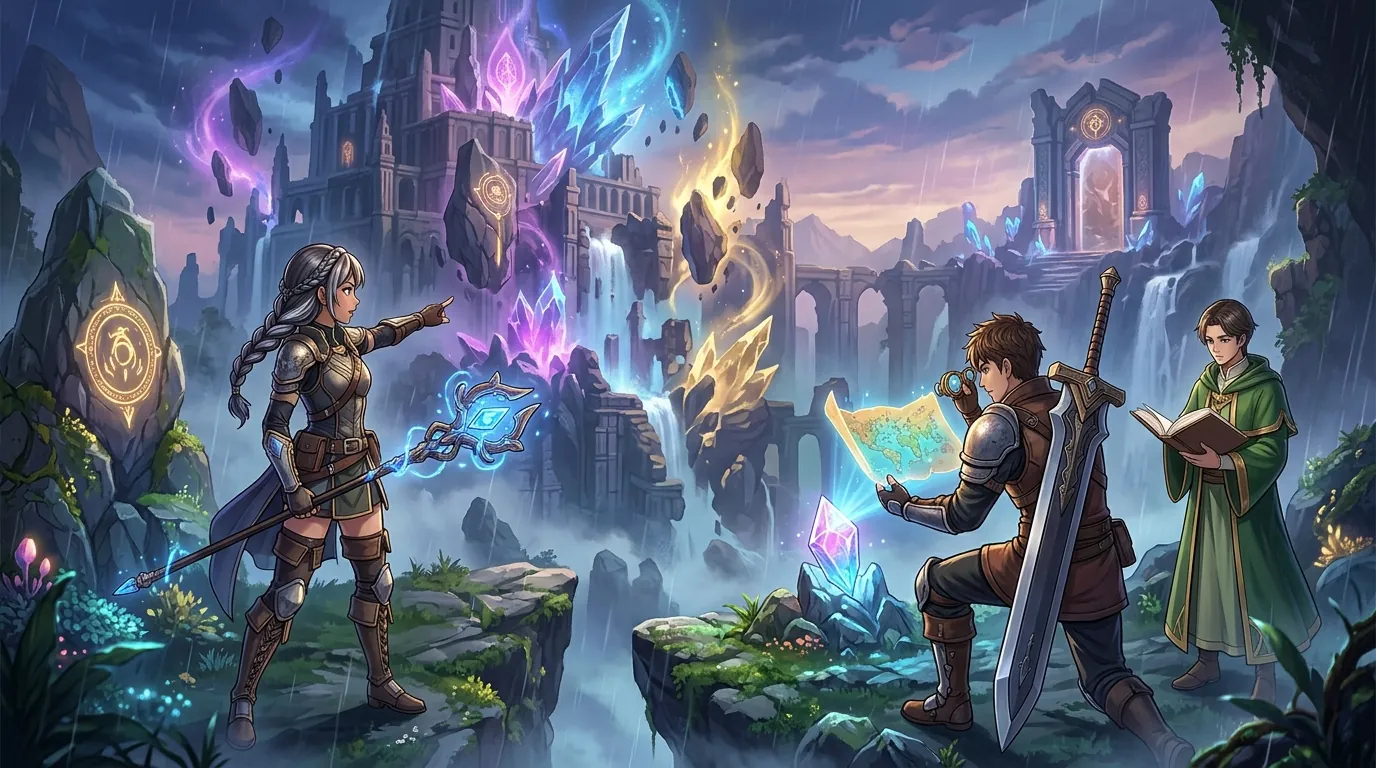
JRPG exploration is about more than just frame rates; it is about atmosphere. The shift to OLED technology has fundamentally changed how these games are experienced.
- Perfect Blacks: JRPGs often feature high-contrast environments, such as the neon-lit night cycles in Hesperia. On a standard IPS panel, these dark areas often look like a “grey wash.” OLED’s infinite contrast ratio allows for true black, making colors pop and increasing the perceived depth of the world.
- Color Volume: Exploration-heavy games rely on vibrant art styles. QD-OLED technology is preferred here for its high color volume, which allows it to maintain deep saturation even at high brightness levels. This is especially noticeable in magical effects or the Anomalies encountered in urban exploration.
- Burn-in Mitigation: Since gacha games and MMOs have persistent HUDs (health bars, mini-maps), features like pixel shifting and multi-logo detection are non-negotiable. These technologies subtly move the image or dim static elements to prevent permanent damage to the panel.
Comparison summary
The current 4K OLED market is dominated by a few key panels, but the implementation varies significantly between brands.
| Monitor | Panel Type | Best For | Unique Feature |
|---|---|---|---|
| ASUS PG32UCDM | QD-OLED (Gen 3) | Premium Performance | KVM & Graphene Heatsink |
| Alienware AW3225QF | QD-OLED (Gen 3) | Curved Immersion | 1700R Curve & eARC |
| MSI 321URX | QD-OLED (Gen 3) | Best Value | 90W USB-C Power Delivery |
| LG 32GS95UE-B | WOLED | Bright Rooms | 480Hz Dual-Mode & Matte Finish |
| Samsung G80SD | QD-OLED (Gen 3) | Smart Features | AI Upscaling & Smart TV OS |
The ASUS PG32UCDM and MSI 321URX share the same panel, but the ASUS offers better firmware control and a KVM for a $350 premium. The Alienware AW3225QF is the outlier with its curved design, which is better for immersion but worse for professional color work. LG’s WOLED technology offers better fringe-case brightness in HDR but lacks the pure color ‘pop’ of the Samsung-made QD-OLED panels found in the other three picks.
When to skip the upgrade
While 4K OLED is the current gold standard, it isn’t the right choice for every player or setup.
- Uncontrolled Sunlight: If you primarily play in a room with uncontrolled sunlight, even the best OLEDs can struggle with reflections. In these environments, a high-brightness Mini-LED monitor like the Samsung Odyssey Neo G8 might be a better fit, as it can reach much higher peak brightness to overpower glare.
- GPU Limitations: If your GPU is older than an RTX 3080 or RX 6800 XT, you will struggle to hit the frame rates necessary to justify a 4K 240Hz display in modern titles. Running a game like Neverness to Everness at native 4K with high settings is extremely demanding.
- Productivity Focus: If you use your monitor for 8+ hours of productivity (spreadsheets or coding) daily, the risk of burn-in from static window borders still outweighs the gaming benefits of OLED. In this case, a high-quality 4K IPS panel is a safer long-term investment.
What we didn’t include and why
Several popular displays were considered but ultimately excluded from our top recommendations for specific reasons.
- LG C3/C4 42-inch OLED TV: While popular for console gaming, the 42-inch size results in a lower pixel density (105 PPI) compared to the 140 PPI of a 32-inch 4K screen. It also lacks DisplayPort, making it less than ideal for close-up desk use during long JRPG sessions where text clarity is paramount.
- Gigabyte AORUS FO32U2P: Although it features DisplayPort 2.1, current GPUs cannot fully utilize this bandwidth without DSC (Display Stream Compression). The price premium for DP 2.1 is hard to justify over the MSI or ASUS alternatives for most players today.
- Any 27-inch 4K OLEDs: At 27 inches, 4K resolution requires 150-200% scaling to make text readable. This can cause UI issues in older JRPGs and MMOs that don’t scale gracefully. We believe 32 inches is the “sweet spot” for 4K resolution, providing enough screen real estate to enjoy the scenery without needing excessive software scaling.
Frequently Asked Questions
Is burn-in a real risk for gacha game players?
Yes, but modern features have significantly reduced the risk. Gacha games often have static HUD elements like stamina bars or currency counters that stay in the same place for hours. However, with technologies like pixel shifting and the 3-year warranties offered by brands like MSI and ASUS, the risk is manageable for most users.
Should I choose QD-OLED or WOLED for anime-style games?
QD-OLED is generally preferred for anime-style art because of its superior color volume. The vibrant, saturated colors common in JRPGs look more “alive” on a QD-OLED panel. WOLED is a better choice only if you play in a very bright room where the matte finish is necessary to block reflections.
Is 4K 240Hz necessary for JRPGs?
While 240Hz is not strictly necessary for turn-based combat, it makes exploration and camera movement feel incredibly smooth. In titles like Neverness to Everness that feature driving and fast-paced Esper abilities, the high refresh rate significantly reduces motion blur, making the urban environment easier to navigate at high speeds.
Does the curve on the Alienware AW3225QF affect dialogue boxes?
The 1700R curve is very subtle and generally does not distort text enough to be bothersome. Most players find that it actually makes reading dialogue at the edges of the screen more comfortable, as it keeps the entire display at a more uniform distance from your eyes.
Sources
- ASUS ROG Swift OLED PG32UCDM — https://rog.asus.com/monitors/32-to-34-inches/rog-swift-oled-pg32ucdm/
- MSI MPG 321URX QD-OLED — https://www.msi.com/Monitor/MPG-321URX-QD-OLED
- RTINGS Best Gaming Monitors — https://www.rtings.com/monitor/reviews/best/by-usage/gaming
- Neverness to Everness Official Site — https://www.hotta.com/nte/index.html?lang=en
- IGN Neverness to Everness Announcement
- Pocket Tactics NTE Characters Guide — https://www.pockettactics.com/neverness-to-everness/characters
- Sportskeeda NTE Character Information
Related Guides

Best Adjustable Standing Desks for WFH Gacha Grinders

Arlecchino vs Hu Tao: Who is the Best Pyro DPS in Genshin Impact?

Aurelia Nova vs Lacrimosa NTE: Best Gaming Gear for Neverness to Everness Players

Ayaka vs Ganyu: Who is the Best Cryo DPS in Genshin Impact?

Best 4-Star Weapons for NTE DPS: Top A-Rank Arcs Ranked

Best 4K OLED Gaming Monitors for Competitive Gacha Grinders and Daily Farmers

Best 4K OLED Gaming Monitors for Immersive RPG Worlds and Long MMO Sessions

Loading comments…